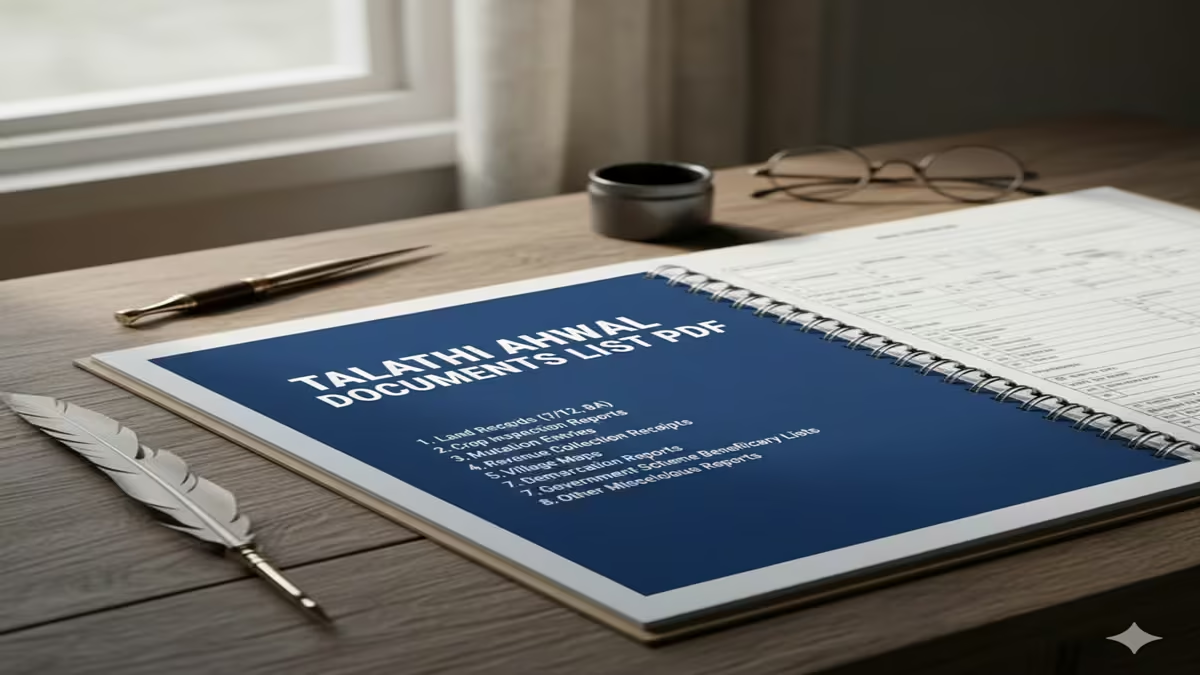
Talathi Ahwal Documents List PDF 2026: जमिनीच्या कामांसाठी तलाठी अहवाल हवाय? मग ‘ही’ कागदपत्रे ठेवा तयार!
Talathi Ahwal Documents List PDF 2026: Introduction: महाराष्ट्रात जमिनीचे व्यवहार, वारस नोंद किंवा सातबारा उताऱ्यावरील दुरुस्ती करायची असेल, तर ‘तलाठी अहवाल’ हा सर्वात महत्त्वाचा पुरावा मानला जातो. अनेकदा नागरिकांना हेच माहित नसते की नक्की कोणती कागदपत्रे सोबत नेली पाहिजेत, ज्यामुळे त्यांना तलाठी कार्यालयाचे वारंवार उंबरठे झिजवावे लागतात.
२०२६ मध्ये महसूल विभागाने अनेक प्रक्रिया ऑनलाईन केल्या असल्या, तरी कागदपत्रांची पूर्तता करणे अनिवार्य आहे. आजच्या या लेखात आपण Talathi Ahwal Documents List Pdf बद्दल सविस्तर माहिती घेणार आहोत, जेणेकरून तुमचे काम एकाच भेटीत पूर्ण होईल.
१. तलाठी अहवाल नक्की कशासाठी लागतो?
Talathi Ahwal Documents List PDF 2026: खालील कामांसाठी तुम्हाला तलाठी अहवालाची आवश्यकता भासते:
- जमिनीवर वारसाचे नाव चढवण्यासाठी (वारस नोंद).
- जमिनीची फाळणी किंवा वाटणी करण्यासाठी.
- सातबारा उताऱ्यावरील नावातील चूक दुरुस्त करण्यासाठी.
- कर्जासाठी जमिनीवर बोजा चढवण्यासाठी किंवा उतरवण्यासाठी.
- शेतकरी असल्याचा दाखला मिळवण्यासाठी.
२. आवश्यक कागदपत्रांची विभागणी (Categorized List)
Talathi Ahwal Documents List PDF 2026: अहवालाच्या प्रकारानुसार कागदपत्रे बदलू शकतात, परंतु सर्वसाधारणपणे लागणारी यादी खालीलप्रमाणे आहे:
अ) ओळखीचा आणि पत्त्याचा पुरावा: १. आधार कार्ड (अनिवार्य). २. मतदार ओळखपत्र किंवा पॅन कार्ड. ३. रेशन कार्ड (कुटुंबाच्या माहितीसाठी).
ब) जमिनीशी संबंधित कागदपत्रे: १. अद्ययावत ७/१२ उतारा (गेल्या ३ महिन्यांतील). २. ८-अ उतारा (खाते उतारा). ३. फेरफार उतारा (जुने बदल पाहण्यासाठी). ४. जमिनीचा नकाशा (गरज असल्यास).
क) वारस नोंदीसाठी विशेष कागदपत्रे: १. मूळ खातेदाराचा मृत्यू दाखला (Death Certificate). २. सर्व वारसांची संमती पत्रे (Affidavit). ३. वंशावळ (Family Tree) – स्वघोषणापत्र किंवा ग्रामपंचायत/नगरपालिकेचा दाखला.
३. ऑनलाईन अर्ज करताना लागणारी कागदपत्रे
Talathi Ahwal Documents List PDF 2026: जर तुम्ही Aaple Sarkar पोर्टलवरून अर्ज करत असाल, तर तुम्हाला वरील कागदपत्रांच्या PDF स्कॅन कॉपी अपलोड कराव्या लागतात. प्रत्येक फाइलची साईझ ५०० KB पेक्षा कमी असावी लागते.
४. तलाठी अहवाल अर्जाचा नमुना (Format)
Talathi Ahwal Documents List PDF 2026: तलाठी अहवालासाठी तुम्हाला एक विहित नमुन्यातील अर्ज करावा लागतो. या अर्जात खालील माहिती भरणे आवश्यक आहे:
- अर्जदाराचे पूर्ण नाव आणि पत्ता.
- जमिनीचा गट नंबर किंवा सर्व्हे नंबर.
- कामाचे स्वरूप (उदा. नाव दुरुस्ती किंवा बोजा कमी करणे).
- सोबत जोडलेल्या कागदपत्रांची यादी.
५. कागदपत्रे जमा करताना घ्यायची काळजी
Talathi Ahwal Documents List PDF 2026: १. साक्षांकित प्रती (Attested Copies): शक्यतो सर्व कागदपत्रांच्या छायांकित प्रतींवर स्वतःची स्वाक्षरी (Self-Attested) करा. २. स्पष्टता: ७/१२ किंवा मृत्यू दाखला यांवरील अक्षरे स्पष्ट दिसतील याची खात्री करा. ३. मोबाईल नंबर: अर्जावर तुमचा चालू मोबाईल नंबर नक्की लिहा, जेणेकरून तलाठी तुम्हाला संपर्क करू शकतील.
६. Talathi Ahwal Documents List PDF डाउनलोड कशी करावी?
Talathi Ahwal Documents List PDF 2026: तुम्ही आमच्या वेबसाईटच्या या विभागातून महसूल विभागाची अधिकृत Checklist PDF डाऊनलोड करू शकता. (येथे तुमची डाउनलोड लिंक द्या).
७. वारंवार विचारले जाणारे प्रश्न (FAQs)
प्रश्न १: तलाठी अहवाल मिळण्यासाठी किती दिवस लागतात?
उत्तर: सर्व कागदपत्रे योग्य असल्यास साधारणपणे ७ ते १५ दिवसांत अहवाल प्राप्त होतो.
प्रश्न २: वंशावळ कुणाकडून साक्षांकित करून घ्यावी लागते?
उत्तर: वंशावळ तुम्ही स्वतः सत्यप्रतिज्ञेवर (Affidavit) देऊ शकता किंवा ग्रामसेवक/सरपंच यांच्या सहीने घेऊ शकता.
प्रश्न ३: सातबारा ऑनलाईन असेल तर तलाठी अहवाल गरजेचा आहे का?
उत्तर: हो, कोणत्याही अधिकृत फेरफारासाठी (Mutation) सातबारा ऑनलाईन असला तरी तलाठ्याचा पडताळणी अहवाल आवश्यक असतो.
प्रश्न ४: या सेवेसाठी काही शासकीय शुल्क आहे का?
उत्तर: हो, अर्जाच्या प्रकारानुसार अत्यल्प शासकीय फी भरावी लागते, ज्याची पावती तुम्हाला दिली जाते.
प्रश्न ५: मृत्यू दाखला नसेल तर काय करावे?
उत्तर: मृत्यूची नोंद नसेल तर तुम्हाला प्रथम न्यायालयाकडून किंवा सक्षम प्राधिकाऱ्याकडून मृत्यूच्या तारखेचा दाखला मिळवावा लागेल.
Conclusion: तुमचे काम सोपे करा!
Talathi Ahwal Documents List Pdf सोबत असल्यास तुमचे काम विनासायास पूर्ण होऊ शकते. चुकीची किंवा अपुरी कागदपत्रे हेच कामाला उशीर होण्याचे मुख्य कारण असते. त्यामुळे अर्ज करण्यापूर्वी वरील यादी तपासून घ्या.
The Ultimate Guide to the Talathi Awahal (Ahwal) Documents List: Purpose, Process, and PDF Resources
Navigating Land Records: A Complete Handbook on Maharashtra’s Talathi Awahal (Ahwal) Document List
Introduction: The Cornerstone of Land Ownership in Maharashtra
Talathi Ahwal Documents List Pdf In the intricate tapestry of land administration in Maharashtra, the Talathi stands as the foundational officer, the point of first contact for millions of farmers and landowners. At the heart of their duties lies the maintenance and issuance of a critical set of records known as “Awahal” or “Ahwal” (often used interchangeably, though “Awahal” is more precise). These are not mere documents; they are the dynamic, current ledger of a land parcel’s life. For anyone dealing with agricultural land—be it for inheritance, sale, purchase, loan acquisition, or government scheme application—understanding and obtaining the correct Talathi Awahal documents is the first and most crucial step.
This guide demystifies the Talathi Awahal documents list, explaining its components, purpose, application process, and its vital role in the state’s push for transparent digital governance through the Maharashtra Bhulekh and e-District portals.
Chapter 1: What is “Awahal” (Ahwal)? Beyond a Simple Document List
Talathi Ahwal Documents List PDF 2026: The term“Awahal”refers to thecurrent record of rights and cultivationfor a specific land parcel (Survey Number/Khasra Number). It is a real-time snapshot, updated annually by the Talathi (Village Accountant), capturing the present ownership, tenancy, liabilities, and cultivation details.
Think of it this way:
- 7/12 Utara (Extract): This is the historical and legal title document. It shows the chain of ownership (transfers) over the years, the area, crop history, and encumbrances. It’s often called the “Record of Rights.”
- 8-A Extract: This details the land revenue assessment (how much tax is due).
- Awahal (Ahwal): This is the current operational document. What is being grown this year? Are there any current loans or attachments?” It’s the live status report.
Why is it Called a “List”?
Talathi Ahwal Documents List PDF 2026: When applicants request “Awahal,” they typically receive abundle of current documentspertaining to their land. This bundle is colloquially called the “Talathi Awahal Documents List.” It proves present possession and cultivation rights.
Chapter 2: The Core Components: Decoding the Talathi Awahal Documents List
Talathi Ahwal Documents List PDF 2026: The exact list can vary slightly by district or taluka, but the core documents remain consistent. Here is the standard list:
1. Satbara Utara / 7-12 Extract (Current):
This is the most critical component. The Awahal service ensures you get the most recently updated 7/12 extract, reflecting entries right up to the current financial year. It confirms your name is on the record as the holder.
2. Form 6 (Mutation Entry Intimation):
If a recent change in ownership (via sale, inheritance, gift) has been mutated, the certified copy of the Form 6 entry is included. This proves the mutation is recorded.
3. Khate Utara / Account Extract:
This shows the current ledger of land revenue (tax) for the plot. It details payments made, arrears if any, and the current balance. It’s essential for obtaining a “No Dues Certificate.”
4. Rashid (Land Tax Payment Receipts):
Recent, original receipts for payment of land revenue are a key part of Awahal. They are concrete proof that you, as the current holder, are fulfilling your fiscal responsibilities.
5. Up-to-Date Cultivation Remarks (Khasgi):
Talathi Ahwal Documents List PDF 2026: The Talathi’s current remarks on what crop (Kharif, Rabi, annual) is being cultivated on the land for the present and previous agricultural year. This is vital for loan applications against crops.
6. No Dues Certificate / Non-Encumbrance Certificate (NEC):
A certificate issued by the Talathi, often countersigned by the Circle Inspector (Talathi), stating that there are no outstanding government dues (land revenue, water tax, etc.) or no current attachments/restraints (from courts or banks) on the land. This is arguably the most important document for any transaction.
7. Talathi’s Verification Report (Sometimes):
Talathi Ahwal Documents List PDF 2026: For specific purposes like loans, the Talathi may provide a separate verification report confirming the applicant’s possession and cultivation of the said land.
Chapter 3: Why Do You Need It? Key Applications of Awahal Documents
Talathi Ahwal Documents List PDF 2026: This documents list is not an academic requirement; it is a practical necessity for:
- Bank Loans & Credit: Mandatory for obtaining agricultural loans (Kisan Credit Card), crop loans, or gold loans against land/crop. Banks need proof of current ownership, cultivation, and a clean NEC.
- Property Transactions: While the 7/12 is key for history, the current Awahal (with NEC) assures the buyer of a clear, liability-free title at the time of sale/purchase.
- Government Schemes: Applications for subsidies (drip irrigation, tractor), crop insurance (PMFBY), or relief funds require proof that you are the current cultivator.
- Legal Proceedings: In disputes over possession, tenancy, or inheritance, the current Awahal serves as prima facie evidence of who is in control of the land.
- Mutation (Namantar): Before initiating a new mutation, you often need the current Awahal to establish the starting point.
- Certificates: Needed for obtaining Domicile, Caste, or Income Certificates linked to land ownership.
Chapter 4: How to Obtain Your Talathi Awahal Documents: Offline & Online Process
Talathi Ahwal Documents List PDF 2026: A) The Traditional Offline Process:
- Application Drafting: Write a formal application in Marathi addressed to the “Talathi, [Your Village Name], Taluka [Name], District [Name].”
- Key Details to Include: Your full name, father’s/husband’s name, Survey Number (Shivar Number), Gat/Hissa Number, area (Hector-Are), and village name.
- State the Purpose: Clearly mention if it’s for a bank loan, sale, etc.
- Attach Proof: Attach a copy of your old 7/12, RTC, or Property Card, and your ID proof (Aadhaar).
- Submit: Submit the application at the Talathi’s office or the Gram Panchayat office. Pay the requisite stamp fees and service charges. You will receive a dated acknowledgment.
- Collection: The Talathi prepares the bundle, verifies the records, and signs/stamps the documents. It can take from 24 hours to a week to collect.
B) The Modern Online Process (via Maharashtra e-District Portal):
Talathi Ahwal Documents List PDF 2026: The Government of Maharashtra has streamlined this through thee-District portal.
- Visit: Go to the official Maharashtra e-District website.
- Select Service: Navigate to “Revenue Department” > “Agriculture” or “Land Records.” Look for services named:
- “Agricultural Certificate”
- “Land Record Certificate (Satbara)” – which often provides the option to get the full suite.
- “Non-Encumbrance Certificate.”
- Fill Application: Enter all required land details (District, Taluka, Village, Survey No., etc.). Select the specific certificates you need from a checklist (mimicking the Awahal list).
- Upload & Pay: Upload necessary supporting documents (like ID proof) and pay the government fees online.
- Track & Download: Track your application status online. Once processed by the Talathi and approved, you can download the digitally signed PDF documents directly from the portal. This is the modern, efficient equivalent of the physical Awahal bundle.
Note: For the No Dues Certificate, a physical verification by the Talathi is often still required, even if initiated online.
Chapter 5: Important Points, Challenges & Pro Tips
- Talathi Ahwal Documents List PDF 2026: Verification is Key:Always cross-check every detail on the received documents—names, numbers, areas—for errors. A single spelling mistake can cause rejections.
- Timeliness: Awahal documents are considered valid for 3 to 6 months for most official purposes (like bank loans). Always get a fresh set for a new transaction.
- Digital vs. Physical: While e-District certificates are legally valid, some local banks or authorities may still insist on physical, stamped copies. It’s best to confirm the acceptable format beforehand.
- Common Challenges: Delays can occur due to the Talathi’s fieldwork, outdated manual entries, or pending mutations. Follow up politely but persistently.
- Link with Bhulekh: Use the Maharashtra Bhulekh website to first view your 7/12 extract online for free. This gives you the baseline information to quote in your application and verify the output.
- Fees: Be prepared to pay nominal government stamp fees and service charges. Avoid paying any unauthorized “speed money.”
Chapter 6: The Future: Integration and Transparency
Talathi Ahwal Documents List PDF 2026: The Awahal process is rapidly transforming. Initiatives like:
- Integration of Land Records (7/12) with Registration (SARATHI): Ensuring mutation is auto-updated post-registration.
- Bank Attachment Data Integration: Making the NEC more real-time and reliable.
- Mobile Apps: Providing status updates and alerts directly to farmers’ phones.
The goal is to make the entire “Awahal documents list” a seamless, push-button service, reducing dependency on physical visits and enhancing transparency.
Conclusion
Talathi Ahwal Documents List PDF 2026: The Talathi Awahal documents list is the lifeblood of rural and semi-urban land dealings in Maharashtra. It is the authoritative proof of one’s present stake in the land. Moving from a opaque, person-dependent process to a transparent, online system marks a significant leap in governance. Whether you obtain it from the Talathi’s desk or download it as a PDF from the e-District portal, understanding what this bundle represents empowers you as a landowner, ensuring your rights are securely documented and your transactions are smooth and undisputed.
Disclaimer: This article is for informational purposes only. Procedures and document names may have minor regional variations. Always consult with the local Talathi or Revenue Department for the most current and official requirements for your specific case.