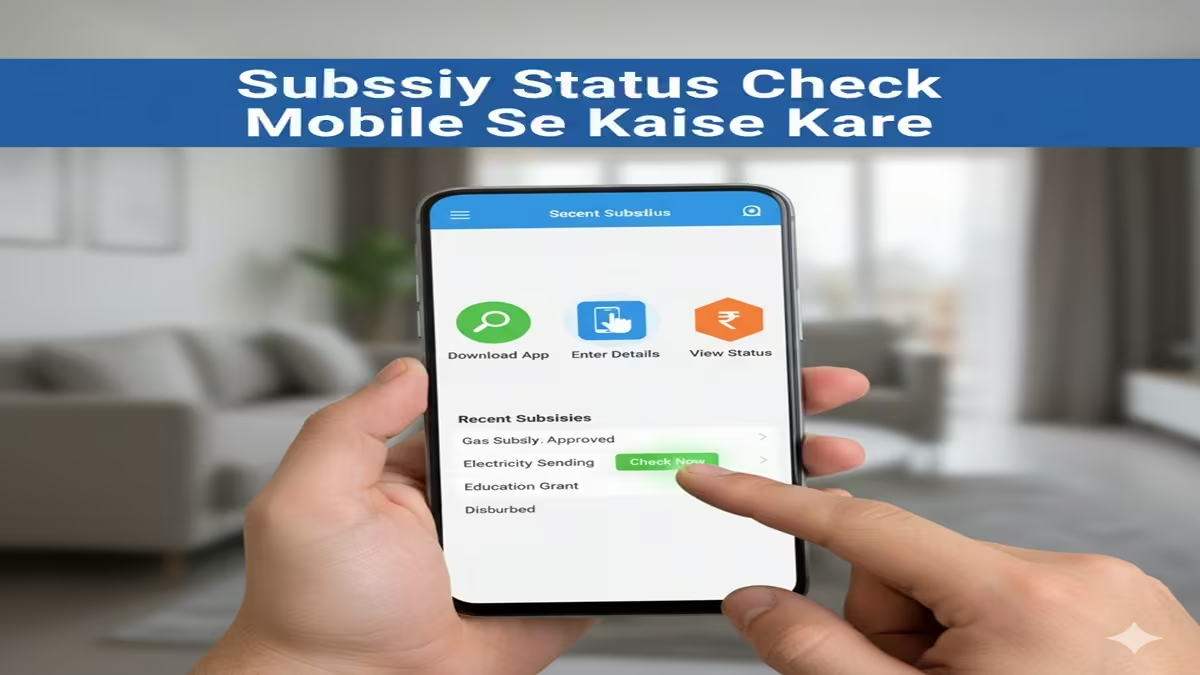
Subsidy Status Check Mobile Se Kaise Kare: तुमच्या हक्काची सबसिडी खात्यात जमा झाली का? मोबाईलवरून घरबसल्या असे चेक करा स्टेटस!
Subsidy Status Check Mobile Se Kaise Kare: भारत सरकार आता बहुतांश सरकारी योजनांचे पैसे थेट लाभार्थ्यांच्या बँक खात्यात DBT (Direct Benefit Transfer) द्वारे जमा करते. यामध्ये गॅस सबसिडी, पीएम-किसान सन्मान निधी, घरकुल योजना सबसिडी आणि विद्यार्थ्यांच्या स्कॉलरशिपचा समावेश असतो. अनेकदा आपल्याला माहीत नसते की पैसे जमा झाले आहेत की नाही, आणि यासाठी आपल्याला वारंवार बँकेच्या फेऱ्या माराव्या लागतात.
परंतु आता तुम्ही तुमच्या स्मार्टफोनचा वापर करून Subsidy Status Check Online करू शकता. या लेखात आपण त्याची संपूर्ण प्रक्रिया सविस्तरपणे पाहणार आहोत.
१. सबसिडी स्टेटस तपासण्याचे मुख्य मार्ग
Subsidy Status Check Mobile Se Kaise Kare: सरकारी सबसिडी तपासण्यासाठी मुख्यत्वे दोन मोठे प्लॅटफॉर्म वापरले जातात:
- PFMS पोर्टल (Public Financial Management System)
- UMANG ॲप (Unified Mobile Application for New-age Governance)
२. PFMS पोर्टलद्वारे सबसिडी कशी चेक करावी? (Step-by-Step)
Subsidy Status Check Mobile Se Kaise Kare: PFMS हे केंद्र सरकारचे अधिकृत पोर्टल आहे जिथून सर्व DBT पेमेंट ट्रॅक केले जातात.
- स्टेप १: मोबाईलच्या ब्राउझरमध्ये
pfms.nic.inही वेबसाईट उघडा. - स्टेप २: होमपेजवर ‘Know Your Payments’ किंवा ‘Track DBT Details’ या पर्यायावर क्लिक करा.
- स्टेप ३: तुमच्या बँकेचे नाव निवडा (उदा. State Bank of India).
- स्टेप ४: तुमचा बँक खाते क्रमांक (Account Number) दोनदा अचूक टाका.
- स्टेप ५: स्क्रीनवर दिसणारा कॅप्चा कोड (Word Verification) भरा.
- स्टेप ६: ‘Send OTP on Registered Mobile Number’ वर क्लिक करा.
- स्टेप ७: ओटीपी टाकल्यानंतर तुमच्या खात्यात जमा झालेल्या सर्व सरकारी सबसिडीची यादी (तारीख आणि रक्कमेसह) स्क्रीनवर दिसेल.
३. गॅस सबसिडी (LPG Subsidy) मोबाईलवर कशी तपासायची?
Subsidy Status Check Mobile Se Kaise Kare: जर तुम्हाला तुमच्या गॅस सिलेंडरची सबसिडी चेक करायची असेल, तर खालील प्रोसेस फॉलो करा:
mylpg.inया वेबसाईटवर जा.- तुमच्या गॅस कंपनीचे नाव निवडा (HP, Indane, किंवा Bharat Gas).
- ‘Give your feedback online’ वर क्लिक करा.
- ‘Subsidy Related (PAHAL)’ हा पर्याय निवडून ‘Subsidy Not Received’ वर क्लिक करा.
- तुमचा नोंदणीकृत मोबाईल नंबर किंवा LPG ID टाकून सबमिट करा. तुम्हाला मागील सर्व सिलेंडरच्या सबसिडीचा तपशील मिळेल.
४. उमंग (UMANG) ॲपचा वापर कसा करावा?
Subsidy Status Check Mobile Se Kaise Kare: भारत सरकारने सर्व सरकारी सेवा एकाच ठिकाणी देण्यासाठी UMANG ॲप तयार केले आहे.
- प्ले-स्टोअरवरून UMANG ॲप डाउनलोड करा.
- तुमच्या मोबाईल नंबरने रजिस्टर करा.
- सर्च बारमध्ये ‘DBT’ किंवा ‘PFMS’ सर्च करा.
- तुमची योजना निवडून आधार नंबर किंवा बँक खात्याद्वारे स्टेटस चेक करा.
५. सबसिडी न मिळाल्यास काय करावे?
Subsidy Status Check Mobile Se Kaise Kare: जर तुमची सबसिडी स्टेटसमध्ये ‘Failed’ दाखवत असेल किंवा पैसे जमा झाले नसतील, तर:
- आधार लिंकिंग: तुमचे बँक खाते आधार कार्डशी लिंक आहे का याची खात्री करा.
- NPCI मॅपिंग: तुमचे बँक खाते NPCI सर्व्हरवर ‘Active’ असणे गरजेचे आहे.
- KYC अपडेट: बँकेत जाऊन तुमचे ई-केवाईसी (e-KYC) पूर्ण करा.
निष्कर्ष (Conclusion)
Subsidy Status Check Mobile Se Kaise Kare ही प्रक्रिया आता अत्यंत सोपी झाली आहे. डिजिटल इंडियामुळे आपल्याला आता बँकेच्या रांगेत उभे राहण्याची गरज नाही. वरील पद्धती वापरून तुम्ही काही सेकंदात तुमच्या पैशांचा हिशोब मिळवू शकता. जर तुम्हाला काही तांत्रिक अडचण येत असेल, तर तुम्ही संबंधित विभागाच्या हेल्पलाइन नंबरवर कॉल करू शकता.
Quick Info Table
| सबसिडीचा प्रकार | अधिकृत वेबसाईट / पद्धत |
| सर्व DBT योजना | pfms.nic.in |
| गॅस सबसिडी | mylpg.in |
| पीएम किसान | pmkisan.gov.in |
| मोबाईल ॲप | UMANG App |
Introduction: The Digital Revolution in Subsidy Management
Subsidy Status Check Mobile Se Kaise Kare In today’s digitally-driven world, government subsidies have transformed from paper-based bureaucratic processes to accessible digital services. With the widespread penetration of smartphones in India, checking subsidy status has become remarkably convenient. Whether it’s LPG subsidy, housing schemes, agricultural benefits, or educational scholarships, citizens can now verify their entitlements with just a few taps on their mobile devices.
This comprehensive guide explores the various methods to check subsidy status on mobile devices, covering multiple government schemes, step-by-step procedures, troubleshooting tips, and future trends in digital governance.
Chapter 1: Understanding Government Subsidies in India
Types of Subsidies Available to Citizens
Subsidy Status Check Mobile Se Kaise Kare: Before learning how to check subsidy status, it’s essential to understand what subsidies are available:
- LPG Subsidy (PAHAL): Direct Benefit Transfer for cooking gas
- Pradhan Mantri Awas Yojana (PMAY): Housing subsidy for urban and rural populations
- Pradhan Mantri Fasal Bima Yojana (PMFBY): Crop insurance subsidy for farmers
- Scholarship Schemes: Educational subsidies for SC/ST/OBC/Minority students
- Ayushman Bharat: Health insurance subsidy for vulnerable families
- Ujjwala Yojana: LPG connection subsidy for women below poverty line
- Agricultural Subsidies: For seeds, fertilizers, and equipment
- Electricity Subsidies: For domestic consumers in various states
Subsidy Status Check Mobile Se Kaise Kare: Each subsidy has specific eligibility criteria and application processes, but status checking has been largely unified through digital platforms.
The Shift to Direct Benefit Transfer (DBT)
Subsidy Status Check Mobile Se Kaise Kare: The Government of India’s Direct Benefit Transfer system revolutionized subsidy distribution by:
- Eliminating middlemen and corruption
- Ensuring direct transfer to beneficiary bank accounts
- Creating transparent tracking mechanisms
- Reducing leakage and inefficiency in the system
This digital infrastructure forms the foundation for mobile-based status checks.
Chapter 2: Prerequisites for Subsidy Status Check
Essential Requirements
Subsidy Status Check Mobile Se Kaise Kare: Before attempting to check subsidy status on mobile, ensure you have:
- Registered Mobile Number: Your phone number must be linked to your Aadhaar and bank account
- Aadhaar Number: Most subsidies are now Aadhaar-linked
- Bank Account Details: Account number and IFSC code
- Application Reference Number: For schemes where you’ve applied
- Basic Smartphone Features: Internet connectivity, SMS capability
- Relevant Documents: Soft copies of identity proofs
Common Challenges and Solutions
| Challenge | Solution |
|---|---|
| Mobile number not linked to Aadhaar | Visit nearest Aadhaar center or use online update |
| Bank account not linked | Update through bank branch or online banking |
| No application reference number | Contact department helpline or revisit application |
| Poor internet connectivity | Use SMS-based services or offline methods |
Chapter 3: Complete Guide to Mobile-Based Subsidy Status Checks
Method 1: Official Government Portals and Apps
Step-by-Step Process:
- Identify the Correct Portal/App:
- MyGov (umbrella application)
- mKisan (agricultural subsidies)
- PAHAL app (LPG subsidy)
- PMAY app (housing subsidy)
- National Scholarship Portal app
- Download and Installation:
- Visit Google Play Store (Android) or App Store (iOS)
- Search for the official app
- Verify authenticity (check developer: Government of India)
- Install and grant necessary permissions
- Registration Process:
- Create account using mobile number
- Verify through OTP
- Link Aadhaar number (if required)
- Set security PIN/password
- Status Check Procedure:
- Navigate to “Check Status” or “Track Application”
- Enter required details (application number, Aadhaar, etc.)
- Submit and view current status
- Download/save status for future reference
Method 2: SMS-Based Services
Subsidy Status Check Mobile Se Kaise Kare: For feature phones or areas with poor internet:
LPG Subsidy Status via SMS:
text
Type: STATUS <Consumer Number>
Send to: 5676767 or 9212993399
PMAY Status via SMS:
text
Type: PMAY <Application Number>
Send to: 7738299899
General DBT Status:
text
Type: DBT <Last 4 digits of account number>
Send to: 51969
Method 3: IVRS (Interactive Voice Response System)
- Dial the scheme-specific toll-free number
- Follow voice prompts (usually available in regional languages)
- Enter application/Aadhaar number using keypad
- Listen to automated status update
- Request SMS confirmation if needed
Method 4: USSD Codes (for basic phones)
text
*99*1# or *99# for general services
Note: USSD services vary by telecom operator and may have nominal charges.
Chapter 4: Scheme-Specific Mobile Checking Procedures
LPG Subsidy (PAHAL) Status Check
Through Mobile App:
- Install “MyLPG” or “PAHAL” app
- Register with consumer number and registered mobile
- View subsidy status, transfer history, and next expected payment
- Set up notifications for future transfers
Alternative Methods:
- SMS: Send “STATUS” to 5676767
- Website: www.mylpg.in via mobile browser
- Helpline: 1800-233-3555
PMAY (Housing) Subsidy Status
Official App Process:
- Download “PMAY-U” or “PMAY-G” app (urban/rural)
- Select “Track Your Assessment” option
- Enter assessment ID or Aadhaar number
- View current status (received, under verification, approved, rejected)
- Check reason if rejected and reapply option
SMS Service: PMAY <Application ID> to 7738299899
Scholarship Status Check
National Scholarship Portal (NSP):
- Install NSP app or visit mobile site
- Login with application ID and date of birth
- Track verification stages (institute, state, central)
- View payment status and expected disbursement date
Agricultural Subsidies
mKisan Portal:
- Register with farmer ID or Aadhaar
- View subsidies for seeds, fertilizers, equipment
- Check PMFBY (insurance) claim status
- Receive SMS alerts for new schemes
Chapter 5: Troubleshooting Common Issues
Problem 1: “No Records Found”
Possible Causes:
- Incorrect application/Aadhaar number
- Mobile number not registered
- Data not updated in system
Solutions:
- Re-enter details carefully
- Visit CSC (Common Service Center) for verification
- Contact department helpline
Problem 2: OTP Not Received
Solutions:
- Check mobile network connectivity
- Ensure number is not on DND
- Request OTP again after 2 minutes
- Use alternate authentication if available
Problem 3: App Crashes or Errors
Troubleshooting Steps:
- Update app to latest version
- Clear app cache and data
- Reinstall application
- Check device compatibility
- Try mobile website alternative
Problem 4: Status Shows “Pending” for Extended Period
Action Plan:
- Note expected processing time (varies by scheme)
- Contact implementing agency directly
- Escalate through grievance portals
- Visit local office with reference number
Chapter 6: Security Best Practices
Subsidy Status Check Mobile Se Kaise Kare: Protecting Your Data
- Download Only Official Apps: Verify developer name before installing
- Avoid Public Wi-Fi for Financial Transactions: Use mobile data or secure networks
- Never Share OTP/PIN: Government officials never ask for OTP
- Regularly Update Apps: Security patches fix vulnerabilities
- Check App Permissions: Grant only necessary permissions
Recognizing Scams and Fraud
Subsidy Status Check Mobile Se Kaise Kare: Red Flags:
- Unofficial apps asking for banking passwords
- SMS with links to unknown websites
- Callers demanding payment for subsidy processing
- Websites without “https” security
Verification Methods:
- Cross-check helpline numbers on official sites
- Verify URLs (gov.in domains are authentic)
- Contact banks directly for account-related queries
Chapter 7: The Future of Mobile-Based Subsidy Management
Subsidy Status Check Mobile Se Kaise Kare: Emerging Technologies
- Blockchain Integration: For immutable subsidy tracking
- AI-Powered Chatbots: 24/7 status queries in regional languages
- Biometric Authentication: Fingerprint/iris scans for secure access
- Predictive Analytics: Anticipating subsidy needs based on usage patterns
Unified Subsidy Platforms
Subsidy Status Check Mobile Se Kaise Kare: The government is working toward:
- Single app for all subsidies (likely through enhanced UMANG app)
- Real-time tracking dashboards
- Automated grievance redressal
- Integration with India Stack (Aadhaar, UPI, DigiLocker)
Chapter 8: Case Studies: Successful Mobile Subsidy Management
Subsidy Status Check Mobile Se Kaise Kare: Case Study 1: Rural Rajasthan
Challenge: Low literacy, limited smartphone penetration
Solution: IVRS-based status checks in local dialect
Outcome: 40% increase in subsidy awareness and claims
Case Study 2: Urban Maharashtra
Challenge: High volume of applications, delayed status updates
Solution: WhatsApp-based chatbot for instant queries
Outcome: 70% reduction in status query visits to offices
Case Study 3: Agricultural Subsidies in Punjab
Challenge: Fake claims, identity verification issues
Solution: Aadhaar-linked app with geotagging
Outcome: Reduced fraud, faster genuine claim processing
Conclusion: Empowering Citizens Through Mobile Access
Subsidy Status Check Mobile Se Kaise Kare: The digitization of subsidy status checks represents a significant leap toward transparent governance and citizen empowerment. By leveraging mobile technology, the government has made welfare schemes more accessible, accountable, and efficient. While challenges remain—particularly in rural areas with digital literacy and connectivity issues—the continuous improvement of mobile interfaces, vernacular support, and offline alternatives promises to bridge these gaps.
As we move toward an increasingly digital India, the ability to check subsidy status on mobile devices will become even more seamless, integrated, and user-friendly. Citizens are encouraged to familiarize themselves with these digital tools, safeguard their information, and actively participate in the digital governance ecosystem.
Subsidy Status Check Mobile Se Kaise Kare: Remember, staying informed about your subsidy status is not just about receiving benefits—it’s about exercising your rights as a citizen in the digital age.
Frequently Asked Questions (FAQs)
FAQ 1: मोबाइल से सब्सिडी स्टेटस चेक करने के लिए क्या-क्या जानकारी चाहिए?
उत्तर: Subsidy Status Check Mobile Se Kaise Kare: मोबाइल से सब्सिडी स्टेटस चेक करने के लिए आपको निम्नलिखित जानकारी की आवश्यकता होगी:
आवेदन पंजीकरण/रेफरेंस नंबर
आधार नंबर (ज्यादातर योजनाओं के लिए)
पंजीकृत मोबाइल नंबर (जो आधार और बैंक खाते से लिंक हो)
बैंक खाता विवरण (खाता संख्या, IFSC कोड)
कुछ मामलों में जन्म तिथि या अन्य पहचान दस्तावेज़
FAQ 2: क्या बिना स्मार्टफोन के भी सब्सिडी स्टेटस चेक कर सकते हैं?
उत्तर: Subsidy Status Check Mobile Se Kaise Kare: हाँ, बिल्कुल! बिना स्मार्टफोन के भी आप निम्न तरीकों से सब्सिडी स्टेटस चेक कर सकते हैं:
एसएमएस सेवा: योजना-विशिष्ट नंबर पर एसएमएस भेजकर
आईवीआरएस: टोल-फ्री नंबर डायल करके ऑटोमेटेड वॉयस सिस्टम के माध्यम से
यूएसएसडी कोड: *99# या *99*1# डायल करके (टेलीकॉम ऑपरेटर पर निर्भर)
फीचर फोन के मोबाइल ब्राउज़रसे वेबसाइट एक्सेस करके
हेल्पलाइन नंबरपर कॉल करके
FAQ 3: सब्सिडी स्टेटस चेक करते समय ‘नो रिकॉर्ड्स फाउंड’ एरर आता है तो क्या करें?
उत्तर: Subsidy Status Check Mobile Se Kaise Kare: अगर ‘नो रिकॉर्ड्स फाउंड’ एरर आता है, तो ये कदम उठाएं:
दर्ज किए गए विवरण (आवेदन नंबर, आधार नंबर आदि) दोबारा जांचें
सुनिश्चित करें कि आपका मोबाइल नंबर आधार और बैंक खाते से लिंक है
संबंधित विभाग की आधिकारिक वेबसाइट पर जाकर ग्रीवेंस सेल से संपर्क करें
नजदीकी कॉमन सर्विस सेंटर (CSC) पर जाकर सहायता लें
योजना के हेल्पलाइन नंबर पर कॉल करें (अक्सर वेबसाइट पर उपलब्ध होते हैं)
आवेदन जमा करने के 24-48 घंटे बाद दोबारा कोशिश करें (डेटा अपडेट होने में समय लग सकता है)
FAQ 4: सब्सिडी स्टेटस चेक करने के लिए कौन-कौन से ऑफिशियल ऐप्स हैं?
उत्तर: Subsidy Status Check Mobile Se Kaise Kare: सब्सिडी स्टेटस चेक के लिए प्रमुख आधिकारिक ऐप्स:
UMANG (यूनिफाइड मोबाइल एप्लिकेशन): केंद्र और राज्य सरकार की अधिकांश योजनाओं के लिए
MyLPG/PAHAL: एलपीजी सब्सिडी के लिए
PMAY-U/PMAY-G: प्रधानमंत्री आवास योजना (शहरी/ग्रामीण) के लिए
National Scholarship Portal (NSP): छात्रवृत्ति योजनाओं के लिए
mKisan: किसानों की सब्सिडी और योजनाओं के लिए
MyGov: विभिन्न सरकारी योजनाओं और अपडेट्स के लिए
आयुष्मान भारत ऐप: स्वास्थ्य बीमा योजना के लिए
सभी ऐप्स Google Play Store (Android) और App Store (iOS) पर उपलब्ध हैं। डाउनलोड करने से पहले डेवलपर नाम जरूर चेक करें (“Government of India” होना चाहिए)।
FAQ 5: सब्सिडी स्टेटस चेक करते समय सुरक्षा के लिए क्या सावधानियां बरतनी चाहिए?
उत्तर: Subsidy Status Check Mobile Se Kaise Kare: सब्सिडी स्टेटस चेक करते समय ये सुरक्षा सावधानियां जरूर बरतें:
केवल आधिकारिक ऐप्स और वेबसाइट्सका ही उपयोग करें (.gov.inडोमेन या सरकार द्वारा वेरिफाइड ऐप्स)
कभी भी OTP, बैंकिंग पासवर्ड या पिनकिसी के साथ साझा न करें (सरकारी अधिकारी कभी भी OTP नहीं मांगते)
पब्लिक Wi-Fiका उपयोग करने से बचें, अपना मोबाइल डेटा या सिक्योर नेटवर्क उपयोग करें
ऐप परमिशन्सध्यान से देखें – केवल आवश्यक परमिशन्स दें
अनऑफिशियल लिंक्सपर क्लिक न करें (एसएमएस या ईमेल में आए लिंक्स को वेरिफाई करें)
नियमित रूप से ऐप्स अपडेटकरते रहें (सिक्योरिटी पैच के लिए)
टू-फैक्टर ऑथेंटिकेशनका उपयोग करें जहां उपलब्ध हो
लॉगआउटकरना न भूलें, खासकर शेयर्ड डिवाइस पर
अगर किसी प्रकार की फ्रॉड या स्कैम का शक हो, तो तुरंत हेल्पलाइन नंबर 1930 (साइबर क्राइम) पर रिपोर्ट करें और अपने बैंक को सूचित करें।