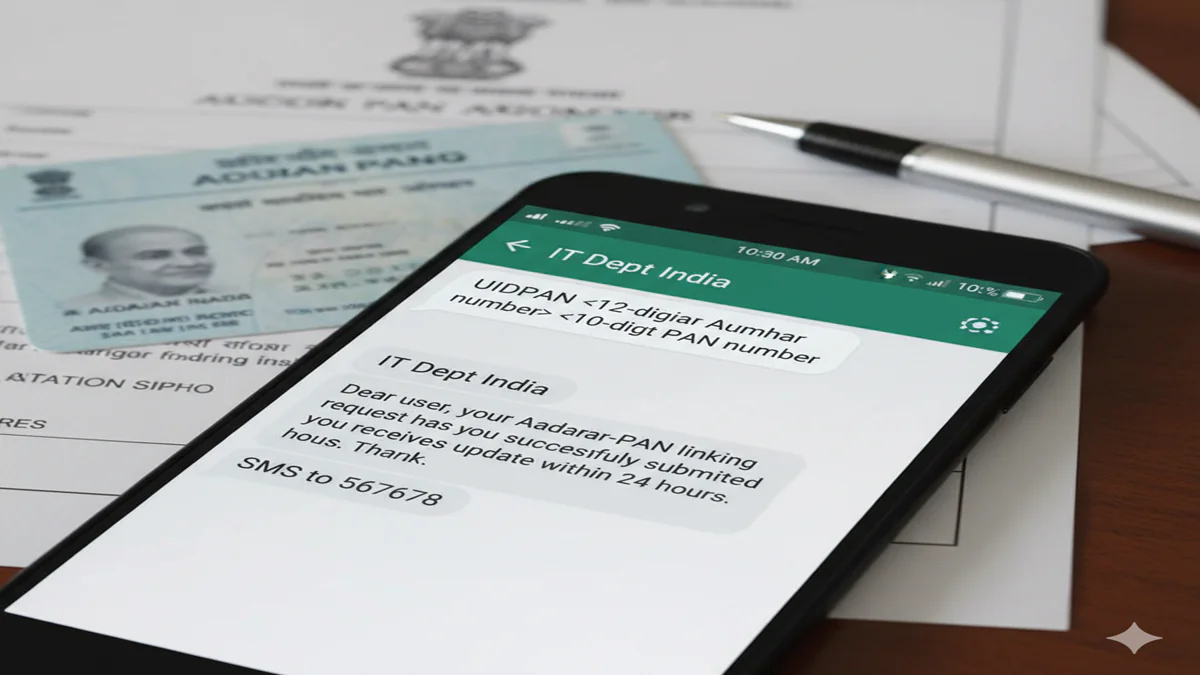
Sms Method To Link Aadhaar And Pan Card India Linking Aadhaar with PAN is one of those small admin jobs that can save you big headaches later. It connects your 12-digit Aadhaar number with your 10-character PAN in the Income Tax system, so your identity is validated across many tax and financial tasks.
The SMS method is popular because it’s quick, works even on basic phones, and doesn’t need an app or a strong internet connection. In most cases, you can link (or at least trigger a status check) by sending one SMS in a fixed format to 567678 or 56161.
Rules and deadlines can change. As of December 2025, many taxpayers faced a Dec 31, 2025 cutoff (in particular, certain PAN holders allotted PAN using an Aadhaar Enrolment ID), with a risk of PAN becoming inoperative from Jan 1, 2026 if not linked where applicable (see coverage like Business Standard’s report on the Dec 2025 requirement).
Link Aadhaar with PAN by SMS in India (latest format, numbers, and example)
Think of the SMS method like handing a neatly written slip to the system. If the slip is clean (right format, right numbers, matching details), the system can accept it quickly. If it’s messy (extra characters, wrong spacing, mismatch in name or DOB), it gets rejected.
Sms Method To Link Aadhaar And Pan Card India
Here’s what the SMS method actually does:
- You send a message containing your Aadhaar and PAN in the prescribed format.
- The system validates the combination and replies with an automated message (linked, already linked, mismatch, or error).
- In some cases, especially when verification is required, you may still need to finish the process on the Income Tax e-Filing portal with OTP verification.
Keep your phone in hand for a few minutes after sending the SMS, because the response message is usually quick, but sometimes delayed due to network load.
A few practical do and don’t points before you send it:
- Do type your Aadhaar as 12 digits, no spaces inside the number.
- Do type your PAN in the standard format: 5 letters, 4 digits, 1 letter (example: ABCDE1234F).
- Do use single spaces only.
- Don’t add commas, hyphens, or extra words.
- Don’t forward screenshots or share your Aadhaar or PAN in groups, even for help.
Exact SMS format to send (UIDPAN Aadhaar PAN) and where to send it
Use this exact format:
UIDPAN <12-digit Aadhaar> <10-character PAN>
Send it to either of these short codes:
- 567678
- 56161
Example (use single spaces, nothing extra):
UIDPAN 123412341234 ABCDE1234F
That’s it. No dots, no punctuation, no hashtags, no “please link” text. Just the keyword and the two numbers.
After you send it, you’ll get an automated reply. Depending on your case, it may say your Aadhaar is linked, already linked, or that there’s a mismatch that needs correction. If it says “pending” or asks for a next step, follow up on the e-Filing portal, because SMS can start the request, but OTP-based confirmation may still be required in some situations.
Before you send the SMS: details that must match and what mobile number to use
Linking often fails for one simple reason: your Aadhaar and PAN details don’t match closely enough.
For smoother validation, these should match between Aadhaar and PAN records:
- Name (spelling order matters more than people expect)
- Date of birth
- Gender
Send the SMS from the mobile number you can access easily. Many users prefer sending it from the Aadhaar-registered mobile number, because if you later need OTP verification on the e-Filing portal, OTP delivery becomes the make-or-break step.
If your Aadhaar-linked mobile number is not active anymore, OTP steps can fail later. In that situation, you may need to update your mobile number in Aadhaar through UIDAI’s update process before completing linking online.
Costs, deadlines, and what happens if PAN is not linked
The SMS method itself doesn’t come with a special government charge. In most cases, you’ll only pay your telecom’s normal SMS rate (or nothing if your plan includes SMS). The cost and risk usually come from the deadline rules, not the act of sending a message.
As of December 2025, there has been wide reporting about a Dec 31, 2025 deadline for certain categories of PAN holders (for example, PANs allotted using an Aadhaar Enrolment ID). If linking isn’t done by that date in applicable cases, PAN may become inoperative from Jan 1, 2026, which can block normal tax and PAN-based tasks.
Also, late linking rules can include a fee in delayed cases (commonly Rs. 1,000), collected through the Income Tax e-Filing process when prompted. The exact applicability depends on the rule set for that period and your case type, so rely on what the portal shows when you submit the request.
SMS charges vs late fee: what you might pay and when
Here’s the simple breakdown:
- Sending the SMS: usually normal SMS charges as per your mobile plan.
- Possible late fee: commonly Rs. 1,000 in delayed linking cases, paid online on the Income Tax e-Filing portal when the system asks for it.
Not everyone pays a fee. The portal will show whether payment is required before it lets you complete the request.
PAN “inoperative” meaning and real-life impact
“Inoperative” is plain language for “your PAN may not work like it should.” It can create friction in places where PAN is routinely checked or required.
Common impacts include:
- Problems while filing your ITR (return filing may fail or get stuck)
- Refund delays because PAN validation doesn’t go through
- Higher TDS or TCS in some cases where PAN is treated as not valid
- KYC issues with banks, brokers, and other financial platforms
- Extra delays in opening accounts or updating investment profiles
Check linking status and fix common SMS linking problems (quick troubleshooting)
If the SMS reply says it failed, don’t panic. Most issues are formatting mistakes or data mismatches that can be fixed.
A quick, safe flow looks like this:
- Send the SMS in the exact UIDPAN format.
- Read the automated reply carefully (linked, already linked, mismatch, pending).
- If it fails or stays pending, check status online and fix the root cause before retrying.
One safety reminder that’s easy to ignore: don’t post your Aadhaar or PAN on social media or public forums while asking for help. If you need support, share only masked details.
How to check Aadhaar PAN link status by SMS and online
For SMS, the same format is commonly used to trigger a status response:
UIDPAN <12-digit Aadhaar> <10-character PAN> to 567678 or 56161.
For online status checks, use the official “Link Aadhaar Status” option through government service listings like the National Government Services portal page for checking Aadhaar-PAN link status. You typically enter your PAN and Aadhaar, then view the current link result.
If the SMS fails: mismatch fixes, OTP issues, and other ways to link
Most failed SMS attempts come down to one of these:
- Wrong SMS format: Re-type it with single spaces, and confirm the keyword is UIDPAN.
- PAN typed wrong: PAN has letters and digits in a fixed pattern (ABCDE1234F). Check for O vs 0, I vs 1.
- Aadhaar and PAN mismatch: If name, DOB, or gender differs, update either Aadhaar or PAN records, then try again.
- OTP not received later: If your Aadhaar mobile number is outdated or inactive, update it before you attempt portal-based linking.
- “Pending” status: Give it some time, then confirm online. If it remains pending, complete linking on the e-Filing portal where OTP steps may be required.
If SMS keeps failing, use these alternatives:
- Link using the Income Tax Department’s e-Filing portal (often needed when payment or OTP is required).
- Get help through authorized PAN service providers (NSDL/UTIITSL channels) if you need PAN data correction or assisted service.
For a practical overview of status checks and common fixes, you can compare guides like ClearTax’s Aadhaar-PAN link status explanation, then confirm your final status through official portals.
Conclusion
The SMS method to link Aadhaar and PAN in India is simple when the format is right: UIDPAN Aadhaar PAN, sent to 567678 or 56161. The reply you get is automated, and it usually tells you whether you’re linked, already linked, or facing a mismatch.
If your message shows pending or fails, check your status online, fix name or DOB mismatches, and be ready for OTP steps on the e-Filing portal if required. Keep your IDs private, and don’t share Aadhaar or PAN publicly. Most importantly, act before the deadline that applies to your case so your PAN stays operative. Try the SMS first, then confirm the status online.