


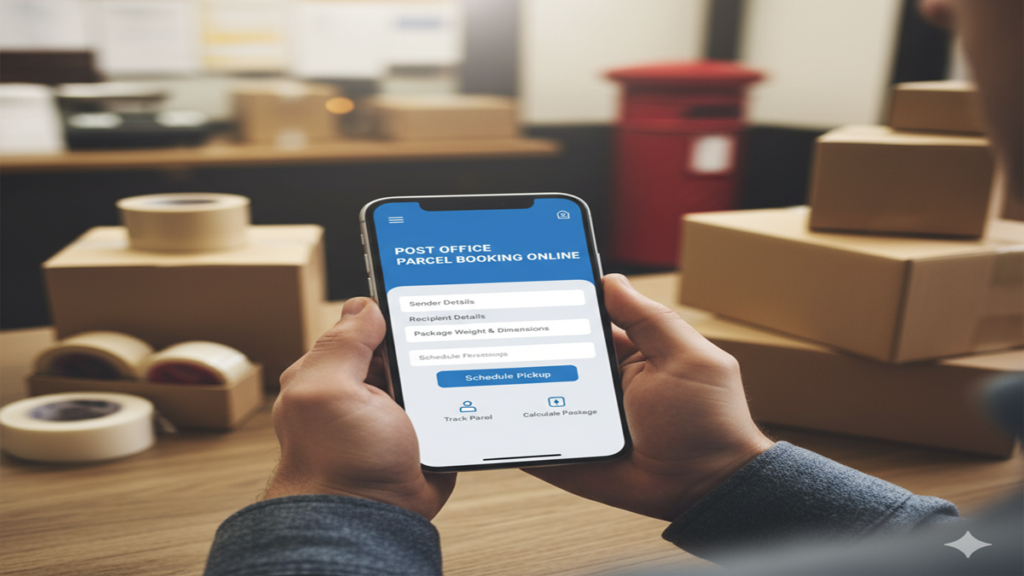
The Complete Guide to Post Office Parcel Booking Online: Smarter, Faster, and More Convenient
Post Office Parcel Booking Online For generations, the local post office has been a cornerstone of community and commerce, a trusted institution for sending letters, documents, and parcels across the street and across the globe. While the image of queuing at a counter with a brown-paper-wrapped package is nostalgic, the process has undergone a quiet revolution. Today, Post Office Parcel Booking Online has transformed this experience, blending the unparalleled reach and trust of the postal network with the speed and convenience of the digital age.
This guide is your ultimate resource for navigating India Post’s online parcel booking system. We will delve into why you should use it, provide a detailed, step-by-step walkthrough, explore advanced features, compare it with private couriers, and answer all your pressing questions.
Why Choose Online Parcel Booking with India Post?
Before we jump into the “how,” let’s understand the “why.” While private couriers aggressively market their services, India Post offers a unique set of advantages, especially when booked online.
- Unmatched Reach and Penetration: India Post has over 1.5 lakh post offices, reaching the remotest villages and PIN codes where private couriers often do not operate. If you need to send a parcel to a rural area, the post office is frequently the only reliable option.
- Cost-Effectiveness: For many weight slabs and destinations (particularly domestic), India Post’s parcels, especially Parcel and Book Packets, are significantly cheaper than private courier services. The online system provides complete tariff transparency upfront.
- Trust and Security: As a government-operated service, it carries inherent trust. There is a formal, established process for grievances and tracking, which is crucial for valuable or important documents.
- Diverse Service Portfolio: It’s not a one-size-fits-all model. You can choose from:
- Parcel: For general goods.
- Speed Post: For time-sensitive parcels (domestic & international).
- Registered Post: Adds a tracking and delivery proof layer to letters and parcels.
- Business Parcel: For bulk commercial shipments.
- eCommerce Parcel: Tailored for online sellers.
- Doorstep Convenience (with Value-Added Services): The online platform itself allows you to book and pay from home. While standard parcels require dropping at a post office, you can also schedule a doorstep pickup for a small fee, eliminating the need to visit at all.
A Step-by-Step Walkthrough: Booking Your First Parcel Online
The official portal for all India Post online services is https://www.indiapost.gov.in/. The process is logical and user-friendly.
Step 1: Registration & Login
- Navigate to the website and click on ‘Register’ (usually under the ‘Customer’ section).
- Fill in your details: Name, mobile number (crucial for OTP), email ID, and address. Create a username and password.
- Verify your account via the OTP sent to your mobile and email. Once verified, log in to your dashboard.
Step 2: Selecting the Service
- From your dashboard, locate the ‘Book a Service’ or ‘e-Post Office’ section.
- You will see the menu of services: Parcel, Speed Post, Registered Post, Business Parcel, etc.
- Select the service that best fits your needs. For a standard package, select ‘Parcel’.
Step 3: Entering Shipment Details
This is the core of the booking. You will need to accurately fill in two sets of addresses:
- Sender’s Address: Your registered address will auto-populate, but you can modify it for this specific shipment if needed.
- Receiver’s Address: Enter the recipient’s complete details—name, address, PIN code, and mobile number. The mobile number is critical for SMS tracking updates.
- Parcel Details: Enter the number of packets, the approximate weight (in kg), and the dimensions (length, breadth, height in cm). The system will use this to calculate volumetric weight if applicable. You must also declare the content (e.g., books, clothes, electronics, documents). Accurate declaration is mandatory for customs (for international) and safe handling.
Step 4: Value Declaration & Insurance (Optional but Recommended)
- You will be asked to declare the value of the contents. Based on this declared value, you can opt for Insurance.
- Insurance is a highly advisable add-on. It provides coverage against loss or damage in transit. The premium is a small percentage of the declared value and offers immense peace of mind, especially for valuable items.
Step 5: Choosing Additional Services
- Doorstep Pickup: Check this box if you want the postman to collect the parcel from your address. A nominal fee will be added.
- Cash on Delivery (COD): If you are an e-commerce seller, you can activate COD to collect payment from the recipient upon delivery. India Post’s COD is a trusted and widely used service.
- SMS Alerts: Opt-in for automatic updates on your parcel’s journey.
Step 6: Calculating Charges & Payment
- Once all details are entered, click on ‘Calculate Charges’. The system will instantly display the postage fee based on weight, destination, and service.
- The charges for add-ons (insurance, pickup) will be added, showing you the final payable amount with complete transparency.
- Proceed to payment using the integrated gateway. India Post accepts net banking, credit/debit cards, and UPI.
Step 7: Generating the Label & Shipping
- Upon successful payment, you can download and print the shipping label (a.k.a. the consignment note). This is a critical document.
- Print two copies of the label. Securely paste one copy on the parcel. Keep the other for your records.
- If you opted for doorstep pickup, pack your parcel and wait for the postman to arrive on the scheduled date. Hand over the parcel and the second copy of the label.
- If you did not opt for pickup, you must take the neatly packed and labelled parcel to your nearest post office. Present it at the counter; they will scan it, give you a receipt, and start its journey.
The Power of Tracking: From Booking to Delivery
The moment your parcel is scanned at the post office or picked up, its journey is live. Your dashboard on the India Post website will show the tracking status. You can also use the universal tracking page or the India Post SMS/App services.
- Tracking Number: Your unique alphanumeric code (like a 13-digit number for Speed Post, starting with “EE” for international).
- Typical Status Updates: ‘Booked’, ‘Dispatched from Originating Office’, ‘In Transit’, ‘Received at Destination Hub’, ‘Out for Delivery’, and finally, ‘Delivered’.
- Delivery Proof: For registered services, the recipient’s signature is captured electronically, and this proof of delivery is often available in your online dashboard—a crucial feature for business senders.
India Post Online vs. Private Couriers: A Balanced View
| Feature | India Post (Online Booking) | Private Couriers |
|---|---|---|
| Reach | Unbeatable, especially in rural areas. | Primarily urban and semi-urban; limited rural reach. |
| Cost | Generally lower for standard parcels. | Premium priced, especially for remote locations. |
| Doorstep Pickup | Available for a fee. | Almost always free and aggressively marketed. |
| Tracking | Good, but interface can be less polished. | Usually very sophisticated, real-time tracking apps. |
| Customer Service | Can be bureaucratic; relies on local post offices. | Dedicated helplines, often more responsive. |
| Best For | Cost-sensitive sends, rural deliveries, documents, books, e-commerce to tier-3/4 towns. | Time-critical urban deliveries, high-value goods requiring premium service, enterprise logistics. |
Pro Tips for a Flawless Experience
- Pack Like a Pro: Use a strong corrugated box. Cushion contents with bubble wrap or newspaper. Seal all edges securely with plastic or nylon tape. The label should be clear and protected with transparent tape.
- Declare Accurately: Never misdeclare contents or value. This can lead to confiscation, penalties, or denial of insurance claims.
- Weigh and Measure: Use a scale and measuring tape. Underestimating weight/size will lead to charges at the counter; overestimating means you overpay.
- Leverage Business Solutions: If you are a frequent shipper or an online seller, explore Business Parcel and eCommerce Parcel schemes. They offer discounted rates, bulk upload facilities, and API integration with shopping carts like WooCommerce and Shopify.
- Save Templates: For frequent receivers (like family or regular clients), save their addresses in your online address book to save time.
Conclusion: Embracing the Future of a Classic Service
Post Office Parcel Booking Online is more than just a digital ticketing system; it is a gateway to a robust, affordable, and incredibly far-reaching logistics network. It democratizes shipping, ensuring that anyone with an internet connection can send a parcel to almost any address in the country—and the world—without breaking the bank.
While it may lack the corporate sheen of private players, its core strengths of reach, reliability, and cost are formidable. By mastering the online platform, you unlock a new level of convenience, turning the iconic postal service into a modern tool for personal and business needs. So, the next time you have a gift for a village, documents for a government office, or products for a customer in a small town, look beyond the flashy courier ads. Log on, book your post office parcel, and experience the power of the world’s most extensive postal network, right at your fingertips.
Frequently Asked Questions (FAQ)
Q1: Is online booking cheaper than going directly to the post office counter?
A: The base postage rate is identical. However, online booking offers you transparency and convenience. You see the exact cost breakdown before paying, avoiding surprises. Furthermore, you save time by filling details at home. The only potential additional cost is the optional doorstep pickup fee, which is a service charge for the convenience, not a markup on postage.
Q2: What happens if I don’t have a printer to print the shipping label?
A: This is a common concern. If you cannot print the label, you have two options:
- Write the details manually: After booking online, note down the 13-digit consignment number. At the post office, on a clean sheet, clearly write the sender and receiver addresses and this consignment number. The counter staff will generate a physical label for you.
- Use a Digital Label: Some post offices may accept the digital label on your smartphone screen for scanning, but it’s not universally practiced. It’s always safest to call your local post office and confirm their policy.
Q3: My parcel is showing “In Transit” for many days. What should I do?
A: “In Transit” is a standard status while the parcel moves between sorting hubs. Domestic parcels, especially via ordinary Parcel service, can take 7-15 days. First, check the expected delivery timeline for the service you booked (e.g., Speed Post has a defined timeline). If it exceeds this period significantly, you can:
- Use the ‘Help’ or ‘Complaint’ section in your online dashboard to raise an inquiry.
- Contact the office of the Postmaster at the destination city with your tracking number.
- File a complaint via the India Post Help Centre phone number (you can find it on their website).
Q4: Can I book an international parcel online? How does customs work?
A: Yes, you can book international Speed Post (EMS) and International Parcel online. The process is similar but requires more detailed customs documentation. You must accurately fill out the CN 22/CP 71 customs declaration form online, describing the contents, quantity, value, and weight. Insurance is highly recommended for international shipments. The parcel may be held at the destination country’s customs for inspection and duties, which are the responsibility of the recipient. The online system provides the necessary forms and guidance.
Q5: I am an online seller. How can I integrate India Post with my website?
A: India Post offers excellent solutions for e-commerce sellers. You need to:
- Open a Business Parcel or eCommerce Parcel account through the portal. This often involves a simple registration and verification process.
- Once approved, you get access to bulk shipping tools, discounted rates, and crucially, API integration.
- The India Post API can be integrated with popular e-commerce platforms like WooCommerce, Magento, and Shopify, or custom-coded into your website. This allows you to automatically fetch orders, generate labels, and push tracking numbers back to your store’s dashboard, streamlining your entire shipping workflow. Details and technical documentation are available in the ‘Business Solutions’ section of the India Post website.