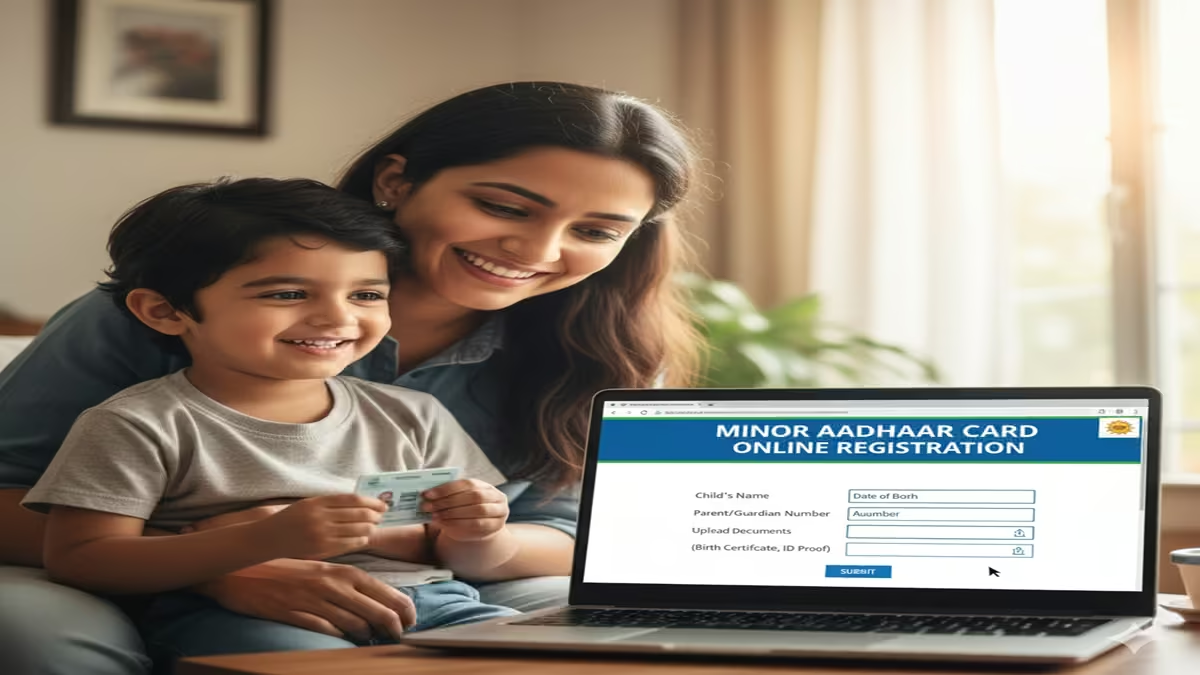
Minor Aadhar Card Online Registration 2026: बच्चों का ‘बाल आधार’ कार्ड कैसे बनवाएं? जानिए ऑनलाइन रजिस्ट्रेशन की पूरी प्रक्रिया!
Minor Aadhar Card Online Registration 2026: Introduction: Dosto, आज के समय में बड़ों की तरह बच्चों के लिए भी आधार कार्ड (Aadhar Card) एक अनिवार्य दस्तावेज बन गया है। स्कूल में एडमिशन लेना हो, पासपोर्ट बनवाना हो या किसी सरकारी योजना का लाभ लेना हो—बच्चों का आधार कार्ड होना बहुत जरूरी है।
अक्सर माता-पिता इस बात को लेकर परेशान रहते हैं कि छोटे बच्चों का आधार कार्ड कैसे बनेगा? क्या उनके फिंगरप्रिंट लिए जाएंगे? आज के इस आर्टिकल में हम Minor Aadhar Card Online Registration 2026 की पूरी जानकारी स्टेप-बाय-स्टेप देखेंगे, जिससे आप घर बैठे अपने बच्चे के आधार के लिए प्रोसेस शुरू कर सकें।
1. बाल आधार (Blue Aadhar) क्या है?
Minor Aadhar Card Online Registration 2026: 5 साल से कम उम्र के बच्चों के लिए जो आधार कार्ड जारी किया जाता है, उसे ‘बाल आधार’ (Baal Aadhar) कहा जाता है। इसका रंग नीला (Blue) होता है।
- इसमें बच्चे के बायोमेट्रिक्स (Fingerprints/Iris) नहीं लिए जाते।
- यह बच्चे के माता या पिता के आधार कार्ड से लिंक होता है।
- बच्चा जब 5 साल का हो जाता है, तब उसके बायोमेट्रिक्स अपडेट करना अनिवार्य होता है।
2. जरूरी दस्तावेज (Documents Checklist)
Minor Aadhar Card Online Registration 2026: माइनर आधार कार्ड के लिए आपको बहुत ज्यादा कागजों की जरूरत नहीं होती:
- बच्चे का जन्म प्रमाण पत्र (Birth Certificate): यह सबसे महत्वपूर्ण है।
- माता या पिता का आधार कार्ड: बच्चे का आधार पैरेंट्स के आधार से लिंक होगा।
- एड्रेस प्रूफ: माता-पिता के पते का प्रमाण।
- मोबाइल नंबर: जो माता-पिता के आधार से लिंक हो।
3. Step-by-Step: Minor Aadhar Card Online Registration 2026
Minor Aadhar Card Online Registration 2026: छोटे बच्चों के आधार के लिए आप ऑनलाइन Appointment बुक कर सकते हैं, ताकि आपको सेंटर पर जाकर लाइन में न खड़ा होना पड़े।
Step 1: UIDAI की ऑफिशियल वेबसाइट पर जाएं सबसे पहले myaadhaar.uidai.gov.in ओपन करें और ‘Book an Appointment’ विकल्प पर क्लिक करें।
Step 2: लोकेशन और सर्विस चुनें अपना शहर या नजदीकी आधार केंद्र चुनें। इसके बाद ‘Proceed to Book Appointment’ पर क्लिक करें।
Step 3: मोबाइल नंबर से लॉगिन करें अपना मोबाइल नंबर और कैप्चा डालें। आपके फोन पर एक OTP आएगा, उसे दर्ज करके लॉगिन करें।
Step 4: ‘New Enrolment’ पर क्लिक करें अब आपके सामने एक फॉर्म खुलेगा। इसमें बच्चे का नाम, जेंडर और जन्मतिथि भरें। ध्यान रहे, यहाँ ‘Relationship Type’ में माता या पिता का चुनाव करें और उनका आधार नंबर दर्ज करें।
Step 5: अपॉइंटमेंट का समय चुनें अपनी सुविधा के अनुसार तारीख और टाइम स्लॉट बुक करें। फॉर्म सबमिट करने के बाद आपको एक Appointment Slip मिलेगी।
4. आधार सेंटर पर जाने के बाद क्या होगा?
Minor Aadhar Card Online Registration 2026: बुक किए गए समय पर बच्चे और उसके ओरिजिनल बर्थ सर्टिफिकेट के साथ सेंटर पहुंचें:
- ऑपरेटर बच्चे की एक लाइव फोटो लेगा।
- बच्चे के बायोमेट्रिक्स (उंगलियों के निशान) नहीं लिए जाएंगे (अगर बच्चा 5 साल से छोटा है)।
- माता या पिता का आधार ऑथेंटिकेशन किया जाएगा।
- आपको एक ‘Acknowledgement Slip’ दी जाएगी। 15-20 दिनों में बच्चे का नीला आधार कार्ड पोस्ट से घर आ जाएगा।
5. बायोमेट्रिक अपडेट कब करना होता है? (Mandatory Update)
Minor Aadhar Card Online Registration 2026: माइनर आधार के मामले में दो बार अपडेट करना जरूरी है:
- 5 साल की उम्र में: बच्चे के फिंगरप्रिंट और आंखों का स्कैन पहली बार रजिस्टर किया जाता है।
- 15 साल की उम्र में: बच्चे के बायोमेट्रिक्स को फिर से अपडेट किया जाता है क्योंकि उम्र के साथ निशान बदल जाते हैं। यह अपडेट पूरी तरह मुफ्त (Free) होता है।
Conclusion: बच्चों का भविष्य सुरक्षित करें!
Minor Aadhar Card Online Registration की प्रक्रिया अब बहुत सरल है। ऑनलाइन अपॉइंटमेंट लेकर आप अपने बच्चे का आधार बिना किसी परेशानी के बनवा सकते हैं। याद रखें, ‘बाल आधार’ नीला होता है और बच्चे के 5 साल का होने पर उसे अपडेट करवाना न भूलें।
The Complete Guide to Minor Aadhaar Card Online Registration: A 2026 Handbook for Parents
Introduction: The Digital Identity for India’s Future
Minor Aadhar Card Online Registration In an increasingly digital India, the Aadhaar card has evolved from a mere identity document to a foundational pillar for accessing essential services, from school admissions and government scholarships to healthcare benefits and banking facilities. For children, or “minors” in legal parlance, possessing an Aadhaar card—officially known as Baal Aadhaar—is no longer optional but a critical enabler for their rights and opportunities. As of 2024, over 3.5 crore Baal Aadhaar cards have been issued, reflecting its widespread adoption.
The process of obtaining an Aadhaar for a child, however, is distinct from that for adults, governed by specific rules and safeguards to protect the child’s identity and interests. This comprehensive guide demystifies the entire process of Minor Aadhaar Card Online Registration, walking you through every step, legal requirement, and best practice to ensure a smooth, hassle-free experience for parents and guardians.
Part 1: Understanding Baal Aadhaar – Concept and Legal Framework
What is a Baal Aadhaar?
Minor Aadhar Card Online Registration 2026: A Baal Aadhaar is a uniquely designed Aadhaar card for children below the age of 5 years. It is distinguishable by itsblue colour, as opposed to the white Aadhaar for adults. This card is issued without biometric authentication (fingerprints and iris scan) at the time of enrollment, as a child’s biometrics are not stable until the age of 5. Instead, it is linked to the UIDAI database using the biometrics of the child’s parent or guardian.
The Two-Stage Lifecycle of a Minor’s Aadhaar
- For Children Below 5 Years (Blue Baal Aadhaar): This is a biometric-free enrollment. The child’s demographic details and photograph are captured and linked to the parent/guardian’s Aadhaar. No fingerprints or iris scans of the child are taken.
- Mandatory Biometric Update at Age 5: Upon the child attaining 5 years of age, the Baal Aadhaar becomes invalid. The parent must take the child to an Aadhaar Enrollment Centre for a mandatory biometric update. This process captures the child’s fingerprints, iris scan, and an updated photograph. This secures the child’s identity with their own biometrics.
- Second Mandatory Update at Age 15: A final biometric update is required at 15 years of age to refresh adult-level biometric data. Post this, the Aadhaar is valid for a lifetime.
Legal Prerequisites and Documents Required
Minor Aadhar Card Online Registration 2026: The enrollment of a minor is always done with the consent and physical presence of a parent or legal guardian.
Essential Documents Checklist:
- Proof of Birth Date: Any one of the following:
- Birth Certificate (Issued by Municipal Corporation/GRAM Panchayat)
- Hospital Discharge Slip
- Vaccination Card/Letter from a recognized medical institution.
- Proof of Relationship: Any one of the following linking the child to the enrolling parent/guardian:
- Parent’s Aadhaar Card (Most commonly used)
- Birth Certificate (which contains parents’ names)
- Central/State Government issued family card.
- Proof of Address: Any one of the following (can be of the parent):
- Passport
- Bank Statement/Passbook
- Ration Card
- Voter ID
- Utility Bill (not older than 3 months)
- Mobile Number: A working mobile number must be registered during enrollment. This is crucial for OTP-based authentication and status tracking.
Part 2: Step-by-Step Online Registration and Appointment Booking
Minor Aadhar Card Online Registration 2026: While the core enrollment must be done physically at an Aadhaar Seva Kendra (ASK) or a Permanent Enrollment Centre, the entire process is initiated and managed online for convenience.
Step 1: Locate the Nearest Enrollment Centre
- Visit the official UIDAI website: https://uidai.gov.in/
- Click on ‘Locate an Enrollment Centre’ under the ‘My Aadhaar’ tab.
- Enter your State, District, and Sub-district, or simply use your Pin Code.
- The system will display a list of all nearby centers with addresses and often, working hours. You can choose a center that is convenient for you.
Step 2: Book an Online Appointment (Highly Recommended)
Minor Aadhar Card Online Registration 2026: To avoid long queues, especially with a young child, use the online appointment system.
- On the UIDAI website, navigate to ‘Book an Appointment’ under the ‘My Aadhaar’ tab.
- Select your city and the preferred enrollment centre from the list generated in Step 1.
- Choose an available date and time slot.
- Enter the parent’s Aadhaar number (not the child’s, as they don’t have one yet).
- You will receive a confirmation on the screen and an SMS on your registered mobile number with the appointment details. Note: Carry a printout or a screenshot of this appointment confirmation.
Step 3: Prepare and Fill the Enrollment Form
Minor Aadhar Card Online Registration 2026: Although the form can be filled at the centre, save time by doing it beforehand.
- Download the Aadhaar Enrollment/Correction Form from the UIDAI website.
- Fill in all details of the child accurately:
- Full Name (as per birth certificate)
- Gender
- Date of Birth
- Parent/Guardian Name and Aadhaar Number.
- Address details.
- Do not sign the declaration box. This must be signed in the presence of the operator at the enrolment centre.
Part 3: The In-Person Enrollment Procedure
Minor Aadhar Card Online Registration 2026: On the day of the appointment, visit the centre with the child and the required documents.
Process at the Centre:
- Document Submission: Submit the filled form and original documents for verification. The operator will return the originals after taking photocopies or scans.
- Data Entry: The operator will enter the child’s demographic details into the UIDAI software.
- Photograph: A photograph of the child will be captured by the centre’s camera.
- Biometric of Parent/Guardian: The fingerprints of the enrolling parent/guardian (whose Aadhaar is provided as proof of relationship) will be captured. This forms the vital link.
- Acknowledgement Slip: Upon completion, you will receive an Acknowledgment Slip containing a 14-digit Enrollment Number (EID) and a date/time stamp. This slip is extremely important. It is your only proof of enrollment and is needed to download the e-Aadhaar later.
Minor Aadhar Card Online Registration 2026: Important Note for Newborns:Many government and private hospitals are now equipped withAadhaar Enrollment Stationsfor newborns. Parents can avail this facility before discharge, linking the child’s Aadhaar at the very beginning of their life.
Part 4: Post-Enrollment – Tracking and Downloading
- Check Aadhaar Status:
- Go to the UIDAI website’s ‘Check Aadhaar Status’ page.
- Enter the 14-digit EID number from your acknowledgment slip and the captcha code.
- The status will show: Under Process, Generated, or Dispatched.
- Download e-Aadhaar (Digital Version):
- Once status shows “Generated”, you can download the digital Baal Aadhaar.
- Click on ‘Download Aadhaar’ on the website.
- You will need the EID or the Aadhaar Number (if generated) and the registered mobile number for an OTP.
- The downloaded PDF is password-protected. The password is the first 4 letters of your child’s name (in CAPS) and the Year of Birth (e.g., for ROHAN born in 2022, password is R O H A 2 0 2 2).
- Receiving the Physical Card:
- The physical blue Baal Aadhaar card is dispatched by India Post to the registered address.
- This can take 60 to 90 days from the date of enrollment.
- You can track the postal delivery on the India Post website using the postal receipt number or via SMS service provided by UIDAI.
Part 5: Mandatory Biometric Updates at Age 5 and 15
Minor Aadhar Card Online Registration 2026: The responsibility to update the child’s biometrics rests with the parent/guardian.
Process for Biometric Update:
- Locate an Aadhaar Enrollment Centre (Update services are available at all centres).
- A fresh photograph, all ten fingerprints, and both iris scans of the child will be captured.
- An acknowledgment slip is provided. The updated Aadhaar will be dispatched to the registered address. There is no fee for the first biometric update at age 5.
Consequences of Non-Update:If not updated, the Baal Aadhaar will remain in a “Biometric Lock” state, potentially causing authentication failures when used for services, effectively rendering it invalid for many purposes.
Part 6: Special Scenarios and Troubleshooting
- For Orphans/Children Under Guardianship: The legal guardian must provide valid court guardianship documents as Proof of Relationship.
- If Parent Doesn’t Have Aadhaar: The enrollment of a minor is still possible. The enrolling parent/guardian must undergo Aadhaar enrollment simultaneously with the child, providing valid documents for themselves.
- Lost Enrollment Slip (EID): Without the EID, tracking is difficult. Visit the enrollment centre where you applied with the child’s details and your original ID. The operator may be able to retrieve the details.
- Error in Child’s Details on Generated Aadhaar: Use the “Update Aadhaar Details” service online or at an enrollment centre. For children, demographic updates are free up to a certain limit. Biometric updates are only for the mandated ages or in case of medical issues.
Frequently Asked Questions (FAQs)
1. What is the minimum age for a child to get an Aadhaar card?
There isno minimum age. A newborn can be enrolled for Aadhaar immediately after birth, provided they have a birth certificate or a discharge slip from the hospital. Many hospitals now offer enrollment facilities for newborns.
2. Can I complete my child’s entire Aadhaar registration online without visiting a centre?
No, you cannot.The online process is for appointment booking, form downloading, and status tracking only. The physical presence of both the child and the parent/guardian ismandatoryat an Aadhaar Enrollment Centre for photograph capture, document verification, and capturing the parent’s biometrics.
3. Is the blue Baal Aadhaar valid for school admissions and availing government schemes?
Yes, absolutely.The blue Baal Aadhaar is a fully valid proof of identity and date of birth. It is widely accepted for school admissions, opening bank accounts for minors, and availing of government welfare schemes like scholarships and mid-day meals. Its validity is conditional on the mandatory biometric update at age 5.
4. What happens if I miss the mandatory biometric update when my child turns 5?
The Baal Aadhaar card willnot be automatically cancelled, but its authentication functionality may be restricted. It is strongly advised to complete the update at the earliest after the child turns 5 to ensure uninterrupted use of Aadhaar-based services. The update is free of charge.
5. My child is above 5 years old and has never had an Aadhaar. What is the process?
For a childabove 5 years enrolling for the first time, the process is similar to that of an adult. The child’sown biometrics (fingerprints and iris scan)will be captured during the first enrollment itself, along with the photograph and demographic details. The parent/guardian’s Aadhaar is still required for relationship proof and consent. The card issued will be the standard white Aadhaar, not the blue one.
Conclusion: Securing Your Child’s Digital Future
The Minor Aadhaar Card Online Registration process, while involving a necessary physical step, is a streamlined and parent-friendly system designed to protect the child’s identity. By following this guide, parents can navigate the procedure with confidence, ensuring their child is integrated into India’s digital ecosystem from an early age. Proactive management, especially of the critical biometric updates at ages 5 and 15, is key to maintaining the card’s validity. In doing so, you are not just obtaining an identity document, but unlocking a world of opportunities and securing the rightful benefits for your child in a digital nation.
Disclaimer: The processes and guidelines are based on UIDAI regulations as of 2024. Always refer to the official UIDAI website (https://uidai.gov.in/) or visit an Aadhaar Seva Kendra for the most current and authoritative information.