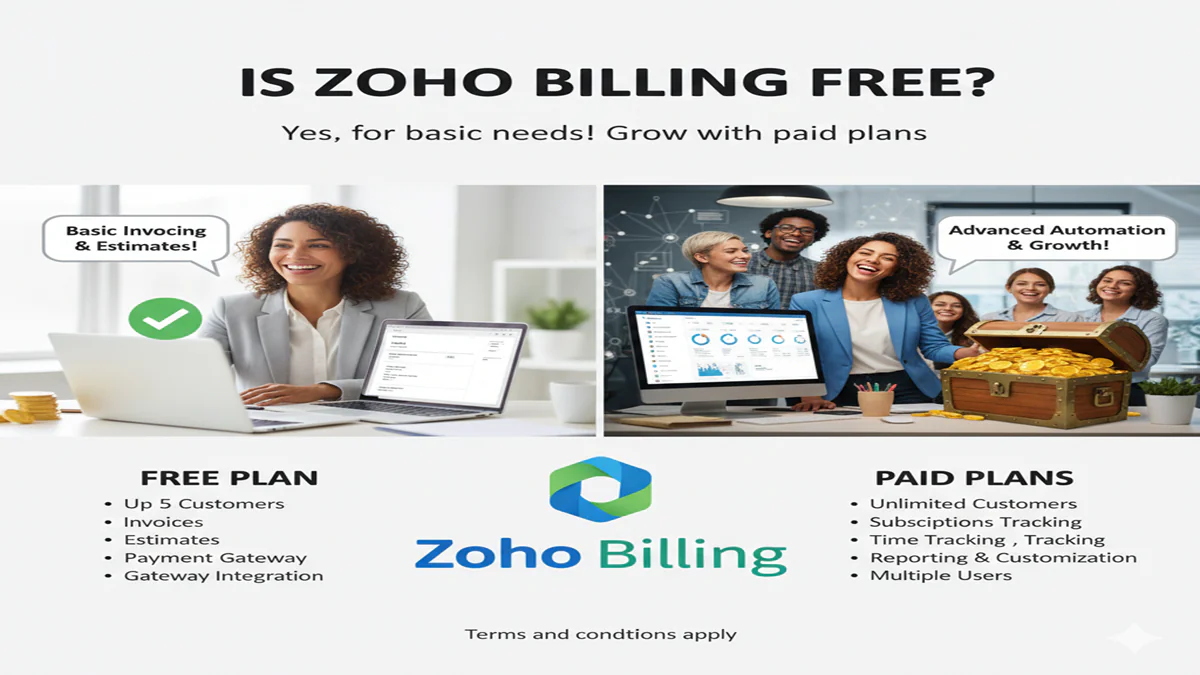
Is Zoho Billing Free? क्या ज़ोहो बिलिंग मुफ्त है? जानें इसके फ्री प्लान की सच्चाई और बेहतरीन फीचर्स!
Introduction:
Is Zoho Billing Free आज के समय में जब कोई भी नया बिजनेस शुरू होता है, तो सबसे बड़ी चुनौती होती है—सब्सक्रिप्शन और इनवॉइसिंग को मैनेज करना। मार्केट में कई महंगे सॉफ्टवेयर मौजूद हैं, लेकिन ‘Zoho’ एक ऐसा नाम है जो अपनी किफायती सेवाओं के लिए जाना जाता है। बहुत से स्टार्टअप और फ्रीलांसर अक्सर एक ही सवाल पूछते हैं— “Is Zoho Billing Free?“
1. ज़ोहो बिलिंग क्या है? (What is Zoho Billing?)
Zoho Billing (जिसे पहले Zoho Subscriptions के नाम से जाना जाता था) एक एंड-टू-एंड बिलिंग और सब्सक्रिप्शन मैनेजमेंट सॉफ्टवेयर है। यह आपके बिजनेस के इनवॉइसिंग, पेमेंट रिमाइंडर, टैक्स कैलकुलेशन और रिकरिंग (Recurring) पेमेंट को ऑटोमेट करता है।
2. क्या ज़ोहो बिलिंग मुफ्त है? (Is it Free?)
इसका सीधा जवाब है— हाँ, लेकिन शर्तों के साथ।
Zoho Billing एक ‘Freemium’ मॉडल पर काम करता है। इसका मतलब है कि इसमें एक “Free Plan” उपलब्ध है, लेकिन अगर आपका बिजनेस बड़ा है या आपकी जरूरतें ज्यादा हैं, तो आपको इसके ‘Paid’ वर्जन पर जाना होगा।
ज़ोहो बिलिंग के फ्री प्लान की मुख्य बातें:
- लिमिट: आप साल भर में एक निश्चित सीमा तक ही रेवेन्यू (Revenue) जेनरेट कर सकते हैं।
- कस्टमर: आप सीमित संख्या में ग्राहकों को इनवॉइस भेज सकते हैं।
- मल्टी-करेंसी: फ्री प्लान में आप अंतरराष्ट्रीय ग्राहकों से पेमेंट ले सकते हैं।
- सेल्फ-सर्विस पोर्टल: आपके ग्राहकों को एक पोर्टल मिलता है जहाँ से वे अपने बिल देख सकते हैं।
3. फ्री प्लान और पेड प्लान में अंतर (Free vs Paid)
| फीचर्स | फ्री प्लान (Free) | पेड प्लान (Standard/Professional) |
| वार्षिक रेवेन्यू | सीमित (जैसे ₹10-20 लाख तक) | असीमित (Unlimited) |
| यूजर की संख्या | 1 यूजर | मल्टीपल यूजर |
| कस्टम डोमेन | नहीं | हाँ |
| एडवांस रिपोर्टिंग | बेसिक | विस्तृत (Advanced) |
| टैक्स मैनेजमेंट | हाँ (GST सपोर्ट) | हाँ (पूरी तरह ऑटोमेटेड) |
4. ज़ोहो बिलिंग के शानदार फीचर्स (Key Features)
क. ऑटोमेटेड रिकरिंग बिलिंग:
Is Zoho Billing Free यदि आपका बिजनेस सब्सक्रिप्शन मॉडल पर चलता है (जैसे जिम, ट्यूशन या सॉफ्टवेयर), तो यह हर महीने अपने आप ग्राहकों को बिल भेज देता है।
ख. ग्लोबल पेमेंट गेटवे:
Is Zoho Billing Free यह PayPal, Stripe, और Razorpay जैसे पेमेंट गेटवे के साथ आसानी से जुड़ जाता है, जिससे आप देश-विदेश से पैसा ले सकते हैं।
ग. टैक्स और GST कंप्लायंस:
Is Zoho Billing Free भारत के संदर्भ में, यह पूरी तरह से GST रेडी है। यह अपने आप टैक्स कैलकुलेट करता है और इनवॉइस को प्रोफेशनल लुक देता है।
घ. डनिंग मैनेजमेंट (Dunning Management):
Is Zoho Billing Free अगर किसी ग्राहक का पेमेंट फेल हो जाता है, तो यह उन्हें ऑटोमेटिक रिमाइंडर भेजता है और दोबारा पेमेंट ट्राई करता है।
5. आपको ज़ोहो बिलिंग कब चुनना चाहिए?
- शुरुआती बिजनेस के लिए: अगर आप अभी अपना काम शुरू कर रहे हैं, तो इसका फ्री प्लान आपके लिए परफेक्ट है।
- फ्रीलांसर के लिए: यदि आपके पास कम क्लाइंट्स हैं, तो आप बिना एक पैसा खर्च किए प्रोफेशनल बिलिंग कर सकते हैं।
- स्केलेबिलिटी के लिए: जब आपका बिजनेस बढ़ेगा, तो आप आसानी से पेड प्लान पर अपग्रेड कर सकते हैं बिना अपना पुराना डेटा खोए।
4. अक्सर पूछे जाने वाले प्रश्न (FAQs)
Q1: क्या ज़ोहो बिलिंग का फ्री प्लान हमेशा के लिए फ्री है?
Ans: हाँ, जब तक आप उनके फ्री प्लान की ‘रेवेन्यू लिमिट’ के अंदर रहते हैं, आप इसे हमेशा के लिए फ्री इस्तेमाल कर सकते हैं।
Q2: क्या ज़ोहो बिलिंग में मेरा डेटा सुरक्षित है?
Ans: बिल्कुल! ज़ोहो दुनिया की सबसे सुरक्षित क्लाउड कंपनियों में से एक है, जो डेटा एन्क्रिप्शन और प्राइवेसी का पूरा ध्यान रखती है।
Q3: क्या मैं फ्री प्लान में अपना लोगो लगा सकता हूँ?
Ans: हाँ, आप अपने इनवॉइस को कस्टमाइज कर सकते हैं और अपना लोगो (Logo) लगा सकते हैं।
Conclusion: क्या यह आपके लिए सही है?
Is Zoho Billing Free अगर आपका सवाल था “Is Zoho Billing Free“, तो अब आपको जवाब मिल गया होगा। यह उन लोगों के लिए बेहतरीन है जो कम बजट में एक शक्तिशाली बिलिंग टूल चाहते हैं। इसका इंटरफेस सरल है और यह आपके बिजनेस के फाइनेंस को व्यवस्थित करने में मदद करता है।
Zoho Billing has emerged as a popular choice for businesses seeking an efficient and streamlined invoicing solution. With its robust features designed to simplify billing processes, many potential users are curious about whether this service is free or if there are hidden costs involved.
Is Zoho Billing Free In this article, we will explore the various aspects of Zoho Billing, including its features, pricing structure, free trial options, and comparisons with competitors. By examining user reviews and feedback, we aim to provide a comprehensive overview that will help you determine if Zoho Billing is the right fit for your business needs.
Overview of Zoho Billing
What is Zoho Billing?
Zoho Billing is a cloud-based invoicing and billing software designed to help businesses streamline their billing processes. Think of it as your digital accountant that never needs coffee breaks (or sleep!). It allows users to create and manage invoices, process payments, and keep track of company expenses—all with a user-friendly interface that even your techno-phobic uncle could master.
Target Audience and Use Cases
Is Zoho Billing Free Zoho Billing targets small to medium-sized businesses that want to manage their billing efficiently without breaking the bank. It’s perfect for freelancers looking to send professional invoices, startups that need expense tracking, and growing companies that want to keep tabs on their finances. In short, if you bill someone for your services, Zoho Billing is ready to swoop in and save the day (cape not included).
Key Features of Zoho Billing
Invoicing and Payment Processing
Is Zoho Billing Free At the heart of Zoho Billing is its invoicing prowess. Users can create customized invoices in a snap, complete with their logo, terms, and even a personal touch (like a witty note, perhaps). Plus, it supports multiple payment gateways, so your clients can pay up without sending you a carrier pigeon.
Expense Tracking
Is Zoho Billing Free No one likes surprise expenses—unless it’s the kind you see in a rom-com. Zoho Billing helps you stay on top of your spending by allowing you to track expenses effortlessly. You can categorize them, attach receipts, and ensure that you know exactly where your money goes, avoiding those “Where did all my cash go?” moments.
Reporting and Analytics
Is Zoho Billing Free Knowledge is power, and with Zoho Billing’s reporting features, you’ll be the financial superhero of your business. Its analytics give you insights into your revenue, expenses, and overall financial health, letting you make informed decisions that won’t leave you questioning your life choices.
Integration with Other Zoho Products
Is Zoho Billing Free If you’re already a fan of the Zoho ecosystem, you’ll love how Zoho Billing integrates seamlessly with other Zoho products. Whether you’re using Zoho CRM for customer management or Zoho Books for accounting, everything works together like a well-choreographed dance (minus the toe-stepping).
Pricing Structure and Plans
Monthly vs Annual Billing
Is Zoho Billing Free Zoho Billing offers both monthly and annual billing options, giving you the flexibility to choose what fits your budget best. Opting for the annual plan usually saves you a few bucks—because who doesn’t love a discount? It’s like the financial equivalent of finding a $20 bill in an old coat pocket.
Features Included in Each Plan
Is Zoho Billing Free The basic plan includes essentials like invoicing and payment processing, while higher tiers unlock advanced features such as automated billing and additional integrations. It’s like a buffet—start with the basics and go back for seconds when you’re ready for more.
Additional Costs and Hidden Fees
Is Zoho Billing Free While Zoho Billing is designed to be straightforward, it’s always wise to read the fine print regarding additional costs. Some payment processors may charge their own fees, and while there aren’t “hidden fees” per se, keep an eye out for specifics around features that might require an upgrade.
Free Trial Options
Duration of the Free Trial
Is Zoho Billing Free Zoho Billing offers a generous free trial period, allowing potential users to explore its features for 14 days. That’s two weeks of unlimited invoicing joy—enough time to decide if you’re ready to commit or if you need to keep swiping on software dating apps.
Features Available During the Trial
Is Zoho Billing Free During the trial, users get access to most of Zoho Billing’s features. This includes invoicing, payment processing, and expense tracking. It’s like a taste test at an ice cream shop—you get to enjoy all the flavors and see which one you want to keep indulging in.
How to Sign Up for the Free Trial
Is Zoho Billing Free Signing up for the free trial is as easy as pie (and less messy). Simply visit the Zoho Billing website, click on the “Free Trial” button, fill out a short form, and voilà—you’re in! Just make sure you remember your login info; you wouldn’t want to be locked out of your ice cream shop!
Comparison with Competitors
Zoho Billing vs. FreshBooks
Is Zoho Billing Free When it comes to billing software, FreshBooks often shines with its user-friendly interface and seamless invoicing capabilities. However, Zoho Billing gives FreshBooks a run for its money, especially with its advanced automation features and customization options. FreshBooks might be the go-to for freelancers, but Zoho Billing’s integrative prowess makes it ideal for small to medium-sized businesses looking to streamline their entire financial workflow. Plus, who doesn’t love a little variety in their software options?
Zoho Billing vs. QuickBooks
Is Zoho Billing Free QuickBooks is a heavyweight champion in the accounting arena, but it can feel like a labyrinth at times, especially for newcomers. Zoho Billing, on the other hand, is more straightforward and less intimidating, making it a great option for those who want to keep things simple. While QuickBooks offers extensive features, Zoho Billing’s affordable pricing and integration with other Zoho products can be a major plus for businesses entrenched in the Zoho ecosystem. In short, if you want a smooth ride without the bumpy road, Zoho Billing might just be the ticket.
Unique Selling Points of Zoho Billing
Is Zoho Billing Free What sets Zoho Billing apart from the rest? For starters, it’s got an impressive array of automation features that let you schedule invoices, send reminders, and even reconcile payments without lifting a finger. It also offers a customizable dashboard and a suite of reporting tools, so you can keep tabs on your finances like a hawk. Not to mention, its integration with other Zoho applications provides a comprehensive business management solution, making it a perfect fit for those already invested in the Zoho family. Toss in a dash of affordability, and you’ve got yourself a winner!
User Reviews and Feedback
Positive User Experiences
Is Zoho Billing Free Users rave about Zoho Billing’s intuitive interface, which makes invoicing feel more like a stroll through the park rather than a trek through the weeds. Many appreciate the responsive customer support team, who are notorious for being patient and helpful, even when tech issues arise. The ability to customize invoices and automate repetitive tasks has also been highlighted as a game-changer for businesses looking to save time while still maintaining a professional appearance. Who knew billing could be a delight?
Common Complaints and Issues
While most users are pleased, no software is without its quirks. Some users report occasional glitches in invoice generation, which can feel like finding a sock in the dryer that doesn’t match any of the other socks. Others have voiced concerns about the learning curve for those unfamiliar with accounting software, as navigating through the various features can sometimes resemble deciphering an ancient script. Lastly, some wish for more robust reporting features, feeling that more data visualization wouldn’t hurt.
Overall User Satisfaction Ratings
Overall, Zoho Billing garners a solid user satisfaction rating, with many users scoring it around 4 out of 5 stars. While the occasional hiccup may lead to some grumbles, the overall sentiment is that the software provides solid value for money. Users appreciate the blend of features and affordability, which makes Zoho Billing a popular choice among startups and small businesses alike. Just think of it as a solid B+ student—doing great work with a few areas for improvement!
Conclusion: Is Zoho Billing Worth It?
Summary of Key Points
To wrap it all up, Zoho Billing stands out with its automation features, user-friendly design, and affordable pricing, making it a strong contender in the billing software arena. While comparisons with competitors like FreshBooks and QuickBooks reveal its unique advantages, user feedback offers insight into areas for enhancement. If you’re seeking a balance between efficiency and affordability, Zoho Billing might just be the answer to your small business prayers.
Final Thoughts on Cost vs. Benefits
In today’s fast-paced business world, time is money, and Zoho Billing delivers on both ends. The benefits of streamlined invoicing and payment tracking outweigh the minor complaints and learning curve challenges. For those looking to harness the power of automation while keeping costs down, Zoho Billing is like finding the last piece of chocolate cake—sweet and definitely worth the indulgence!
In conclusion, Zoho Billing offers a range of features that can greatly benefit businesses looking to enhance their invoicing and billing processes. While it provides a free trial to help users assess its capabilities, understanding the pricing structure and any potential costs involved is crucial for making an informed decision. Ultimately, evaluating your specific needs and comparing Zoho Billing with other options will guide you in determining whether it is the right billing solution for your organization.
Frequently Asked Questions
Is Zoho Billing completely free?
No, Zoho Billing offers various pricing plans, but it does provide a free trial for users to test its features before committing to a paid plan.
What features are included in the free trial of Zoho Billing?
The free trial typically includes access to most features, allowing users to create invoices, track expenses, and generate reports during the trial period.
Can I integrate Zoho Billing with other applications?
Yes, Zoho Billing offers integrations with various other Zoho products and third-party applications, enhancing its functionality and usability for businesses.
What payment methods does Zoho Billing support?
Zoho Billing supports multiple payment methods, including credit cards, debit cards, and online payment gateways, making it convenient for businesses to receive payments.