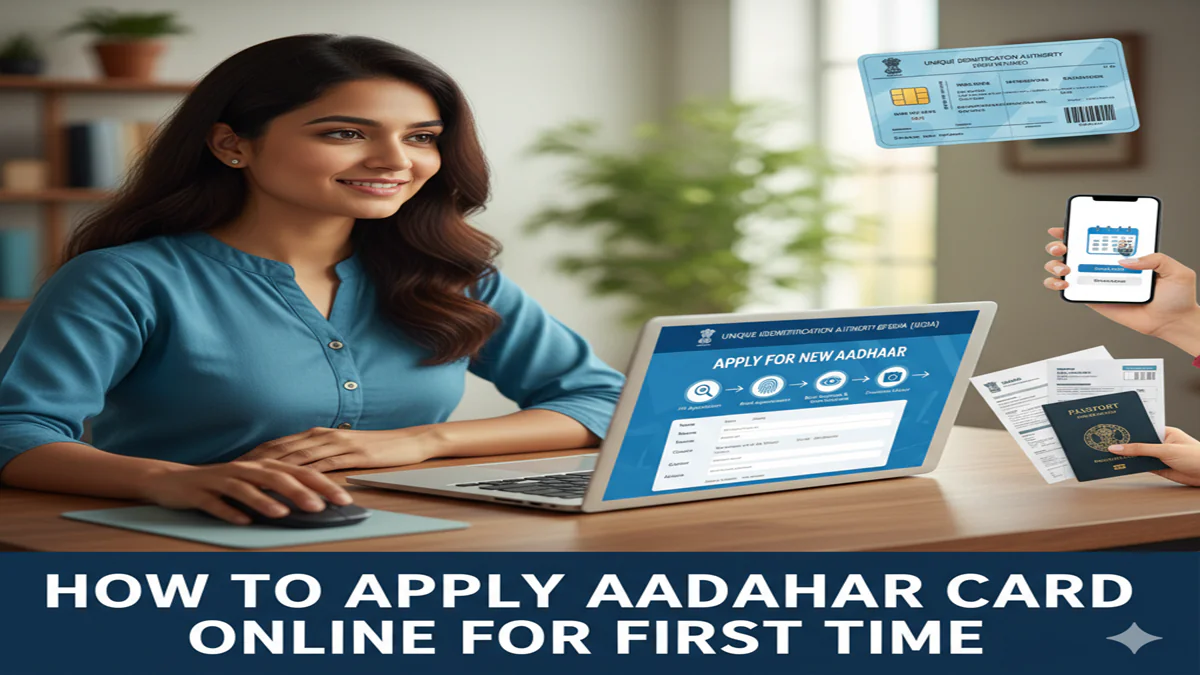
How To Apply Aadhaar Card Online For First Time: पहली बार आधार कार्ड बनवाने की पूरी प्रक्रिया और जरूरी दस्तावेजों की जानकारी!
How To Apply Aadhar Card Online For First Time : Introduction: आज 19 अप्रैल 2026 है और डिजिटल इंडिया के इस दौर में आधार कार्ड (Aadhaar Card) केवल एक पहचान पत्र नहीं, बल्कि एक अनिवार्य दस्तावेज बन चुका है। बैंक खाता खुलवाने से लेकर सरकारी योजनाओं का लाभ लेने तक, हर जगह आधार की जरूरत पड़ती है। यदि आपने अभी तक अपना आधार कार्ड नहीं बनवाया है, तो आपको परेशान होने की जरूरत नहीं है।
अक्सर लोग सोचते हैं कि आधार कार्ड बनवाना बहुत मुश्किल काम है और इसके लिए लंबी लाइनों में खड़ा होना पड़ेगा। लेकिन “How To Apply Aadhaar Card Online For First हम आपको स्टेप-बाय-स्टेप बताएंगे कि आप पहली बारअपना आधार कार्ड कैसे बनवा सकते हैं।
1. क्या आधार कार्ड पूरी तरह ऑनलाइन बन सकता है? (Important Note)
How To Apply Aadhar Card Online For First Time सबसे पहले यह समझना जरूरी है कि सुरक्षा और बायोमेट्रिक्स (Biometrics) की वजह से नया आधार कार्ड पूरी तरह ऑनलाइन नहीं बन सकता। आपको अपनी आंखों की पुतलियों (Iris scan), उंगलियों के निशान (Fingerprints) और फोटो के लिए एक बार Aadhaar Enrollment Center जाना ही होगा। हालांकि, अपॉइंटमेंट और फॉर्म भरने का काम आप ऑनलाइन कर सकते हैं ताकि सेंटर पर आपका समय बर्बाद न हो।
2. जरूरी दस्तावेजों की सूची (Required Documents List)
How To Apply Aadhar Card Online For First Time पहली बार आधार बनवाने के लिए आपको मुख्य रूप से दो तरह के दस्तावेजों की आवश्यकता होती है:
- पहचान का प्रमाण (Proof of Identity – POI): वोटर आईडी, पैन कार्ड, पासपोर्ट, या राशन कार्ड।
- पते का प्रमाण (Proof of Address – POA): बिजली का बिल, पानी का बिल, बैंक पासबुक, या मूल निवास प्रमाण पत्र।
यदि आपके पास कोई दस्तावेज नहीं है, तो आप राजपत्रित अधिकारी (Gazetted Officer) द्वारा प्रमाणित पहचान प्रमाण पत्र का उपयोग भी कर सकते हैं।
3. ऑनलाइन अपॉइंटमेंट बुक करने की प्रक्रिया (Step-by-Step Guide)
Step 1: UIDAI की आधिकारिक वेबसाइट पर जाएं सबसे पहले uidai.gov.in या myaadhaar.uidai.gov.in पर जाएं।
Step 2: Book an Appointment विकल्प चुनें होमपेज पर ‘Get Aadhaar’ सेक्शन के अंदर आपको ‘Book an Appointment’ का विकल्प मिलेगा। उस पर क्लिक करें।
Step 3: अपना शहर या लोकेशन चुनें ड्रॉपडाउन मेनू से अपने शहर या नजदीकी आधार केंद्र का चुनाव करें और ‘Proceed to Book Appointment’ पर क्लिक करें।
Step 4: ‘New Aadhaar’ विकल्प चुनें यहाँ आपको तीन विकल्प दिखेंगे। आपको ‘New Aadhaar’ पर क्लिक करना है। अपना मोबाइल नंबर और कैप्चा (Captcha) दर्ज करें और ओटीपी (OTP) के जरिए वेरीफाई करें।
Step 5: विवरण भरें (Fill Details) अपनी व्यक्तिगत जानकारी जैसे नाम, जेंडर, जन्म तिथि और पता सही-सही भरें। ध्यान रहे कि यहाँ भरी गई जानकारी आपके दस्तावेजों से मेल खानी चाहिए।
Step 6: समय और तारीख चुनें अपनी सुविधा के अनुसार उपलब्ध स्लॉट (Slot) चुनें और अपॉइंटमेंट कन्फर्म करें। अंत में, अपॉइंटमेंट स्लिप को प्रिंट कर लें या अपने फोन में सेव कर लें।
4. आधार केंद्र पर क्या होगा? (At the Enrollment Center)
How To Apply Aadhar Card Online For First Time तय समय पर अपने दस्तावेजों की मूल प्रति (Original) और अपॉइंटमेंट स्लिप के साथ केंद्र पर पहुंचें:
- वहाँ ऑपरेटर आपके बायोमेट्रिक्स लेगा।
- आपकी फोटो खींची जाएगी।
- आपको एक Enrollment ID (EID) वाली पर्ची दी जाएगी। इसे संभाल कर रखें क्योंकि इसी से आप अपना आधार स्टेटस चेक कर पाएंगे।
5. आधार कार्ड मिलने में कितना समय लगता है?
How To Apply Aadhar Card Online For First Time आमतौर पर एनरोलमेंट के बाद आधार कार्ड बनने और आपके घर तक पहुंचने में 15 से 90 दिनों का समय लग सकता है। एक बार आधार बन जाने के बाद आप इसे UIDAI की वेबसाइट से ‘e-Aadhaar’ के रूप में डाउनलोड भी कर सकते हैं।
4. अक्सर पूछे जाने वाले प्रश्न (FAQs)
Q1: क्या पहली बार आधार कार्ड बनवाने की कोई फीस लगती है?
Ans: नहीं, पहली बार आधार कार्ड बनवाना बिल्कुल निशुल्क (Free) है। यदि कोई आपसे इसके लिए पैसे मांगता है, तो आप शिकायत कर सकते हैं।
Q2: क्या बच्चों का आधार कार्ड बनवाना जरूरी है?
Ans: हाँ, 5 साल से कम उम्र के बच्चों के लिए ‘बाल आधार’ (Blue Aadhaar) बनता है। 5 साल और 15 साल की उम्र पूरी होने पर बायोमेट्रिक्स अपडेट कराना अनिवार्य होता है।
Q3: अगर अपॉइंटमेंट मिस हो जाए तो क्या करें?
Ans: आप उसी लॉगिन पोर्टल पर जाकर अपनी अपॉइंटमेंट को री-शेड्यूल (Reschedule) कर सकते हैं।
Conclusion: डिजिटल पहचान की ओर पहला कदम!
How To Apply Aadhaar Card Online For First Time की यह जानकारी आपको सरकारी दफ्तरों के चक्कर काटने से बचा सकती है। आधार आज के समय में आपकी सबसे बड़ी डिजिटल पहचान है। यदि आपके पास अपनी एनरोलमेंट पर्ची है और आप अपना स्टेटस चेक करना चाहते हैं, तो आप UIDAI के टोल-फ्री नंबर 1947 पर कॉल भी कर सकते हैं।
A Complete Guide to Applying for Your Aadhaar Card Online (For First-Time Applicants)
How To Apply Aadhar Card Online For First Time In today’s digitally-driven India, the Aadhaar card has evolved from being just an identity proof to a fundamental document that seamlessly integrates citizens with a wide array of services. From opening bank accounts and filing tax returns to availing government subsidies and verifying identity for mobile connections, Aadhaar is the cornerstone of the nation’s identity infrastructure. If you are applying for this crucial 12-digit unique identity number for the first time, the process is straightforward, free of cost, and designed to be accessible.
How To Apply Aadhar Card Online For First Time A common point of confusion is the term “online application.” It is important to clarify at the outset:You cannot complete the entire Aadhaar enrollment process from the comfort of your home.The vital steps of biometric data capture (fingerprints, iris scan) and document verification require a physical visit to an authorized Aadhaar Enrollment Centre. However, the process can be significantly streamlined by initiating it online. This guide will walk you through the hybrid process—starting online and completing it offline—ensuring your first-time application is smooth and efficient.
Why is Aadhaar Essential?
How To Apply Aadhar Card Online For First Time Before delving into the “how,” understanding the “why” is important.
- Proof of Identity: A universally accepted document across India.
- Proof of Address: Simplifies KYC (Know Your Customer) processes.
- Direct Benefit Transfer (DBT) Enabler: Ensures government welfare subsidies reach the intended beneficiary directly, eliminating leakages.
- Digital Authenticator: Allows you to use your biometrics or a One-Time Password (OTP) to authenticate your identity for various services.
- A Gateway to Services: Essential for PAN card application, passport, driving license, and more.
Prerequisites for First-Time Aadhaar Application
How To Apply Aadhar Card Online For First Time
- Supporting Documents: You will need documents for Proof of Identity (PoI) and Proof of Address (PoA). The UIDAI accepts a wide range of documents such as a Passport, Voter ID, PAN Card, Driving License, Ration Card, etc. If you don’t have these, a certificate of identity and address issued by a Gazetted Officer or Tehsildar on letterhead is also acceptable. A full list is available on the UIDAI website.
- Mobile Number: A mobile number is mandatory. It will be linked to your Aadhaar and used for all communication, OTP generation, and future updates.
- Appointment (Recommended): While many centers accept walk-ins, booking an appointment online saves considerable time and guarantees your slot.
Step-by-Step Process: How to Apply for Aadhaar Online (First Time)
How To Apply Aadhar Card Online For First Time Follow these steps meticulously for a hassle-free experience.
Step 1: Locate the Nearest Permanent Enrollment Centre
- Visit the official UIDAI website: https://uidai.gov.in/
- Navigate to the ‘My Aadhaar’ tab and select ‘Locate an Enrollment Centre’.
- Enter your state, district, and locality to find the centre nearest to you. Note down the address and How To Apply Aadhar Card Online For First Time operational hours. You can also search by the centre’s name or PIN code.
Step 2: Book an Appointment Online (Highly Recommended)
- How To Apply Aadhar Card Online For First Time On the same ‘Locate an Enrollment Centre’ page, you will find an option to ‘Book an Appointment’. This feature may redirect you to the appointment portal of the specific enrolment centre or regional agency.
- Select a convenient date and time slot. You will receive a confirmation SMS on the mobile number you provide.
Step 3: Fill the Aadhaar Enrollment Form Online (Pre-fill for Efficiency)
How To Apply Aadhar Card Online For First Time This is the key “online” component that speeds up your visit to the centre.
- Go to the UIDAI homepage and under ‘My Aadhaar’, click on ‘Book an Appointment’ or directly visit the appointment booking page.
- As part of the booking process, or separately via the ‘Pre-fill Enrollment’ service, you will be prompted to fill the enrollment form digitally.
- Carefully enter all required details: Full Name, Gender, Date of Birth, Address, and Information of the Head of Family (if using a family-related address proof).
- Double-check every entry. Errors in name or date of birth entered here will be carried forward, as the form you sign at the centre will be pre-populated with this data.
- Upon submission, you will receive an Appointment Slip/Pre-enrollment ID via SMS/email. Print this slip or keep it ready on your phone.
Step 4: Visit the Enrollment Centre for Biometric Capture
How To Apply Aadhar Card Online For First Time On the day of your appointment:
- How To Apply Aadhar Card Online For First Time Carry theoriginal documents(for PoI and PoA) that you mentioned while pre-filling the form. Also carry theirphotocopies.
- Carry your Appointment Slip/Pre-enrollment ID.
- At the centre, the operator will verify your original documents.
- You will be asked to review the pre-filled form on the screen, which can be corrected if needed. You will then provide biometric data: all ten fingerprints, iris scans of both eyes, and a facial photograph.
- How To Apply Aadhar Card Online For First Time Ensure your fingerprints are clear (avoid mehndi, cuts, or excessive dryness) and look directly into the camera for the iris scan.
- How To Apply Aadhar Card Online For First Time After the process, you will be given anAadhaar Enrollment Slip/Acknowledgement Slip. This slip contains a14-digit Enrollment ID (EID)and a date and time stamp.Guard this slip carefully.It is your only proof of enrollment and is required to download your Aadhaar later.
Step 5: Track Your Aadhaar Status and Download
- How To Apply Aadhar Card Online For First Time Your Aadhaar will be processed and dispatched to your registered address via postal mail. This can take60-90 days.
- However, you can download it digitally much sooner (usually within a month).
- To track or download, go to the UIDAI website’s ‘My Aadhaar’ section and select ‘Check Aadhaar Status’ or ‘Download Aadhaar’.
- How To Apply Aadhar Card Online For First Time You will need your14-digit Enrollment ID (EID)from the acknowledgement slip and theregistered mobile numberto receive an OTP.
- Once generated, you can download a digital copy of your Aadhaar in PDF format. This e-Aadhaar is password-protected (your PIN is your 8-digit year of birth, e.g., 19901215) and is equally valid as the physical card.
Important Post-Application Points
- How To Apply Aadhar Card Online For First Time Verify Your Data:Once you receive your Aadhaar or e-Aadhaar, verify the details meticulously. Any error must be corrected through the official “Update Aadhaar Details” process, which may involve a fee.
- Secure Your Aadhaar: Never share your Aadhaar number or the linked mobile OTP indiscriminately. It is a sensitive document.
- mAadhaar App: Download the official mAadhaar app from UIDAI. It allows you to carry your Aadhaar on your smartphone in a secure, digital format.
Frequently Asked Questions (FAQs)
Q1: I am a newborn child. Can I get an Aadhaar? Is biometric data captured for infants?
A:How To Apply Aadhar Card Online For First Time Yes, newborns and children of any age can enroll for Aadhaar. For children below 5 years of age,only a photograph and birth certificate are required; no biometrics are captured.The child’s Aadhaar will be linked to the parent/guardian’s Aadhaar. Amandatory biometric update(with fingerprints and iris) is required when the child turns 5, and again at age 15, to ensure the database is updated with adult biometrics.
Q2: I don’t have any of the standard documents for Proof of Address or Identity. What should I do?
A:How To Apply Aadhar Card Online For First Time UIDAI provides anIntroducer System, though it is not widely operational at all centers. The more practical alternative is to get aCertificate of Identity and Addressissued by a Gazetted Officer, Tehsildar, Village Panchayat Head, or Municipal Councillor on an official letterhead. This certificate, containing your photo and details, can be used as a valid document for enrollment.
Q3: I lost my Aadhaar Enrollment Slip (Acknowledgement Slip). How can I check my status or download my Aadhaar now?
A:How To Apply Aadhar Card Online For First Time Don’t worry. If you have yourregistered mobile number, you can easily retrieve your status. Visit the ‘Retrieve Lost UID/EID’ page on the UIDAI website. You will need to provide your full name, registered mobile number, and the captcha code. An OTP will be sent to your mobile, after which yourEnrollment ID (EID)orAadhaar Number (UID)will be displayed on the screen or sent via SMS, allowing you to proceed with the download.
Q4: How long is the Aadhaar card valid? Does it expire?
A:How To Apply Aadhar Card Online For First Time No, the Aadhaar card isvalid for a lifetime. Once issued, it does not have an expiry date. However, it is recommended to keep your demographic details (address, mobile number) updated. For children enrolled before turning 5, the mandatory biometric updates at ages 5 and 15 are not “renewals” but essential updates to the biometric profile.
Q5: Is there any fee for enrolling for Aadhaar for the first time?
A:How To Apply Aadhar Card Online For First Time No. The entire process of first-time Aadhaar enrollment is absolutely free of charge.You should not pay any money at the enrollment centre for the basic enrollment. Be wary of any centre or agent demanding a fee for a “new application.” However, if you need toupdateyour details (like name, address, etc.) later, a nominal fee may be applicable.
Conclusion
How To Apply Aadhar Card Online For First Time Applying for your first Aadhaar card is a simple, well-structured process that leverages online convenience for initial steps while relying on secure, in-person verification for the biometric core. By pre-filling the form online and booking an appointment, you can minimize your time at the enrollment centre. Remember, the key to a smooth experience lies in having the correct original documents, a registered mobile number, and carefully safeguarding your acknowledgment slip. Your Aadhaar is more than a card; it is your key to India’s digital ecosystem—apply for it with care and use it with responsibility.