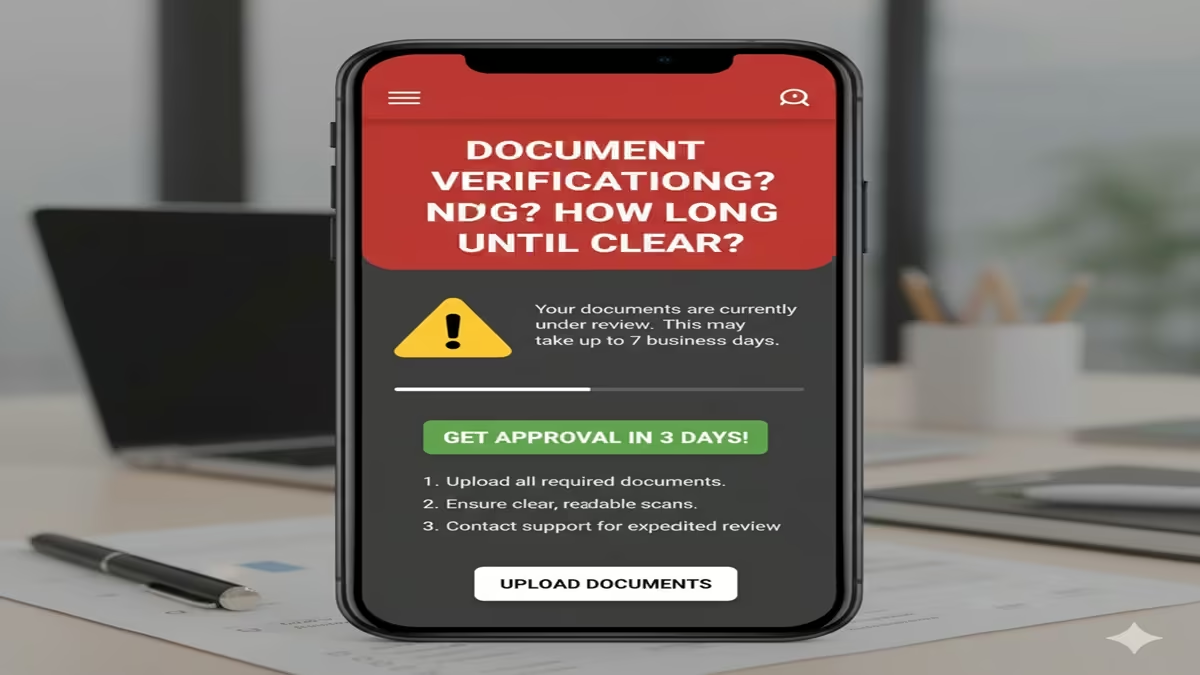
Document Verification Pending? स्टेटस ‘पेंडिंग’ का मतलब और इसे ठीक करने के आसान तरीके
Document Verification Pending जब भी हम किसी सरकारी योजना (Govt Scheme), स्कॉलरशिप (Scholarship) या जॉब के लिए ऑनलाइन आवेदन करते हैं, तो हमें अक्सर एक मैसेज दिखाई देता है— “Document Verification Pending”.
कई बार यह स्टेटस हफ्तों तक नहीं बदलता, जिससे आवेदक परेशान हो जाते हैं कि उनका फॉर्म रिजेक्ट तो नहीं हो जाएगा? इस लेख में हम जानेंगे कि वेरिफिकेशन पेंडिंग होने के मुख्य कारण क्या हैं और आप इसे जल्दी पूरा करने के लिए क्या कदम उठा सकते हैं।
Document Verification Pending का मतलब क्या है?
Document Verification Pending इसका सरल अर्थ है कि आपने अपना आवेदन (Application) सफलतापूर्वक सबमिट कर दिया है, लेकिन संबंधित विभाग के अधिकारियों ने अभी तक आपके द्वारा अपलोड किए गए दस्तावेजों (Documents) की जांच नहीं की है। जब तक अधिकारी आपके डॉक्यूमेंट्स को ‘Approve’ नहीं करते, तब तक आपकी प्रक्रिया आगे नहीं बढ़ती।
स्टेटस पेंडिंग होने के मुख्य कारण (Common Reasons)
- भारी संख्या में आवेदन (High Volume of Applications): जब किसी योजना (जैसे PM Kisan या Ladki Bahin Yojana) के लिए लाखों लोग एक साथ अप्लाई करते हैं, तो बैकएंड टीम को वेरिफिकेशन में समय लगता है।
- दस्तावेजों का स्पष्ट न होना (Blurry Documents): अगर आपने डॉक्यूमेंट्स को ठीक से स्कैन नहीं किया है या फोटो धुंधली (Blur) है, तो अधिकारी उसे वेरिफाई नहीं कर पाते और स्टेटस पेंडिंग ही रहता है।
- जानकारी में विसंगति (Data Mismatch): आपके आधार कार्ड और आवेदन फॉर्म में दी गई जानकारी (जैसे नाम की स्पेलिंग या जन्म तिथि) अलग-अलग होने पर वेरिफिकेशन रुक जाता है।
- सर्वर या तकनीकी समस्या (Technical Issues): कई बार पोर्टल के सर्वर में खराबी के कारण भी स्टेटस अपडेट होने में देरी होती है।
Pending स्टेटस को कैसे ठीक करें? (Solutions)
1. धैर्य रखें (Wait for 7-15 Days)
Document Verification Pending आमतौर पर सरकारी वेरिफिकेशन में ७ से १५ वर्किंग डेज का समय लगता है। अगर आपने अभी-अभी अप्लाई किया है, तो कम से कम २ हफ्ते इंतजार करें।
2. अपलोड किए गए डॉक्यूमेंट्स चेक करें
Document Verification Pending पोर्टल पर लॉगिन करें और देखें कि क्या ‘Re-upload’ का विकल्प आ रहा है? अगर आपके डॉक्यूमेंट्स रिजेक्ट हुए हैं, तो उन्हें अच्छी क्वालिटी में दोबारा अपलोड करें।
3. संबंधित विभाग से संपर्क करें (Helpdesk)
Document Verification Pending अगर स्टेटस १ महीने से ज्यादा समय तक पेंडिंग है, तो:
- उस पोर्टल के Toll-Free Number पर कॉल करें।
- उन्हें अपना Application ID/Registration Number बताएं।
- संबंधित विभाग को एक ईमेल (Email) भेजें और स्क्रीनशॉट अटैच करें।
4. ऑफलाइन वेरिफिकेशन (Offline Visit)
Document Verification Pending अगर यह किसी लोकल योजना या तहसील कार्यालय से संबंधित है, तो अपने ओरिजिनल डॉक्यूमेंट्स लेकर वहां के सेतु केंद्र या संबंधित ऑफिस में जाएं और अधिकारी से स्टेटस अपडेट करने का अनुरोध करें।
निष्कर्ष (Conclusion)
Document Verification Pending होना कोई बड़ी समस्या नहीं है, बशर्ते आपके दस्तावेज सही हों। ज्यादातर मामलों में यह समय की कमी के कारण होता है। बस नियमित रूप से अपना स्टेटस चेक करते रहें और यदि विभाग से कोई ‘Query’ आती है, तो उसका तुरंत जवाब दें। Document Verification Pending
3. Quick Status Guide Table
| Status Shown | What it means? | Action Required |
| Pending | जांच अभी शुरू नहीं हुई है | १०-१५ दिन प्रतीक्षा करें |
| Under Review | अधिकारी जांच कर रहे हैं | किसी भी अपडेट के लिए पोर्टल चेक करें |
| Rejected | दस्तावेज गलत हैं | कारण पढ़कर दोबारा अपलोड करें |
| Approved | वेरिफिकेशन सफल हुआ | अब आपकी अगली प्रोसेस शुरू होगी |
Document Verification Pending? Here’s When It Clears & How to Get Approved in 3 Days!
Document Verification Pending In today’s digital-first world, whether you are opening a bank account, signing up for a cryptocurrency exchange, applying for a government scheme, or verifying your identity for a payment app, document verification is the gatekeeper. It is a crucial step designed to protect both you and the organization from fraud.
However, few things are as frustrating as completing a form, uploading a clear photo of your ID, and then getting stuck on a screen that says: “Verification Pending.”
If you are staring at that status and wondering, “Kab tak hoga clear?” (When will it be cleared?) or “3 din mein approval kaise paayein?” (How to get approval in 3 days?), you have come to the right place. This guide explains why verifications get delayed, the realistic timelines, and the exact steps you can take to speed up the process.
What Does “Document Verification Pending” Mean?
Document Verification Pending When a company asks for your documents (such as a Passport, Aadhaar, Driver’s License, or PAN Card), they usually run a process known as KYC (Know Your Customer) . The “Pending” status simply means that your documents are in a queue, waiting to be checked by either an automated system or a human compliance officer .
In most cases, the initial check is automated. The software scans your document to ensure it is not blurred, that all corners are visible, and that the text is readable. If the automated system finds any red flags—or if the service requires a higher level of security—your file is moved to a manual verification pile . This is usually when the wait time increases.
Kab Tak Hoga Clear? (How Long Until It Clears?)
Document Verification Pending The most common question is about time. Unfortunately, there is no single answer because verification times vary wildly depending on the industry, the volume of applications, and the quality of the documents you submitted. However, based on standard industry practices, here is a general timeline you can expect:
1. Instant to 30 Minutes (Automated Verification)
Document Verification Pending For many modern fintech apps and services, verification is instant. If you upload a high-quality image that matches the information you entered, the system may clear you in 15 to 30 minutes . If you are waiting longer than an hour for an automated process, there may be a technical glitch or a requirement for manual review .
2. 1 to 2 Business Days (Standard Manual Review)
Document Verification Pending If your verification requires a human touch, most financial institutions and private companies aim to complete the process within 1 to 2 business days . This means if you upload documents on a Friday evening, you might not see clearance until Tuesday or Wednesday, as weekends and holidays usually do not count as “business days” .
3. 3 to 5 Working Days (Complex or Government Verification)
Document Verification Pending For more complex cases—such as immigration status verification, government benefit programs, or high-security financial accounts—the process can take longer. For example, secondary verification for specific government programs can take between 3 to 5 federal working days . Similarly, some identity providers note that during high processing loads, verification can extend to 24-48 hours , and in rare cases, up to 5 days .
4. The “Expedited” Factor
Document Verification Pending In specific scenarios, such as voter roll verification for out-of-state residents, authorities may expedite the process, but this is the exception rather than the rule .
Summary Table: Expected Timelines
Why Is My Application Still Pending? (Common Reasons)
Document Verification Pending Before you can fix the delay, you need to understand why it is happening. If your status hasn’t changed from “Pending,” it is usually due to one of the following reasons:
1. The Manual Review Queue
Document Verification Pending The most common reason is simply that you are in line. The company may have received a flood of applications, and their compliance team is working through them one by one. Manual reviews are thorough and cannot be rushed without risking security .
2. Poor Document Quality
Document Verification Pending This is the number one cause of rejection or delay. If your photo is blurry, there is glare on the document, or the corners are cut off, the automated system cannot read it . If a human has to review it, a blurry image might cause them to reject it immediately.
3. Incomplete or Mismatched Information
Document Verification Pending Did you type your name as “John Doe” but your passport says “Jonathan Doe”? Even a small discrepancy can trigger a delay. Similarly, if you forgot to upload the back side of your ID (which often contains a barcode or issue date), the verification will remain pending .
4. Didn’t Hit “Submit” or “Send for Review”
Document Verification Pending Sometimes the issue is a technicality. On some platforms, you can upload documents, but you must take a final step—clicking a button that says “Send for Review” or “Confirm.” If you missed this step, the compliance team may not even know your documents are waiting .
5. Additional Compliance Checks (KYC/KYB)
For business accounts or high-value transactions, the company might need to verify not just who you are, but where your money comes from. This “Enhanced Due Diligence” takes time .
3 Din Mein Approval Paane Ka Tarika! (How to Get Approval in 3 Days)
Now, for the information you have been waiting for: how to get that approval status within 3 days. While you cannot control the speed of the compliance officer, you can control how “approvable” your application looks. Follow this strict checklist to ensure your verification is processed smoothly and quickly.
Step 1: The “Triple Check” Before Uploading
Do not upload your documents immediately. Take 60 seconds to inspect them:
- Format: Ensure the file is in the correct format (usually JPG, PNG, or PDF) .
- Size: Is the file too large? Most platforms have a limit (e.g., 5MB or 10MB). If the file is too big, it may fail to upload properly or take too long to load on the reviewer’s screen.
- Color: If the rules ask for a color image, do not upload a black-and-white photocopy or a scan of a photocopy .
- All Pages: Does your ID have a front and back? Make sure you upload both sides .
Step 2: The Photography Rules (For Mobile Uploads)
If you are taking a photo with your phone, follow these photography tips to avoid instant rejection:
- Lighting: Take the photo in natural daylight. Avoid using a flash that creates a white spot (glare) on the plastic card.
- Stability: Place the document on a flat, dark-colored surface to take the photo. This prevents blurriness.
- Zoom: Do not zoom with your fingers. Get close enough that the document fills the frame, but the edges are clearly visible.
Step 3: Verify the Data Entry
Triple-check that the information you typed into the form matches the document exactly.
- If your name is spelled in all caps on your ID, type it in all caps.
- Watch out for common mistakes: “Magadh” vs. “Magadha,” or “S/O” vs. “S/O” formatting.
Step 4: Submit During Business Hours
This is a pro-tip that many people overlook. If your verification requires manual review, and you submit it at 2:00 AM on a Sunday, it will sit in the queue untouched until Monday morning . If you submit it at 10:00 AM on a Tuesday, it might be reviewed that same day.
Best time to submit: Tuesday, Wednesday, or Thursday morning.
Step 5: Monitor Your Inbox (Including Spam)
Sometimes, the verification is pending because the company sent you an email asking for clarification or additional documents. Perhaps they need a clearer photo, or they need a proof of address.
- Check your email inbox, spam folder, and promotions tab every few hours .
- Respond immediately. If they ask for a new document within 24 hours, providing it instantly keeps your application at the top of the queue.
Step 6: Contact Customer Support (The Right Way)
If 48 to 72 hours (3 days) have passed and the status is still pending, it is time to escalate.
- Don’t just say “Status check”: When you email or chat with support, be polite and provide your details immediately (Full Name, Email, Application/Reference Number).
- I have double-checked my documents and they meet all requirements. Can you please confirm if there is a specific issue on your end that is causing the delay?” .
- This prompts the agent to look for specific flags rather than just telling you to wait.
What to Do If Verification Fails
Sometimes, instead of “Verified,” your status changes to “Rejected.”
- Don’t Panic: Rejection usually just means you need to try again.
- Read the Reason: The platform will usually give a reason (e.g., “Document Expired,” “Name Mismatch,” “Image Blurry”) .
- Correct and Resubmit: Use the tips above to correct the mistake and submit a new verification request.
Conclusion
Waiting for document verification can be stressful, but understanding the process makes it easier. Remember:
- Standard wait time: Usually 1-2 business days.
- The golden rule: Quality matters more than quantity. One perfect document is better than five unreadable ones.
- The 3-day trick: Submit high-quality files during business hours, monitor your email, and follow up politely after 72 hours.
By following this guide, you move from being a passive applicant to an active participant in the process, significantly increasing your chances of getting that “Approved” status in record time.
Frequently Asked Questions (FAQs)
Q1: Mera document verification pending kyun hai? (Why is my document verification pending?)
A: This usually happens because your documents are undergoing a manual review by a compliance officer, or because there was a technical issue with the upload (like a blurry image or mismatched information). Sometimes, it is simply because the volume of applications is high, and your file is in a queue.
Q2: Document verification mein kitna time lagta hai? (How much time does verification take?)
Q3: Kya main 3 din mein approval pa sakta hoon? (Can I get approval in 3 days?)
Q4: Verification delay hone par main kya karun?
A: Sabse pehle (First of all), check your email’s spam folder. The company may have emailed you asking for more information. If you haven’t received any email and it has been more than 2-3 days, contact customer support with your registered email ID and application number to ask for a status update.