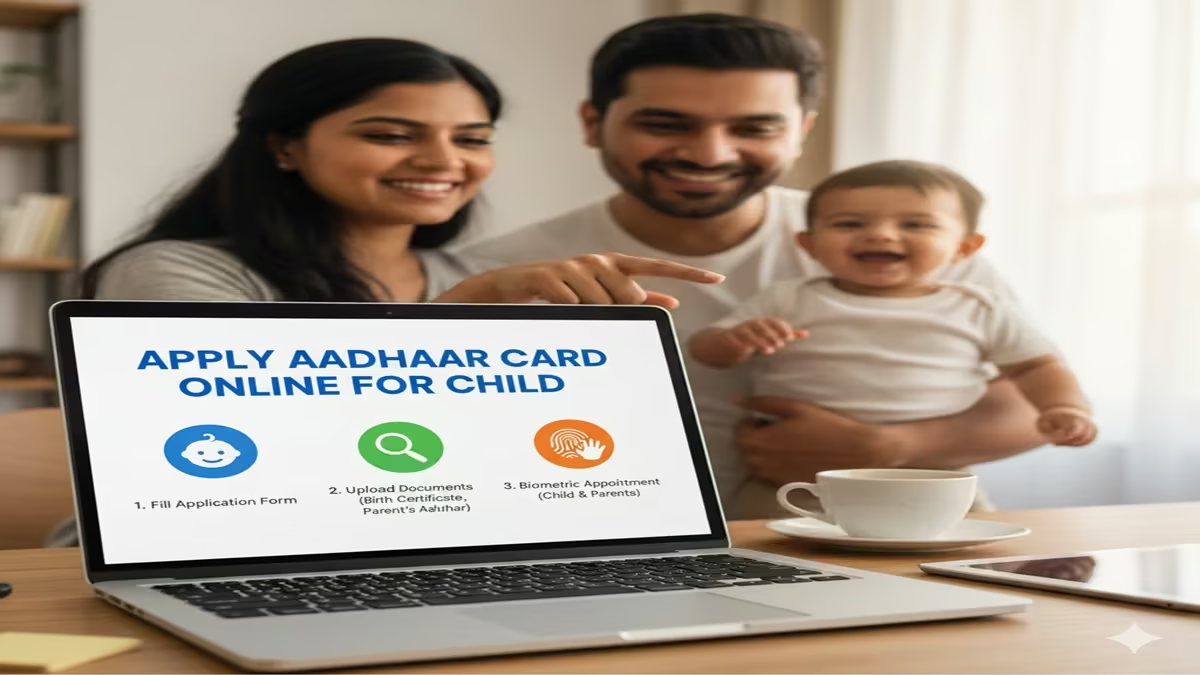
Apply Aadhar Card Online For Child: आपल्या मुलांचे आधार कार्ड (बाल आधार) ऑनलाईन कसे काढावे? जाणून घ्या कागदपत्रे आणि संपूर्ण प्रक्रिया!
Apply Aadhar Card Online For Child: आजच्या काळात आधार कार्ड हे केवळ मोठ्यांसाठीच नाही, तर लहान मुलांसाठीही तितकेच महत्त्वाचे झाले आहे. ५ वर्षांखालील मुलांसाठी बनवल्या जाणाऱ्या या आधार कार्डला ‘बाल आधार’ (Bal Aadhaar) असे म्हटले जाते. हे कार्ड निळ्या रंगाचे असते. जर तुमच्या घरात लहान मूल असेल, तर त्याचे आधार कार्ड वेळेत काढून घेणे भविष्यातील अडचणी टाळण्यासाठी गरजेचे आहे.
या लेखात आपण Apply Aadhar Card Online For Child या विषयावर सविस्तर माहिती घेणार आहोत.
१. बाल आधार कार्ड म्हणजे काय? (What is Bal Aadhaar?)
Apply Aadhar Card Online For Child: ५ वर्षांखालील मुलांसाठी UIDAI कडून निळ्या रंगाचे आधार कार्ड जारी केले जाते. यामध्ये मुलांच्या बायोमेट्रिक्सची (ठसे किंवा डोळ्यांचे स्कॅनिंग) गरज नसते. जेव्हा मूल ५ वर्षांचे होते, तेव्हा त्याचे बायोमेट्रिक्स अपडेट करावे लागतात.
२. आवश्यक कागदपत्रे (Required Documents)
Apply Aadhar Card Online For Child: मुलांचे आधार कार्ड काढण्यासाठी खालील कागदपत्रे आवश्यक आहेत:
- मुलाचा जन्म दाखला (Birth Certificate): हे सर्वात महत्त्वाचे कागदपत्र आहे.
- पालकांचे आधार कार्ड: आई किंवा वडील दोघांपैकी एकाचे आधार कार्ड मुलाच्या अर्जाशी लिंक केले जाते.
- पत्ता पुरावा: पालकांच्या आधार कार्डवरील पत्ता ग्राह्य धरला जातो.
- फोटो: मुलाचा एक लाइव्ह फोटो आधार केंद्रावर घेतला जातो.
३. ऑनलाईन अर्ज करण्याची प्रक्रिया (Step-by-Step Guide)
Apply Aadhar Card Online For Child: तुम्ही मुलाच्या आधार कार्डसाठी घरबसल्या ऑनलाईन ‘अपॉइंटमेंट’ बुक करू शकता. खालील स्टेप्स फॉलो करा:
स्टेप १: UIDAI च्या अधिकृत वेबसाईटला भेट द्या
सर्वात आधी ask.uidai.gov.in किंवा uidai.gov.in या वेबसाईटवर जा.
स्टेप २: लॉगिन करा
तुमचा मोबाईल नंबर आणि कॅप्चा टाकून ‘Send OTP’ वर क्लिक करा. मिळालेला ओटीपी टाकून लॉगिन करा.
स्टेप ३: ‘New Enrolment’ निवडा
लॉगिन केल्यानंतर ‘New Enrolment’ या पर्यायावर क्लिक करा.
स्टेप ४: माहिती भरा
मुलाचे पूर्ण नाव, जन्मतारीख आणि लिंग निवडा. त्यानंतर पालकांचा आधार क्रमांक आणि माहिती भरा.
स्टेप ५: अपॉइंटमेंट बुक करा
तुमच्या जवळचे आधार सेवा केंद्र निवडा आणि उपलब्ध असलेली तारीख आणि वेळ (Slot) बुक करा.
स्टेप ६: आधार केंद्रावर जा
ठरलेल्या वेळी मुलाला आणि मूळ कागदपत्रांना (Original Documents) घेऊन आधार केंद्रावर जा. तिथे मुलाचा फोटो घेतला जाईल आणि तुमची प्रक्रिया पूर्ण होईल.
४. महत्त्वाची सूचना: बायोमेट्रिक्स अपडेट (Biometric Update)
Apply Aadhar Card Online For Child: मुलांचे आधार कार्ड दोनदा अपडेट करणे अनिवार्य आहे:
- ५ वर्षे पूर्ण झाल्यावर: मुलाचे पहिल्यांदा बायोमेट्रिक्स घेतले जातात.
- १५ वर्षे पूर्ण झाल्यावर: पुन्हा एकदा अंतिम बायोमेट्रिक्स अपडेट करावे लागतात.हे अपडेट मोफत किंवा अत्यल्प शुल्कात केले जातात.
निष्कर्ष (Conclusion)
Apply Aadhar Card Online For Child: मुलांचे आधार कार्ड काढणे आता अत्यंत सोपे झाले आहे. Apply Aadhar Card Online For Child ही प्रक्रिया वापरून तुम्ही केंद्रावरील लांबलचक रांगा टाळू शकता. जर तुम्ही अद्याप आपल्या मुलाचे आधार कार्ड काढले नसेल, तर आजच नोंदणी करा.
Quick Info Table
| वैशिष्ट्य | माहिती |
| कार्डचे नाव | बाल आधार (निळ्या रंगाचे) |
| वयोगट | ० ते ५ वर्षे |
| बायोमेट्रिक्स | ५ वर्षांपर्यंत गरज नाही |
| नोंदणी शुल्क | पहिले नोंदणी मोफत आहे |
| वेबसाईट | uidai.gov.in |
A Complete Guide to Applying for an Aadhaar Card for Your Child Online (2025-26)
Introduction: Why Your Child Needs Aadhaar
Apply Aadhar Card Online For Child In today’s digitally driven India, the Aadhaar card has evolved from being a voluntary identity proof to a crucial document that integrates citizens with essential services. For a child, an Aadhaar (or Baal Aadhaar, issued for children below 5 years) is more than just a 12-digit number.
Apply Aadhar Card Online For Child: It is a foundational identity that simplifies access to a multitude of benefits—from school admissions and availing government subsidies like mid-day meals to opening a bank account, purchasing a life insurance policy, or claiming airline and railway concessions. The government has made the process significantly more parent-friendly by enabling online application and management. This comprehensive guide will walk you through every step of applying for your child’s Aadhaar card online, clarifying procedures, documents required, and addressing common parental concerns.
Part 1: Understanding Baal Aadhaar vs. Regular Child Aadhaar
Apply Aadhar Card Online For Child: First, it’s vital to distinguish between the two types of Aadhaar for minors:
- Baal Aadhaar (For children below 5 years):
- Colour: It is blue in colour, unlike the standard white adult Aadhaar.
- Biometrics: No biometric data (fingerprints and iris scan) of the child is captured at this stage. The child’s uniqueness is established through biometric authentication of the parent/guardian (usually the mother or father whose details are linked).
- A mandatory Biometric Update is required upon turning 5 to re-validate the Aadhaar with the child’s own biometrics.
- Regular Aadhaar (For children between 5 and 18 years):
- Colour: Standard white card.
- Biometrics: The child’s own biometrics (all ten fingerprints and both iris scans) are captured during enrolment. Parent/guardian authentication is still required for the process.
- Status: The child remains a minor in the Aadhaar system until age 18, but the Aadhaar is functionally active for most purposes.
- Mandatory Update: At the age of 15, a Mandatory Biometric Update (MBU) is required to update the child’s biometrics into adult standards.
The Online Process: While the core biometric capture must happen physically at an Aadhaar Seva Kendra, the application process begins online. This involves filling the form, booking an appointment, and gathering the correct documents—all of which can be done from home to ensure a swift, single-visit enrolment.
Part 2: Step-by-Step Online Application Process
Step 1: Pre-requisites and Document Preparation
Apply Aadhar Card Online For Child: Before you click “Apply,” ensure you have the following documents ready in scanned/clear photo format:
- Proof of Relationship (PoR): This is the most critical document. It establishes the link between the child and the parent/guardian applying. Acceptable documents include:
- SSC/SSLC Certificate with parent’s name
- Central/State government issued family card
- Pension card with family members’ names
- Proof of Identity (PoI) for the Child (if available): For older children, a school ID card, passport, or birth certificate can serve as PoI.
- Proof of Address (PoA): Any document showing the residential address. This could be in the parent’s name. Examples: Passport, Bank Statement, Voter ID, Utility Bill (not older than 3 months), Ration Card.
- Parent’s Aadhaar Card: The Aadhaar of the parent/guardian who will accompany the child for biometrics. This parent’s biometrics will be used for authentication for children under 5.
Step 2: Booking an Appointment Online
- Visit the- official –
- UIDAI website:
-
[https://uidai.gov.in/](https://uidai.gov.in/) - or the Aadhaar Enrolment & Update Appointment Portal:
[https://appointments.uidai.gov.in/](https://appointments.uidai.gov.in/). - Click on “Book an Appointment.”
- Select your location (State, District, Sub-district) to find the nearest Aadhaar Seva Kendra (ASK). These are larger, dedicated centres with online appointments, ensuring minimal wait times. Note: You can also walk into any permanent enrolment centre, but an appointment guarantees service.
- Choose a convenient date and time slot from the available options.
- Enter your (parent’s) mobile number—this is mandatory as all communication and OTPs will be sent here.
- You will receive an appointment confirmation slip (with an Appointment ID) via SMS and email. Save or print this.
Step 3: Visiting the Aadhaar Seva Kendra
Apply Aadhar Card Online For Child: On the appointment day, visit the centre with:
- The child.
- Original documents (for verification) and one set of self-attested photocopies.
- Appointment confirmation.
- The parent whose Aadhaar is being linked for authentication.
The Process at the Centre:
- The executive will verify your documents.
- For a child below 5: The child’s photograph will be taken. The linked parent will provide their fingerprint/iris for authentication. The child’s biometrics are not taken.
- For a child above 5: The child’s photograph, all ten fingerprints, and iris scans will be captured. Parental authentication is still recorded.
- You will be given an Acknowledgement Slip containing a 14-digit Enrolment ID (EID) and the date of enrolment. Guard this slip carefully. It is the only way to track the status and download the e-Aadhaar before the physical card arrives.
Step 4: Tracking Status and Downloading e-Aadhaar
- Track Status: Go to
[https://resident.uidai.gov.in/check-aadhaar-status](https://resident.uidai.gov.in/check-aadhaar-status)and enter the 14-digit EID and the captcha. It will show whether the card is “Generated,” “Under Process,” or if there is a “Rejection” (with reason). - Download e-Aadhaar: Once status shows “Generated,” you can download the electronic, password-protected PDF (e-Aadhaar) from
[https://eaadhaar.uidai.gov.in/](https://eaadhaar.uidai.gov.in/). The password is the first 4 letters of your child’s name in CAPITALS and the year of birth (YYYY). Example: For RAM KUMAR born in 2020, the password is RAMK2020.- Important: The e-Aadhaar is equally valid as the physical card for all purposes.
Step 5: Receiving the Physical Aadhaar Card
Apply Aadhar Card Online For Child: The physical card is dispatched by India Post to the registered address within60 to 90 daysof enrolment. You can track the postal delivery using the “Postal Track & Trace” service on the UIDAI website with your EID or Aadhaar number.
Part 3: Crucial Post-Enrolment Updates
- Mandatory Biometric Update at Age 5: You must take your child to an Aadhaar centre within 6 months of them turning 5. The old blue Baal Aadhaar is cancelled, and a new white Aadhaar with the child’s biometrics is issued. The Aadhaar number remains the same. Update is free of cost.
- Mandatory Biometric Update at Age 15: This updates the child’s biometrics from juvenile to adult standards. Also free of cost.
- Updating Child’s Details Online: Using the parent’s registered mobile number, you can log in to the UIDAI portal and update the child’s address, photograph, or other demographic details online. Biometric updates, however, require a physical visit.
- Linking Child’s Aadhaar with Bank Accounts, etc.: Use the e-Aadhaar or physical card to link it to the child’s bank account (minor account), school records, or insurance policies for seamless service delivery.
Part 4: Common Challenges and Solutions
- Apply Aadhar Card Online For Child: Both Parents Work/Guardian Enrolment:A guardian (like a grandparent) can enrol the child if they have a valid Proof of Relationship document (e.g., a birth certificate naming them or a court guardianship order) and their own Aadhaar.
- Document Mismatch in Names: Ensure the child’s name is consistent across documents. If the birth certificate has “Baby of XYZ,” but the school ID has the child’s actual name, carry both documents and a declaration. The enrolling officer will guide you.
- No Proof of Address in Parent’s Name: UIDAI allows a head of family (HoF) to introduce family members. If you live with a relative who has a valid PoA, they can accompany you with their Aadhaar and PoA, and fill a declaration form (HoF form) at the centre.
- Apply Aadhar Card Online For Child: Lost EID Acknowledgement Slip:Use the “Retrieve Lost UID/EID” service on the UIDAI website using the child’s name, mobile number, and other details.
Part 5: 5 Frequently Asked Questions (FAQs) for Applying for a Child’s Aadhaar Online
FAQ 1: Can I complete my child’s entire Aadhaar application from home without visiting any centre?
Answer:No, aphysical visit to an Aadhaar Seva Kendra or enrolment centre is absolutely mandatory. The crucial steps ofdocument verification, photograph capture, and biometric capture/authenticationmust be done in person by authorised UIDAI operators. This ensures the integrity and security of the identity process.
FAQ 2: What is the cost of applying for a child’s Aadhaar card?
Answer:Theenrolment for a child’s Aadhaar (for the first time) is completely free of cost. You should not be charged anything at the Aadhaar Seva Kendra for the initial enrolment. However, if you later request areprintof the Aadhaar card or need to update certain demographic details at a centre (not online), a nominal fee of ₹50 (inclusive of GST) may be applicable. The mandatory biometric updates at ages 5 and 15 are also free.
FAQ 3: My child is an NRI/OCI cardholder and lives abroad. Can we apply for an Aadhaar?
Answer: Yes, but only if the child resides in India for at least 182 days (over 6 months) in the twelve months immediately preceding the date of application.As per UIDAI regulations, Aadhaar is an identity document forresidentsof India. You must declare the child’s Indian residence status and provide a valid Indian address proof. A foreign passport and OCI card can be used as Proof of Identity and Address if supported by the Indian visa/residency stay proof.
FAQ 4: What happens if I miss the mandatory biometric update when my child turns 5 or 15?
Answer:The child’s Aadhaar numberwill not be deactivated immediately, but it may lead toauthentication failureswhen used for services. The UIDAI strongly advises completing the update within the stipulated timeframe to keep the biometric data current and ensure uninterrupted service. The Aadhaar remains valid, but its usability for biometric-based services (like certain bank verifications) may be affected until the update is done.
FAQ 5: Can I use my mobile number for multiple children’s Aadhaar registrations?
Answer: Yes, absolutely.One parent’s mobile number can be linked to the Aadhaar records of all their children. This is standard practice and is actually convenient for the parent, as they will receive all OTPs and status updates for all children on a single number. Ensure you provide the same, active mobile number during each child’s enrolment process.
Conclusion
Applying for your child’s Aadhaar online is a streamlined process designed for parental convenience in its preparatory stages. By understanding the difference between Baal Aadhaar and regular child Aadhaar, preparing the correct documents, and using the online appointment system, you can ensure a hassle-free single-visit enrolment. Remember, the Aadhaar is a lifelong identity that will anchor your child’s interaction with the state and private services.
Proactively managing it—through mandatory updates and timely corrections—is a small but significant step in securing their digital future in India. Always rely on the official UIDAI website (uidai.gov.in) for the most accurate and up-to-date information, and safeguard the enrolled mobile number, as it is the key to all future online services related to your child’s Aadhaar.