


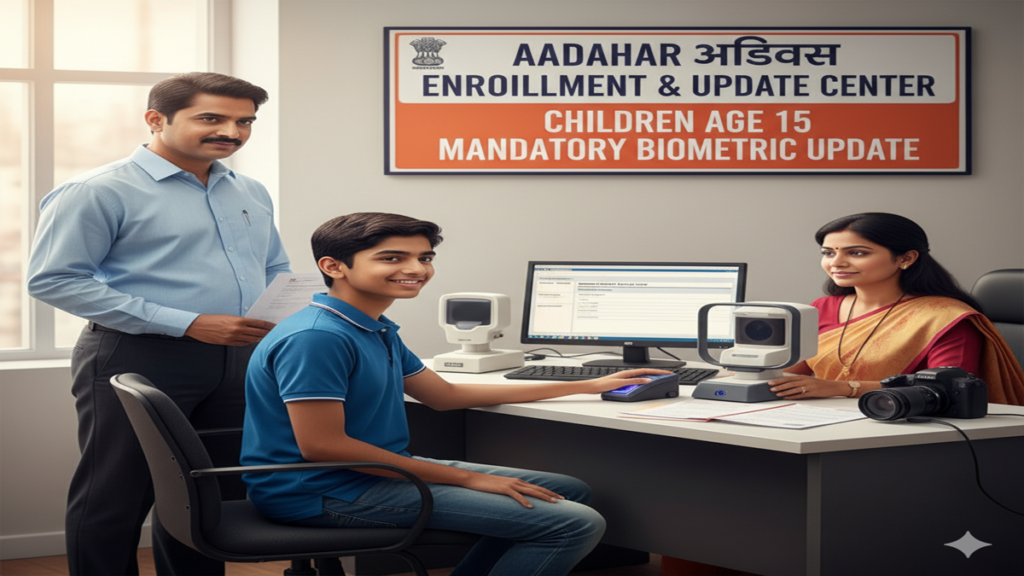
Aadhaar Update Age 15 Process: बच्चे की उम्र 15 साल होने पर आधार अपडेट करना क्यों जरूरी है? जानें पूरी ऑनलाइन और ऑफलाइन प्रक्रिया!
Aadhaar Update Age 15 Child Process: Introduction: आधार कार्ड (Aadhaar Card) आज के समय में सबसे महत्वपूर्ण पहचान पत्र है। लेकिन क्या आप जानते हैं? बच्चों के आधार कार्ड में 5 साल और 15 साल की उम्र में बायोमेट्रिक अपडेट करना कानूनी रूप से अनिवार्य है। इसे Mandatory Biometric Update (MBU) कहा जाता है।
अगर आपके बच्चे की उम्र 15 साल पूरी हो गई है, तो उसका आधार अपडेट कराना बहुत जरूरी है। यदि आप ऐसा नहीं करते हैं, तो सिम कार्ड लेने, बैंक खाता खोलने या किसी भी सरकारी योजना का लाभ उठाने में दिक्कत आ सकती है। इस लेख में हम Aadhaar Update Age 15 Process के बारे में विस्तार से जानेंगे।
1. 15 साल की उम्र में आधार अपडेट क्यों करें? (Importance of MBU)
Aadhaar Update Age 15 Child Process: बचपन से किशोरावस्था तक बच्चे के शारीरिक लक्षणों में बड़े बदलाव आते हैं। 5 साल की उम्र में लिए गए उंगलियों के निशान (Fingerprints) और आंखों की पुतलियाँ (Iris) 15 साल तक बदल चुकी होती हैं।
- सटीक पहचान: बच्चे की बायोमेट्रिक जानकारी को अपडेट करने के लिए।
- सुरक्षा: आधार के गलत इस्तेमाल को रोकने के लिए।
- UIDAI नियम: सरकारी नियमों के अनुसार, यदि 15 साल के बाद अपडेट नहीं किया गया, तो आधार कार्ड ‘In-active’ (निष्क्रिय) हो सकता है।
2. जरूरी दस्तावेज (Documents Required)
Aadhaar Update Age 15 Child Process: 15 साल के बच्चे का आधार अपडेट कराते समय निम्नलिखित दस्तावेजों की आवश्यकता होती है:
- बच्चे का मूल आधार कार्ड (Original Aadhaar Card)।
- पहचान का प्रमाण (Identity Proof): स्कूल आईडी कार्ड, बोनाफाइड सर्टिफिकेट या पासपोर्ट।
- पते का प्रमाण (Address Proof): माता-पिता का आधार कार्ड या राशन कार्ड।
- जन्म प्रमाण पत्र (Birth Certificate): यदि जन्म तिथि में भी सुधार करना हो।
3. आधार अपडेट करने की प्रक्रिया (Step-by-Step Process)
Aadhaar Update Age 15 Child Process: Step 1: ऑनलाइन अपॉइंटमेंट बुक करें (Book Appointment) बायोमेट्रिक अपडेट पूरी तरह ऑनलाइन नहीं हो सकता, इसके लिए आधार केंद्र जाना ही पड़ता है। लेकिन लाइन से बचने के लिए आप अपॉइंटमेंट बुक कर सकते हैं:
- UIDAI की आधिकारिक वेबसाइट (myaadhaar.uidai.gov.in) पर जाएं।
- ‘Book an Appointment’ पर क्लिक करें।
- अपना शहर चुनें और मोबाइल नंबर डालकर ओटीपी से लॉगिन करें।
- ‘Aadhaar Update’ चुनें और अपनी सुविधा के अनुसार तारीख और समय (Slot) बुक करें।
Aadhaar Update Age 15 Child Process: Step 2: आधार केंद्र पर जाएं (Visit Aadhaar Center) तय समय पर बच्चे को लेकर आधार सेवा केंद्र (Aadhaar Seva Kendra) पहुंचें।
Step 3: बायोमेट्रिक डेटा जमा करें (Biometric Submission) वहां ऑपरेटर बच्चे का:
- दसों उंगलियों के निशान (Fingerprints) लेगा।
- आंखों का स्कैन (Iris Scan) करेगा।
- एक नई फोटो (Latest Photograph) खींची जाएगी।
Aadhaar Update Age 15 Child Process: Step 4: पावती रसीद प्राप्त करें (Acknowledgement Slip) प्रक्रिया पूरी होने पर आपको एक ‘Update Request Number (URN)’ मिलेगा। इससे आप ऑनलाइन स्टेटस चेक कर सकते हैं।
4. फीस और शुल्क (Fees & Charges)
- Mandatory Biometric Update (MBU): नियमों के अनुसार, 5 साल और 15 साल की उम्र में किया जाने वाला बायोमेट्रिक अपडेट पूरी तरह से मुफ्त (FREE) होता है।
- ध्यान दें: यदि आप बायोमेट्रिक के साथ नाम, पता या मोबाइल नंबर भी बदलते हैं, तो आपको ₹50 से ₹100 का शुल्क देना पड़ सकता है।
5. अक्सर पूछे जाने वाले प्रश्न (FAQs)
प्रश्न 1: अगर 15 साल के बाद आधार अपडेट नहीं किया तो क्या होगा?
उत्तर: आपका आधार कार्ड ‘Suspended’ हो सकता है, जिससे फिंगरप्रिंट ऑथेंटिकेशन काम नहीं करेगा।
प्रश्न 2: क्या यह काम घर बैठे मोबाइल से हो सकता है?
उत्तर: जी नहीं! फोटो और फिंगरप्रिंट के लिए आपको आधार केंद्र जाना ही होगा।
प्रश्न 3: नया आधार कार्ड घर कब तक आएगा?
उत्तर: अपडेट होने के बाद 15 से 90 दिनों के भीतर नया कार्ड डाक से आपके पते पर आ जाता है। आप ऑनलाइन ‘e-Aadhaar’ भी डाउनलोड कर सकते हैं।
प्रश्न 4: क्या स्कूल का बोनाफाइड सर्टिफिकेट मान्य है?
उत्तर: हाँ, प्रिंसिपल के हस्ताक्षर और मोहर वाला बोनाफाइड सर्टिफिकेट एक वैध दस्तावेज माना जाता है।
Conclusion: आज ही अपडेट कराएं!
Aadhaar Update Age 15 Process एक सरल लेकिन अनिवार्य प्रक्रिया है। अपने बच्चे की पहचान और भविष्य के कार्यों में रुकावट न आए, इसके लिए समय रहते आधार केंद्र जाकर बायोमेट्रिक अपडेट जरूर कराएं।
The Essential Guide to Updating Your Child’s Aadhaar at Age 15: A Mandatory Step into Adulthood
Aadhaar Update Age 15 Child Process The Aadhaar card, a 12-digit unique identity number issued by the Unique Identification Authority of India (UIDAI), has evolved from a novel concept to a foundational document for Indian residents. For children enrolled at a young age, their Aadhaar (known as Baal Aadhaar, issued in blue) is a simple identity proof linked to their parents. However, a critical milestone arrives when the child turns 15. At this age, UIDAI mandates a mandatory update—a process often overlooked but of paramount importance.
Aadhaar Update Age 15 Child Process: This article serves as your definitive, step-by-step guide to navigating the “Aadhaar Update for a 15-Year-Old Child” process. We will demystify the why, how, and what-next, ensuring a seamless transition from a child-dependent Aadhaar to an independent, adult-proof identity document.
Why is Updating Aadhaar at Age 15 Mandatory?
Aadhaar Update Age 15 Child Process: When a child is enrolled for Aadhaar below the age of 5, the registration is purely biometric-light. Only the child’s photograph is captured; no fingerprints or iris scans are taken. This is because a young child’s biometrics are not stable and change significantly as they grow. The child’s Aadhaar is linked to the parent’s/guardian’s Aadhaar (one of them) to establish identity and residence proofs.
Upon attaining the age of 15, the child is considered to have developed stable biometrics. The mandatory update serves two crucial purposes:
- Biometric Conflation Prevention: It captures the child’s fresh fingerprints (all ten), iris scan, and an updated photograph. This establishes their unique, adult biometric identity in the Central Identities Data Repository (CIDR), preventing any future “biometric conflation” (where two different individuals are mistakenly identified as one due to similar traits).
- Delinking from Parental Aadhaar: The update process severs the automatic dependency link with the parent’s Aadhaar. The child’s identity becomes independent, a crucial step for future applications—be it for academic exams (like JEE, NEET), opening a bank account, applying for a passport, or availing of government schemes as an individual beneficiary.
Aadhaar Update Age 15 Child Process: In essence, failing to update means the Aadhaar remains in a “child” status, which can lead to authentication failures and rejection in processes that require valid, independent adult identity proof.
Prerequisites & Documents Required
Aadhaar Update Age 15 Child Process: Before initiating the update, ensure you have the following ready:
For the Child (Applicant):
- Current Baal Aadhaar Card (Blue coloured, if issued).
- Birth Certificate: Issued by the Municipal Corporation or relevant authority. This is the primary proof of date of birth (DoB).
- School ID Card / Transfer Certificate (TC): If the birth certificate is unavailable, a school certificate or TC bearing the date of birth is acceptable.
- Proof of Identity (PoI) for the Child (if available): A school ID, passport, or PAN card can be used, though the birth certificate is primary for age validation.
- Proof of Address (PoA): Since the address likely remains the same (family address), any standard PoA document in the parent’s name or child’s name (like a bank passbook, passport, electricity bill) can be used.
For the Parent/Guardian Accompaning the Child:
- Parent’s/Guardian’s Original Aadhaar Card.
- Proof of Relationship Document: This is VITAL. Carry the original Birth Certificate (which shows parents’ names) or a document establishing guardianship.
Important Note on Documents: UIDAI follows a “Document Update” process for this mandatory update. This means you must carry original documents for verification. The list of acceptable documents is available on the UIDAI website (uidai.gov.in). Always carry original documents and their photocopies.
The Update Process: A Detailed, Two-Path Journey
Aadhaar Update Age 15 Child Process: You have two primary avenues to complete this update: Online (Self-Service Update Portal) and Offline (Visiting an Aadhaar Seva Kendra). The online path is convenient for demographic updates, but for the age 15 update, an offline visit is almost always necessary due to the mandatory biometric capture.
Path 1: Online Initiation & Appointment Booking (Recommended First Step)
Aadhaar Update Age 15 Child Process: This method streamlines the offline visit.
- Visit the My Aadhaar Portal: Go to the official UIDAI website:
https://myaadhaar.uidai.gov.in/. - Login: You will need the child’s Aadhaar Number and the registered mobile number (the one linked to the child’s Aadhaar). An OTP will be sent for authentication.
- Access Update Services: Navigate to “Update Demographics Data and Check Status” or find the “Update Aadhaar Details” service.
- Select “Update Demographics”: Here, you can check and update fields like name (if there are spelling corrections), address, etc. However, you cannot update the Date of Birth online for this mandatory update. The “Biometric Update” service is also not available online for this case. The key utility here is to book an appointment.
-
- Enter your location/PIN code to find the nearest ASK.
- Select a convenient date and time slot. Booking an appointment saves significant waiting time.
Path 2: Offline Update at an Aadhaar Seva Kendra (The Core Process)
Aadhaar Update Age 15 Child Process: This is the physical step where the actual biometric update happens.
- Visit the ASK: Go to your booked ASK (or walk-in, though appointment holders are prioritized). The child must be present physically.
- Aadhaar Update Age 15 Child Process: Obtain the Aadhaar Update/Correction Form: Fill out the Aadhaar Update/Correction Form carefully.
- Section 1: Fill in the child’s current Aadhaar number and details.
- Mandatory Checkbox: Look for and TICK the box that says “I am eligible for Mandatory Biometric Update (For children who have turned 15 years of age).” This is crucial.
- Fill in the fields that need to be validated or updated (like name spelling).
- In the document submission section, list the documents you are attaching (Birth Certificate for PoB, Parent’s Aadhaar for relationship, etc.).
- The executive will verify the originals and return them to you immediately, keeping the photocopies.
- Aadhaar Update Age 15 Child Process: Biometric Capture: The executive will guide the child to:
- Capture a fresh photograph.
- Capture all ten fingerprints on a biometric device.
- Capture iris scans.
- This step is non-negotiable and is the heart of the age-15 update.
- Aadhaar Update Age 15 Child Process: Acknowledgement Slip: After successful submission and biometric capture, you will receive an Acknowledgement Slip. This slip contains a:
- 14-digit Update Request Number (URN).
- Date of submission.
- Details of the update requested.
- Important: Keep this slip safe. It is your only proof of update submission until the new Aadhaar arrives.
Post-Submission: Tracking & Receiving the Updated Aadhaar
- Aadhaar Update Age 15 Child Process: Tracking Status: Use the URN from your acknowledgement slip on the UIDAI website (
https://myaadhaar.uidai.gov.in/check-status) or via the mAadhaar app to track the status of your update request. - Processing Time: The standard UIDAI timeline is 30 to 45 days for the entire process—from verification to dispatch.
- Aadhaar Update Age 15 Child Process: Mode of Delivery: The updated Aadhaar letter is sent via India Post to the registered address. There is no fee for this update if done at an ASK.
- Download e-Aadhaar: Once the status shows “Update Completed,” you can immediately download the updated e-Aadhaar from the UIDAI website using the URN or the child’s Aadhaar number. The e-Aadhaar is equally valid as the physical letter. The PDF will be password-protected (the password is the first 4 letters of the child’s name in CAPS and the year of birth – e.g., JOHN1998).
- Aadhaar Update Age 15 Child Process: mAadhaar App: You can also update the profile in the mAadhaar app by refreshing the data after the update is complete.
Common Scenarios & Troubleshooting
- Aadhaar Update Age 15 Child Process: Mobile Number Not Linked/Updated: If the mobile number registered with the child’s Aadhaar is no longer accessible, you must first update the mobile number. This itself requires a visit to an ASK with the supporting documents. Complete this step before or during the age-15 update.
- Aadhaar Update Age 15 Child Process: Name Spelling Corrections: The age-15 update is an ideal opportunity to correct minor errors in the name, ensuring it matches the birth certificate or school documents.
- Address Update: If the family has moved, the address can be updated simultaneously using valid PoA documents.
- Lost Baal Aadhaar Card: Even if the physical card is lost, the process remains the same. You just need the Aadhaar number. If you don’t have the number, you can retrieve it using the enrolment ID (EID) from the original enrolment slip, or by visiting an ASK for help.
The Bigger Picture: Beyond Compliance
Aadhaar Update Age 15 Child Process: Completing this update is more than a bureaucratic task; it’s about empowering your child with a robust, future-ready digital identity. An updated Aadhaar will be indispensable for:
- Aadhaar Update Age 15 Child Process: Academic Endeavours: Registration for most national and state-level board exams and competitive entrance tests.
- Financial Independence: Opening the first bank account, applying for a debit card, or investing in a minor’s mutual fund scheme.
- Travel Documents: Applying for a passport or other government-issued IDs.
- Digital India Services: Seamless authentication for DigiLocker, online scholarship portals, and other e-governance services.
Aadhaar Update Age 15 Child Process: By proactively managing this update, you safeguard your child from future administrative hurdles and gift them a validated key to India’s digital ecosystem.
Frequently Asked Questions (FAQs)
Q1. What is the exact deadline for updating my child’s Aadhaar after they turn 15? Is there a penalty for delay?
Aadhaar Update Age 15 Child Process: UIDAI mandates the update upon attaining the age of 15. However, the “penalty” is functional. An unupdated Aadhaar may fail biometric authentication when required for essential services (like exam form submission, SIM verification, or bank account opening), causing significant inconvenience and delays. It is highly advisable to complete the process within a few months of the 15th birthday.
Q2. Can I complete the entire process online without visiting a centre?
Aadhaar Update Age 15 Child Process: No, you cannot. The core requirement of the age-15 update is the capture of stable biometrics (fingerprints and iris). This can only be done in person at an authorized Aadhaar Seva Kendra or Permanent Enrolment Centre. The online portal is useful for checking details, booking appointments, and downloading the updated e-Aadhaar, but the physical visit is mandatory.
Q3. What if my child is abroad or unable to visit a centre at age 15? What is the last date for this update?
Aadhaar Update Age 15 Child Process: There is no “last date” in the sense of an expiry. The requirement is triggered when the child turns 15. If the child is abroad, the update can be done only upon their return to India, as biometric capture at an Indian ASK is required. The Aadhaar will remain valid but in a “child” status until updated. For NRI children, this update should be planned during their visit to India. Delaying it only postpones the point at which they can use their Aadhaar as an independent adult ID.
Q4. What documents are needed to prove the child is 15? Is a school certificate enough?
Aadhaar Update Age 15 Child Process: The Birth Certificate issued by the Municipal Authority or Registrar of Births & Deaths is the preferred and most authoritative document for proof of date of birth (PoB). If the birth certificate is unavailable, UIDAI accepts a School Transfer Certificate (TC), School Leaving Certificate, or a certificate from a recognized educational institute that bears the date of birth. The school ID card alone may not suffice; a certificate issued by the school head is required.
Q5. After the update, will my child get a new Aadhaar number? Will the blue Baal Aadhaar card still be valid?
Aadhaar Update Age 15 Child Process: No, the Aadhaar number remains the same for life. The update does not change the 12-digit unique ID. It only updates the biometric and demographic data linked to that number. The old blue Baal Aadhaar card becomes invalid once the update is processed. The child will receive a new Aadhaar letter on standard white paper, similar to an adult’s Aadhaar, with the updated photograph and biometric status. You should discard the old blue card and use the new one.