


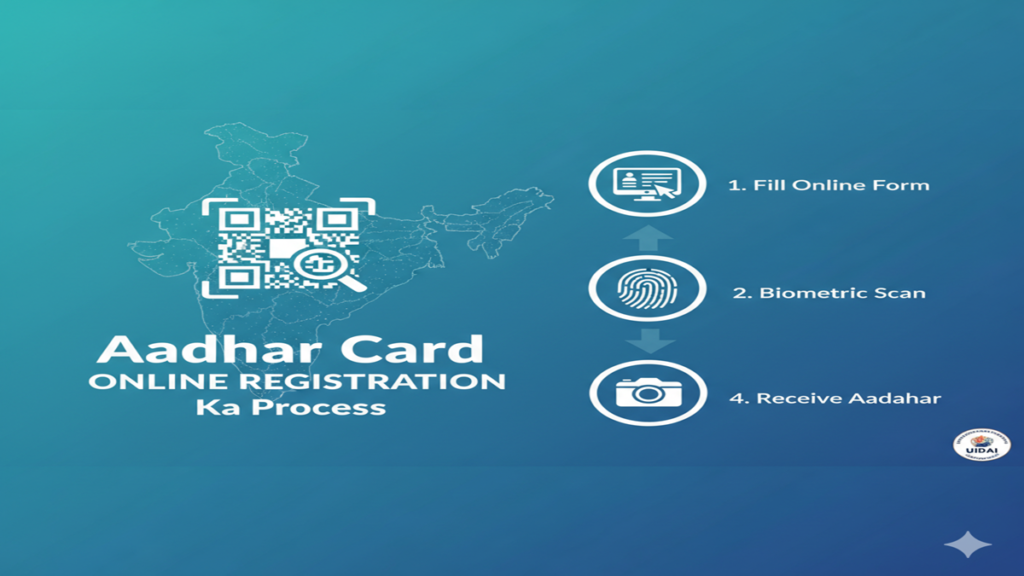
The Digital Identity Revolution: A Comprehensive Guide to Aadhaar Card Online Registration
Aadhaar Card Online Registration Ka Process In the vast tapestry of India’s digital transformation, few threads are as central and impactful as the Aadhaar card. Conceived as a unique identity project, it has evolved into the cornerstone of the country’s identity infrastructure, linking citizens to a multitude of services, subsidies, and financial systems.
With over 1.3 billion enrollments, Aadhaar represents one of the largest digital identity databases in the world. While enrollment initially required physical visits to designated centers, the process has been significantly streamlined with online options for various services, including initiating registration for new enrollments. This comprehensive guide delves into the intricacies of the Aadhaar card online registration process, its significance, and addresses the common questions that surround it.
Understanding Aadhaar: More Than Just a Card
Before navigating the registration process, it’s crucial to understand what Aadhaar is. Issued by the Unique Identification Authority of India (UIDAI), Aadhaar is a 12-digit unique identity number that ties an individual to their biometric (photograph, iris scan, fingerprints) and demographic (name, date of birth, address) data. It is not proof of citizenship but a proof of resident-ship. Its primary purpose is to ensure efficient, transparent, and targeted delivery of government welfare benefits and services, eliminating duplicates and ghost beneficiaries.
The Online Registration Process: A Step-by-Step Walkthrough
It is important to clarify a key point: You cannot complete the entire Aadhaar enrollment process from your home online. The biometric data capture (fingerprints and iris scan) and photograph require specialized equipment available only at authorized Aadhaar Enrollment Centers. However, the process can be initiated and significantly streamlined online. Here is the complete, optimized process:
Step 1: Pre-Registration Online (Booking an Appointment)
This is the true “online registration” step that saves you time at the center.
- Visit the Official Portal: Go to the UIDAI website (uidai.gov.in). Navigate to the ‘My Aadhaar’ tab and select ‘Book an Appointment’ or directly visit the appointment booking portal. Crucially, always use only official UIDAI websites and portals. Beware of phishing sites.
- Locate a Center: You will be prompted to search for the nearest Permanent Enrollment Center by entering your location details (Pin Code, State, District). The portal will display a list of centers with their addresses and contact details.
- Book a Slot: Select a convenient center and choose an available date and time slot for your visit. You will need to provide a valid mobile number for OTP verification and appointment confirmation.
- Receive Confirmation: A confirmation with the appointment ID, date, time, and center address will be sent via SMS to your registered mobile number. You may also receive a QR code-based appointment letter.
Step 2: Preparation of Documents
Before your appointment, gather the necessary documents. UIDAI has a clear list of supporting documents divided into:
- Proof of Address (PoA): Passport, Bank Statement, Utility Bill (less than 3 months old), Ration Card, etc.
- Proof of Date of Birth (DoB): Birth Certificate, SSLC Certificate, Passport, etc.
- Proof of Relationship (for children): For children under 5 years, a birth certificate and the Aadhaar of one parent is mandatory. Children between 5 and 15 must visit the center for a fresh biometric capture when they turn 15.
Pro Tip: Carry original documents along with a self-attested photocopy of each. The list is exhaustive, and you only need to provide one document from each required category. Check the UIDAI website for the complete “List of Supporting Documents.”
Step 3: Visiting the Enrollment Center
On the day of your appointment, arrive at the center a few minutes early with your appointment confirmation (digital or printout) and documents.
- Form Submission: You will be given an Aadhaar Enrollment Form. While this form can be downloaded and filled online from the UIDAI website beforehand to save time, you will still need to submit it physically at the center. Fill it carefully, ensuring the details match your documents.
- Biometric & Demographic Data Capture: This is the core of the process.
- Photograph: A standard photograph will be taken by the operator.
- Fingerprint Scan: All ten fingerprints are scanned.
- Iris Scan: The iris of both eyes is captured.
- Demographic Data Entry: The operator will enter the details from your form and documents into the system.
- Review and Acknowledgment: You will be shown the data entered on the screen for final verification. Once confirmed, the operator will submit the data. You will receive an Aadhaar Enrollment Slip/Receipt. This slip contains a 14-digit Enrollment ID (EID) and the date and time of enrollment. This slip is extremely important until you receive your Aadhaar card. You can use the EID to track your Aadhaar status online.
This is where the online portal becomes essential again.
- Track Aadhaar Status: Visit the UIDAI website and go to ‘Check Aadhaar Status’ under ‘My Aadhaar’. Enter your 14-digit EID and the captcha code. You can also check using the registered mobile number.
- Download e-Aadhaar: Once your enrollment is processed (typically within 60-90 days), you will receive an SMS on your registered mobile number. You can then immediately download your e-Aadhaar, a password-protected PDF, from the UIDAI website. The password is your first 4 letters of your name in CAPITAL letters and your year of birth (e.g., ROHI1990). The e-Aadhaar is equally valid as the physical card for all purposes.
- Receive Physical Letter: The physical Aadhaar letter will be dispatched by India Post to your registered address, which may take additional time.
The mAadhaar App: Your Aadhaar in Your Pocket
UIDAI’s mAadhaar app is a powerful companion. Once you have your Aadhaar, you can install the app on your smartphone, lock/unlock your biometrics for privacy, share a secure QR-coded version of your profile, update details, and carry a digital copy of your Aadhaar at all times. It is highly recommended for safe and convenient use.
Addressing Common Concerns and Misconceptions
- Security: UIDAI employs high-end encryption and claims no data breaches of its central database have occurred. Biometric data is stored as an encrypted mathematical hash, not as an image.
- Privacy: Concerns about profiling and surveillance are valid and have been debated in courts. The Supreme Court has upheld the constitutionality of Aadhaar but restricted its mandatory use to specific government welfare schemes and PAN-ITR linkage.
- Mandatory vs. Voluntary: For availing government subsidies and welfare benefits, it is mandatory. For most private services (like mobile connections), it is one of the permissible KYC documents but not the only one.
- Service Charges: Enrollment is free of cost at government-designated centers. Be wary of centers or agents demanding money for a “fast-track” process—there is no such official provision.
Conclusion: Navigating the Identity Ecosystem
The Aadhaar online registration process symbolizes India’s push towards a digitized public service framework. While not fully completable from a home computer, the online appointment booking, form download, and status tracking mechanisms have made the process far more user-centric. The key to a smooth experience lies in being prepared—using only official channels, having the correct documents, safeguarding your Enrollment ID, and leveraging digital tools like e-Aadhaar and the mAadhaar app. As Aadhaar continues to embed itself deeper into the socio-economic fabric, understanding and efficiently navigating its registration process is an essential skill for every resident of India.
Frequently Asked Questions (FAQs) on Aadhaar Card Online Registration Process
Q1. Can I apply for a completely new Aadhaar card entirely online from home?
A: No, you cannot complete the full enrollment process entirely online. The online portal (uidai.gov.in) allows you to book an appointment at a nearby enrollment center and download the enrollment form. However, the mandatory capture of your biometrics (photograph, fingerprints, and iris scan) requires a visit to a physical Aadhaar Enrollment Center where specialized equipment is available. The online step primarily streamlines the appointment and preparatory process.
Q2. What is the most important document I need to carry for Aadhaar enrollment?
A: While you need Proof of Identity (PoI), Proof of Address (PoA), and Date of Birth (DoB) documents, the single most crucial item is a valid mobile number. This number will be registered with your Aadhaar and is essential for all future communication, OTP verifications, and online services. Without it, you cannot receive the completion SMS or download your e-Aadhaar. For children under 5 years, the Aadhaar of one parent is mandatory as a Proof of Relationship.
Q3. I have lost my Enrollment Slip (EID). How can I check my Aadhaar status or download it?
A: If you have lost the slip with your 14-digit Enrollment ID (EID), you can still check the status or download your Aadhaar using the mobile number you provided during enrollment. On the UIDAI website, use the “Retrieve Lost UID/EID” option or the “Check Aadhaar Status” feature by entering your registered mobile number to receive an OTP. The status update and download link are also sent via SMS to this number once Aadhaar is generated.
Q4. Is the downloaded e-Aadhaar (PDF) as valid as the physical card?
A: Yes, absolutely. The e-Aadhaar, downloaded from the official UIDAI website or the mAadhaar app, is a digitally signed document according to the Information Technology Act, 2000. It bears a secure QR code that can be verified for authenticity. It is accepted by all government and private entities as a valid proof of identity and address, equally to the physical PVC card or letter.
Q5. My personal details (like address) have changed after enrollment. Can I update them online?
A: Yes, for many details, you can. UIDAI provides an online Update Service on its website. However, this is for post-enrollment updates. You can update your address online completely through a OTP-based authentication on your registered mobile. For changes in demographic details like name or date of birth, you may need to provide supporting documents and might have to visit an enrollment center. Importantly, biometric updates (photograph, fingerprints, iris) or gender changes cannot be done online and require a physical visit to a Permanent Enrollment Center. A nominal fee may be applicable for certain updates.