


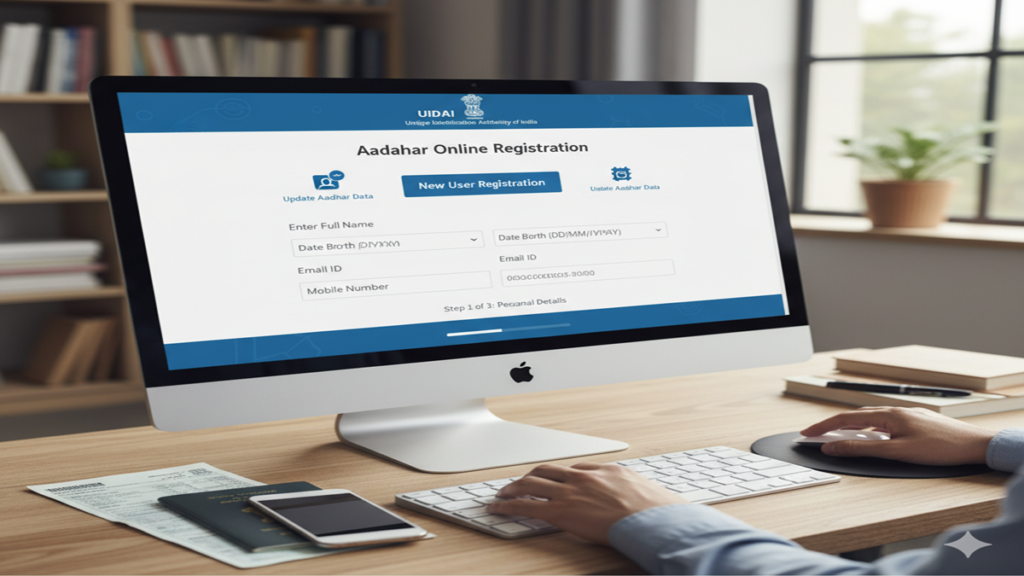
A Comprehensive Guide to Aadhaar Card Online Registration: Process, Updates, and FAQs
Introduction: The Digital Identity Revolution
Aadhar Card Online Registration Process In an increasingly digital world, the need for a secure, verifiable, and universally accepted identity document has never been more critical. For India’s vast population of over 1.4 billion people, the Aadhaar card has emerged as the cornerstone of the country’s digital identity infrastructure. Issued by the Unique Identification Authority of India (UIDAI), this 12-digit unique identification number has transformed how citizens access government services, financial products, and authentication services.
While Aadhaar enrollment traditionally required physical visits to enrollment centers, the process has evolved significantly with digital advancements. This comprehensive guide will walk you through the online registration and management processes, recent updates, security considerations, and address common concerns through detailed FAQs.
Understanding Aadhaar: More Than Just an ID Card
Before delving into the registration process, it’s essential to understand what Aadhaar represents. Aadhaar is not merely an identity card but a digital identity platform that links biometric and demographic data to a unique number. This enables online and offline identity verification across various service providers.
Key Features of Aadhaar:
- Universality: Available to all residents of India, regardless of age or gender
- Uniqueness: Each number is unique and linked to individual biometrics
- Portability: Recognized and accepted across India
- Digital Authentication: Enables remote identity verification
- Minimal Data: Collects only essential information for identification
The Evolution of Aadhaar Registration: From Centers to Online
The Aadhaar enrollment process has undergone significant transformation since its inception. Initially, the only method involved visiting permanent enrollment centers with supporting documents. The introduction of mobile enrollment vans improved accessibility in remote areas. Today, while complete first-time enrollment still requires biometric capture at authorized centers, many associated services have moved online, creating a hybrid model that balances security with convenience.
Step-by-Step Guide to Aadhaar Enrollment and Online Services
Part 1: Initial Enrollment Process
Step 1: Locate an Enrollment Center
- Visit the UIDAI official website (uidai.gov.in)
- Use the “Locate an Enrollment Center” feature
- Enter state, district, or search by pin code
- Select a convenient center; many now offer appointment booking online
Step 2: Document Preparation
Essential documents fall into three categories:
Proof of Identity:
- Passport
- PAN Card
- Ration Card
- Voter ID
- Driving License
- Government ID cards
Proof of Address:
- Utility bills (not older than 3 months)
- Bank statements
- Property documents
- Passport
Proof of Date of Birth:
- Birth certificate
- SSLC certificate
- Passport
- PAN card
Step 3: The Enrollment Visit
- Fill the enrollment form (available online for advance preparation)
- Submit documents for verification
- Provide biometric data: ten fingerprints, iris scan, and facial photograph
- Receive an acknowledgment slip with enrollment ID (EID)
- This EID tracks your application status online
Step 4: Post-Enrollment Process
- Data verification takes approximately 90 days
- Check status online using EID
- Receive Aadhaar letter by post to registered address
- Download e-Aadhaar from the UIDAI website using EID or Aadhaar number
Part 2: Online Services and Management
Once you have your Aadhaar number, numerous services are accessible online:
1. Downloading e-Aadhaar
- Visit the UIDAI website
- Select “Download Aadhaar”
- Enter 12-digit Aadhaar number or 28-digit EID
- Enter security code and request OTP
- Download password-protected PDF (password is first 4 letters of name in CAPS and YOB)
2. Updating Demographic Details
- Name, address, gender, and date of birth can be updated online
- Visit the “Update Demographics Data” section
- Biometric changes (fingerprints, iris) still require center visits
- Mobile number must be linked to Aadhaar for OTP authentication
3. Checking Update Status
- Track the status of update requests online
- Requires Update Request Number (URN)
4. Locking/Unlocking Biometric Authentication
- Security feature to prevent unauthorized biometric usage
- Temporarily disable biometric authentication when not needed
- Easily reversible through the UIDAI portal
5. Virtual ID (VID) Generation
- 16-digit temporary alternative to sharing your Aadhaar number
- Valid for one calendar day or until a new VID is generated
- Enhances privacy when authenticating with service providers
6. mAadhaar Mobile Application
- Official app for Aadhaar services on smartphones
- Stores profile data securely
- QR code for identity verification
- Time-based OTP generation
Recent Updates and Technological Advancements
QR Code Enhancement:
Modern Aadhaar cards feature secure QR codes containing photograph and demographic details, allowing instant verification without accessing the central database.
Face Authentication:
Added as an additional authentication modality, working alongside existing fingerprint and iris options, particularly helpful for elderly individuals or those with worn fingerprints.
Paperless e-KYC:
Aadhaar holders can complete KYC processes digitally, sharing information selectively with authorized agencies without physical documents.
Offline Verification:
The “Aadhaar Paperless Offline e-KYC” feature allows identity verification without biometric authentication or internet connectivity, enhancing privacy.
Security Features and Privacy Considerations
The UIDAI has implemented multiple security layers:
Encryption and Data Protection:
- End-to-end encryption of all data
- Biometric information stored as encrypted templates, not images
- Data partitioned across multiple locations
Authentication Protocols:
- Two-factor authentication for online services
- Limited KYC: Service providers receive only necessary information
- Authentication records not used to profile individuals
Privacy Safeguards:
- Aadhaar number alone cannot access personal information
- Biometric data never shared with authentication requesters
- Virtual ID system prevents unnecessary Aadhaar number sharing
Legal Framework:
- Aadhaar Act, 2016 provides legal backing
- Supreme Court judgments have reinforced privacy protections
- Specific limitations on mandatory Aadhaar usage
Common Challenges and Solutions
Biometric Update Issues:
Elderly individuals or manual workers may experience fingerprint authentication failures due to worn patterns. Solutions include:
- Using iris authentication as alternative
- Updating biometrics at enrollment centers
- Utilizing face authentication where available
Address Updates After Relocation:
The online address update requires address proof with the new location. For those without such documents, the “Address Update via Letter” option allows a verifier with valid address proof to confirm residence.
Mobile Number Not Linked:
Many online services require mobile OTP authentication. If your number isn’t linked:
- Visit an enrollment center with Aadhaar and mobile number
- Complete the biometric authentication
- Receive confirmation of mobile linkage
Document Mismatch:
Minor variations in name spelling across documents can cause rejection. Consistent documentation is crucial, and corrections may require multiple verification steps.
The Future of Aadhaar: Upcoming Developments
Integration with DigiLocker:
Enhanced integration allows secure document storage and sharing, with Aadhaar as primary authentication.
International Recognition:
Discussions underway for Aadhaar recognition in certain countries for identification purposes.
Advanced Authentication Methods:
Research continues on behavioral biometrics and continuous authentication methods.
Child Aadhaar Enhancements:
Streamlined processes for updating child Aadhaar with adult biometrics upon turning 15.
Conclusion: Aadhaar in the Digital Age
The Aadhaar card has evolved from a simple identification document to a comprehensive digital identity platform. While initial enrollment still requires physical presence for biometric capture, the majority of lifecycle management has moved online, offering unprecedented convenience. The system continues to balance accessibility with robust security, adapting to technological advancements while addressing privacy concerns.
As India progresses toward greater digital integration, Aadhaar remains at the forefront, enabling inclusive access to services while protecting individual privacy. By understanding the registration process, available online services, and security features, residents can maximize the benefits of this unique identification system while maintaining control over their personal data.
Frequently Asked Questions (FAQs)
1. Can I complete the entire Aadhaar registration process online without visiting any center?
No, complete initial registration cannot be done entirely online. First-time Aadhaar enrollment requires physical presence at an authorized enrollment center for biometric data capture (fingerprints, iris scan, and photograph). However, once enrolled, most services like downloading e-Aadhaar, updating demographic details, generating Virtual ID, and locking/unlocking biometric authentication can be managed online through the UIDAI website or mAadhaar app. The government is exploring completely online processes for certain categories, but currently, biometric capture remains an essential in-person component for initial registration.
2. What should I do if my mobile number is not linked to Aadhaar, and I need to access online services?
If your mobile number isn’t linked to Aadhaar, you need to visit a permanent enrollment center to link it. Carry your Aadhaar card or enrollment slip, and a mobile phone with the number you wish to link. After biometric verification, the executive will update your mobile number in the system. You’ll receive an SMS confirmation within 24-48 hours. Once linked, you can use OTP-based authentication for all online services. For immediate needs, you can download e-Aadhaar using the enrollment ID instead of Aadhaar number, which requires only the security code without OTP.
3. How can I update my biometrics (fingerprints/iris) if they’re not working properly during authentication?
If you’re experiencing frequent authentication failures due to biometric issues, visit an enrollment center for a biometric update. This service is free of charge. Carry your Aadhaar card and a proof of identity. The executive will recapture your fingerprints and iris scans. Until the update is processed (which takes about 2-4 weeks), you can use face authentication where available, or use the “Time-based OTP” feature through the mAadhaar app as an alternative authentication method. For elderly individuals with permanently worn fingerprints, UIDAI has provisions for exceptional handling.
4. Is it safe to share my Aadhaar number with service providers, and what precautions should I take?
While Aadhaar is designed with security in mind, you should exercise caution when sharing it. Use a Virtual ID (VID) instead of your Aadhaar number whenever possible, as VID is a temporary, revocable 16-digit number. Only share Aadhaar with verified entities and understand why they need it. Always ask if they accept masked Aadhaar (where only the last 4 digits are visible). Regularly check your authentication history on the UIDAI website to monitor where your Aadhaar has been used. Never share the Aadhaar photocopy without writing the purpose and date on it.
5. How can I enroll a newborn for Aadhaar, and what documents are required?
Newborns can be enrolled for Aadhaar once they are 5 days old, though it’s recommended to wait until they are at least 3-6 months old for better biometric capture. Visit an enrollment center with the child and one parent whose Aadhaar is already registered. Required documents include:
- Birth certificate of the child
- Aadhaar card of one parent
- Proof of relationship (usually birth certificate suffices)
For children under 5 years, only photograph and parent’s biometrics are captured. The child will need to update biometrics when they turn 5 and again at 15. The Baal Aadhaar issued to children below 5 has a different color scheme (blue instead of white) and doesn’t contain biometric data initially.