
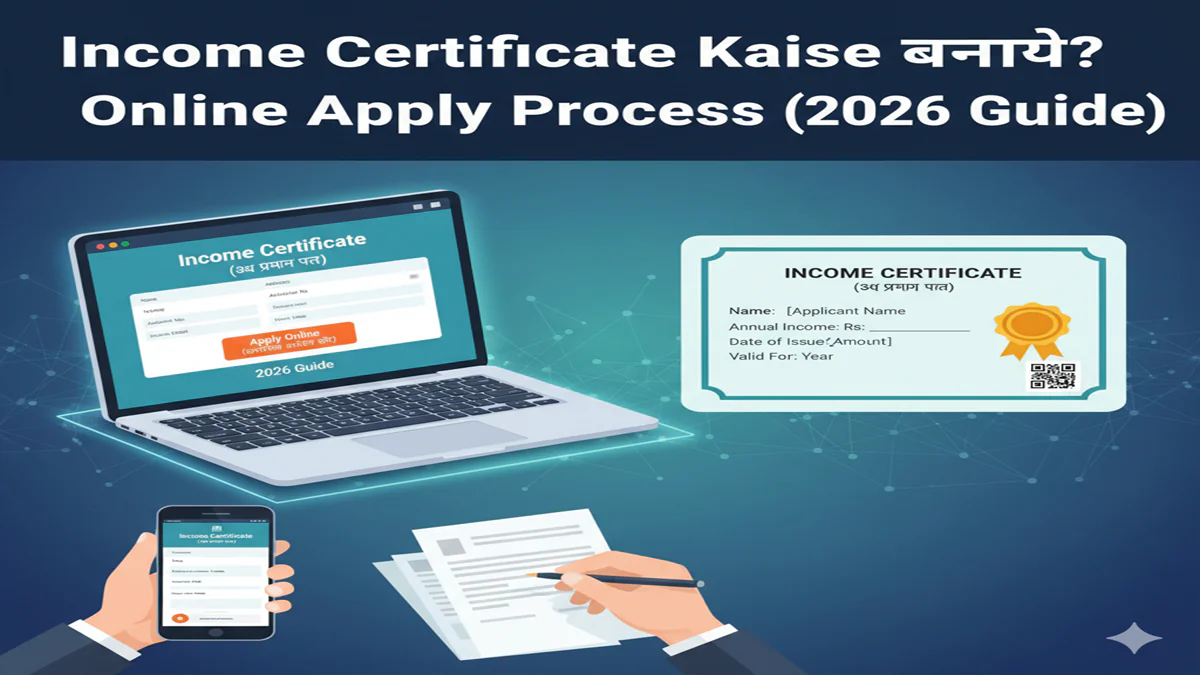
Income Certificate Kaise Banaye? 2026 Mein Online Apply Ka Complete Guide, Documents Aur FAQs
An Income Certificate is a crucial government document that serves as official proof of the annual financial earnings of an individual or a family. In an era where access to subsidies, scholarships, reservations, and welfare schemes is streamlined, this certificate acts as a key that unlocks these benefits. Whether you are applying for a college scholarship under the EWS (Economically Weaker Sections) quota, seeking a fee waiver, availing healthcare benefits, or applying for a housing scheme, a valid Income Certificate is often the first and most important requirement.
This comprehensive guide for 2026 will walk you through the entire process of obtaining an Income Certificate online—a method that has become faster, more transparent, and user-friendly thanks to digital India initiatives. We will cover the step-by-step application process, required documents, common reasons for rejection, and solutions to frequent problems.
An Income Certificate is an official document issued by the relevant state government’s Revenue Department (Tehsildar/Naib Tehsildar/SDM) or, in some cases, local municipal authorities. It certifies the total annual income of an individual or a family from all sources—salary, business, agriculture, rent, etc.
Key Uses and Importance:
- Educational Scholarships:Mandatory for state and central government scholarships (e.g., Post-Matric, Pre-Matric, National Means-cum-Merit).
- EWS/SEBC Quota Admission:Essential for admission under the Economically Weaker Sections or Socially and Educationally Backward Classes quota in educational institutions.
- Government Welfare Schemes:Required to avail benefits of schemes like Ayushman Bharat (health insurance), PM Awas Yojana (housing), Ujjwala Yojana (LPG connection), and many more.
- Legal and Financial Purposes:Sometimes needed for court cases, loan applications from cooperative banks, or to seek legal aid.
- Tax Exemptions:Can be used to claim certain tax benefits or exemptions designed for lower-income groups.
Who Can Apply for an Income Certificate?
Any citizen of India whose annual family income is below a specified threshold (which varies from state to state) can apply. The “family” typically includes the applicant, their spouse, unmarried minor children, and dependent parents.
Income Slabs (Vary by State, Indicative for 2026):
- EWS Category:Generally for families with an annual income below ₹8 lakh (as per current central guidelines, but states may have their own limits).
- BPL (Below Poverty Line) Category:For families with income below the state-defined poverty line.
- Non-Creamy Layer OBC:For OBC certificates, income limits apply (often around ₹8 lakh annually).
Prerequisites Before Applying Online in 2026
Before you start the online application, gather the following:
- Aadhaar Card:Linked with your current mobile number for OTP verification. This is the most critical ID.
- Ration Card or Domicile Certificate:For address and family composition proof.
- PAN Card:For income verification (if applicable).
- Bank Statement/Salary Slips:For the last 6 months to 1 year.
- Employer’s Certificate/Form 16:If employed.
- Business Income Proof:GST returns, audited accounts, or self-declaration for small businesses.
- Agriculture Income Proof:Land records (7/12 extract) and self-declaration.
- Passport-sized Photograph:Digital copy.
- Scanned Signatures:Digital copy.
- A Functional Email ID:For communication and document receipt.
Step-by-Step Online Application Process for Income Certificate (2026)
The primary portal for most state-level services is the State’s e-District or Sewa/SSDG Portal. The process is largely similar across states. We’ll outline the generic process and then give state-specific examples.
Generic Step-by-Step Process:
Step 1: Visit the Official Portal
Go to your state’s official e-District portal. For example:
- Uttar Pradesh:
https://edistrict.up.gov.in - Maharashtra:
https://aaplesarkar.maharashtra.gov.in - Delhi:
https://edistrict.delhigovt.nic.in - Bihar:
https://edistrict.bihar.gov.in - Tamil Nadu:
https://www.tnesevai.tn.gov.in
Step 2: Register or Log In
- Provide details like Aadhaar number, name, mobile number (linked to Aadhaar), and email ID.
- Verify using the OTP sent to your mobile.
- Create a secure username and password.
Step 3: Find the Service
- Search for “Income Certificate” or look under the “Revenue Department” services.
- Click on “Apply Online” or the equivalent button.
Step 4: Fill the Application Form
This is the most detailed part. Fill in all the fields accurately:
- Applicant Details:Name, gender, date of birth (as per Aadhaar).
- Family Details:Names, ages, and relationship of all family members.
- Address Details:Permanent and current address.
- Income Details:Breakdown is crucial.Declare income from:
- Salary/Wages
- Business/Profession
- Agriculture
- Rent
- Any other source (pensions, interest, etc.)
- Purpose of Application:Select from dropdown (e.g., Scholarship, EWS, Scheme Availment).
Step 5: Upload Required Documents
Upload clear, legible scanned copies or photographs of the documents. Ensure file size and format (PDF/JPG/PNG) are as per the portal’s specifications.
- Typical uploads: Aadhaar, Ration Card, Address Proof, Income Proofs, Photograph, Signature.
Step 6: Review and Submit
- Carefully review all entered information. Any discrepancy can lead to rejection.
- Submit the form. You will receive anApplication Acknowledgement Number or Request ID (ARN). Note this down for future tracking.
Step 7: Payment of Fees
- In most states, the Income Certificate is issued free of cost. However, some states may levy a minimal processing fee.
- If applicable, pay online via net banking, debit/credit card, or UPI.
Step 8: Track Application Status
Use the provided Application Number on the portal’s “Track Application” section to see the status:
- Submitted > Under Verification > Approved/Rejected > Certificate Ready for Download.
Step 9: Verification Process
A revenue official (like a Patwari or Clerk) may be assigned to verify the details. They might conduct a field verification or call you for an inquiry. Keep all original documents handy.
Step 10: Download the e-Certificate
Once the status shows “Approved” or “Certificate Issued,” you can download the digitally signed e-Certificate directly from the portal. You can also opt to collect it from the concerned Tehsil office.
State-Specific Nuances (2026 Update)
- Uttar Pradesh:Uses thee-District UP portal. Integration withPARIVESHfor official workflows. Often requires biometric authentication at CSC (Common Service Centre) for final submission in some cases.
- Maharashtra:Leverages theAaple Sarkar portal. The “Income Certificate from Tahsildar” service is prominently listed. SMS updates are quite efficient.
- Delhi:Thee-District Delhi portalis streamlined. After online application, you might need to visit the concerned SDM office with originals for physical verification.
- Karnataka:The‘ಮೈಸೆರ್ವ್’ (Mai Serve) portalor‘ಸಾಕ್ಷಿ’ (Sakala)portal is used. The process is well-integrated with the‘ಬಿಲ್ಲವಣಿ’ (Bilivani)land records system for agriculture income cross-checking.
Common Reasons for Rejection & How to Avoid Them
- Incorrect or Mismatched Information:Difference between Aadhaar details and application form.Solution:Double-check all entries.
- Insufficient or Unclear Income Proof:Bank statements not covering the period or being illegible.Solution:Provide comprehensive, clear proofs from all sources.
- Solution:Apply for the correct category, if available.
- Failed Field Verification:If the revenue official cannot verify your details at the provided address.Solution:Ensure someone is available at home during verification or provide correct contact numbers.
- Document Format Issues:Uploaded files are too large, blurry, or in the wrong format.Solution:Adhere strictly to the portal’s specified format and size.
Applying Through Common Service Centres (CSCs)
If you are not comfortable with the online process, visit your nearest Common Service Centre (CSC). The Village Level Entrepreneur (VLE) will assist you in filling the form, uploading documents, and submitting the application for a nominal service charge. Biometric authentication via the micro-ATM device at the CSC is often done here.
Frequently Asked Questions (FAQs)
1. क्या आय प्रमाण पत्र के लिए ऑनलाइन आवेदन करने के लिए आधार कार्ड अनिवार्य है? (Is Aadhaar Card mandatory for online application of Income Certificate?)
हां, वर्ष 2026 में लगभग सभी राज्यों के ऑनलाइन पोर्टल के लिए आधार कार्ड अनिवार्य है। यह आपकी पहचान और आवास के प्रमुख प्रमाण के रूप में कार्य करता है और ओटीपी सत्यापन के लिए आवश्यक है। आधार से लिंक मोबाइल नंबर होना भी जरूरी है।
(Yes, as of 2026, Aadhaar Card is mandatory for online portals in almost all states. It serves as the primary proof of identity and residence and is required for OTP verification. A mobile number linked to Aadhaar is also essential.)
2. आय प्रमाण पत्र बनने में कितना समय लगता है? (How much time does it take to make an Income Certificate?)
सामान्य परिस्थितियों में, ऑनलाइन आवेदन जमा करने के बाद प्रमाण पत्र जारी होने में7 से 15 कार्यदिवसलगते हैं। यह समय राज्य, तहसील में आवेदनों की संख्या और फील्ड सत्यापन की आवश्यकता पर निर्भर करता है। आप अपने आवेदन संख्या से पोर्टल पर स्थिति की जांच कर सकते हैं।
(Under normal circumstances, it takes7 to 15 working daysfor the certificate to be issued after submitting the online application. This time depends on the state, the volume of applications in the Tehsil, and the need for field verification. You can check the status on the portal using your application number.)
3. क्या मैं पारिवारिक आय के बजाय केवल व्यक्तिगत आय का प्रमाण पत्र प्राप्त कर सकता हूँ? (Can I get a certificate for only personal income instead of family income?)
नहीं, आय प्रमाण पत्र आमतौर परपारिवारिक आयके लिए ही जारी किया जाता है। “परिवार” की परिभाषा में आवेदक, पति/पत्नी, अविवाहित नाबालिग बच्चे और आश्रित माता-पिता शामिल होते हैं। अधिकांश सरकारी योजनाओं और कोटा के लिए पारिवारिक आय ही महत्वपूर्ण है।
(No, an Income Certificate is typically issued forfamily income. The definition of “family” includes the applicant, spouse, unmarried minor children, and dependent parents. Family income is the critical factor for most government schemes and quotas.)
4. अगर मेरा आवेदन अस्वीकार कर दिया गया है तो मुझे क्या करना चाहिए?
पोर्टल पर आमतौर पर अस्वीकृति काकारणबताया जाता है (जैसे दस्तावेज अपर्याप्त, आय सीमा से अधिक)। आप सुधार करकेपुनः आवेदनकर सकते हैं। अस्वीकृति के आदेश के खिलाफ संबंधित तहसीलदार या एसडीएम कार्यालय मेंअपीलभी दायर कर सकते हैं। नया आवेदन जमा करने से पहले त्रुटि को ठीक करना सुनिश्चित करें।
(The portal usually states thereasonfor rejection (e.g., documents insufficient, income exceeds limit). You canre-applyafter making corrections. You can also file anappealwith the concerned Tehsildar or SDM office against the rejection order. Ensure you rectify the error before submitting a fresh application.)
5. क्या ऑनलाइन जारी डाउनलोड करने योग्य ई-प्रमाणपत्र मान्य है? (Is the downloadable e-Certificate issued online valid?)
हां,बिल्कुल मान्य है। ऑनलाइन जारी किया गया ई-प्रमाणपत्र एकडिजिटली हस्ताक्षरित दस्तावेजहोता है और यह भौतिक (हार्ड कॉपी) प्रमाणपत्र के समान ही कानूनी रूप से मान्य होता है। इसमें एक यूनिक QR कोड होता है जिसे स्कैन करके इसकी सत्यता को किसी भी सरकारी अधिकारी द्वारा ऑनलाइन सत्यापित किया जा सकता है।
(Yes,absolutely valid. The e-Certificate issued online is adigitally signed documentand is legally valid at par with the physical (hard copy) certificate. It contains a unique QR code that can be scanned to verify its authenticity online by any government official.)
Conclusion
Obtaining an Income Certificate in 2026 is a predominantly online, systematic, and citizen-centric process. The key to a hassle-free experience lies in accurate information, clear documentation, and careful follow-up. By leveraging the digital infrastructure of the e-District portals, you can secure this vital document from the comfort of your home, ensuring you and your family can access the rights and benefits you are entitled to. Always rely on your state’s official portal for the most up-to-date and accurate information, as processes and requirements can evolve.
