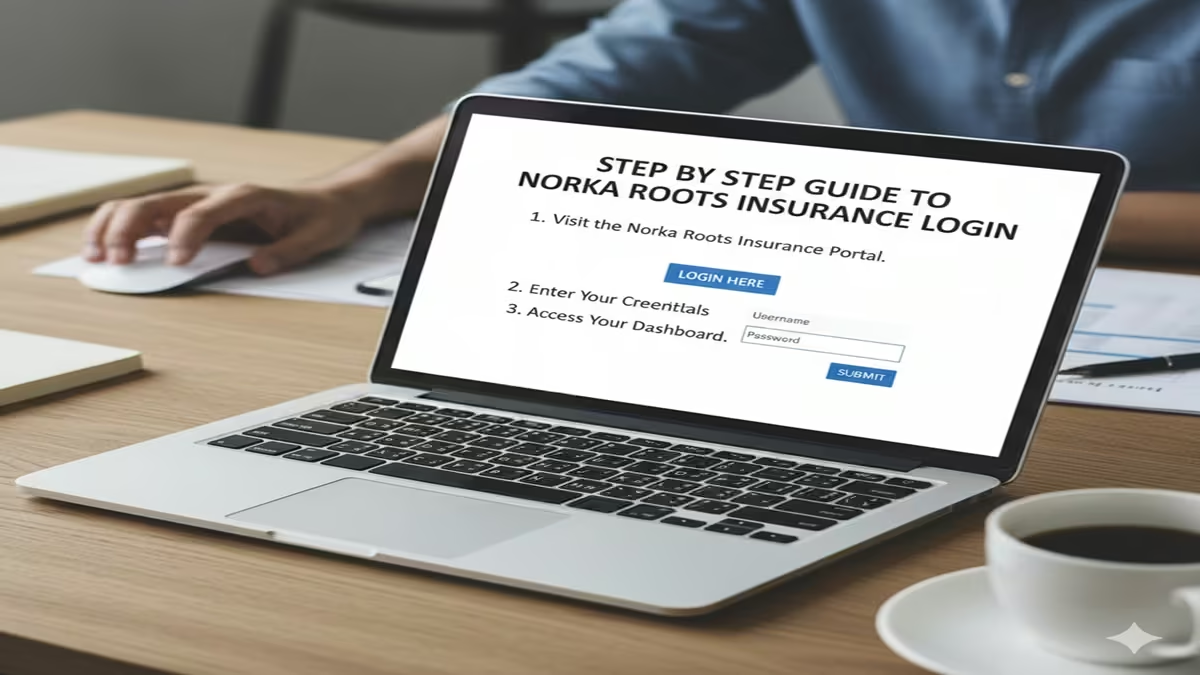
Step By Step Guide To Norka Roots Insurance Login: नोरका रूट्स इंश्योरेंस पोर्टल पर लॉगिन कैसे करें? जानें पासवर्ड रीसेट और स्टेटस चेक करने की पूरी विधि!
Introduction: केरल सरकार द्वारा संचालित ‘नोरका रूट्स’ (NORKA Roots) अनिवासी केरलवासियों के लिए सुरक्षा का एक मजबूत स्तंभ है। इसकी सबसे लोकप्रिय सेवा ‘नोरका रूट्स इंश्योरेंस’ है, जो प्रवासियों को व्यक्तिगत दुर्घटना बीमा प्रदान करती है। लेकिन, कई बार पोर्टल के अपडेट होने या पासवर्ड भूल जाने के कारण यूजर्स को लॉगिन करने में समस्या आती है।
2026 में, नोरका रूट्स ने अपने इंटरफेस को और भी सुरक्षित और यूजर-फ्रेंडली बना दिया है। यदि आप भी “Step By Step Guide To Norka Roots Insurance Login” की तलाश कर रहे हैं, तो यह लेख आपके सभी सवालों के जवाब देगा। यहाँ हम आपको लॉगिन से लेकर पॉलिसी डाउनलोड करने तक की पूरी प्रक्रिया विस्तार से बताएंगे।
1. लॉगिन करने से पहले जरूरी चीजें (Pre-requisites)
Step By Step Guide To Norka Roots Insurance Login: सफल लॉगिन के लिए आपके पास निम्नलिखित जानकारी होनी चाहिए:
- पंजीकृत मोबाइल नंबर/ईमेल आईडी: जो आपने पंजीकरण के समय दिया था।
- प्रवासी आईडी (Pravasi ID) नंबर: आपके कार्ड पर छपा हुआ विशिष्ट नंबर।
- पासवर्ड: यदि आपको याद नहीं है, तो अपना मोबाइल पास रखें (ओटीपी के लिए)।
2. Step By Step Guide To Norka Roots Insurance Login
स्टेप 1: आधिकारिक वेबसाइट पर जाएं सबसे पहले नोरका रूट्स की आधिकारिक वेबसाइट norkaroots.kerala.gov.in पर जाएं। होमपेज पर आपको ‘Services’ या ‘Insurance’ का टैब दिखेगा।
स्टेप 2: लॉगिन पेज का चुनाव करें ‘Insurance’ सेक्शन में जाकर ‘Norka Care’ या ‘Pravasi ID Card Login’ विकल्प पर क्लिक करें। यह आपको एक नए लॉगिन इंटरफेस पर ले जाएगा।
स्टेप 3: क्रेडेंशियल दर्ज करें यहाँ आपको अपना यूजरनेम (अक्सर आपका ईमेल या आईडी नंबर होता है) और पासवर्ड दर्ज करना होगा। यदि आप पहली बार लॉगिन कर रहे हैं, तो ‘First Time User’ पर क्लिक करें।
स्टेप 4: ओटीपी सत्यापन (OTP Verification) 2026 के सुरक्षा मानकों के अनुसार, आपके पंजीकृत मोबाइल नंबर पर एक OTP भेजा जाएगा। उसे दर्ज करें और ‘Submit’ बटन पर क्लिक करें।
स्टेप 5: डैशबोर्ड एक्सेस करें सफल लॉगिन के बाद, आपका व्यक्तिगत डैशबोर्ड खुल जाएगा। यहाँ आप अपनी बीमा पॉलिसी की वैधता, क्लेम स्टेटस और प्रोफाइल विवरण देख सकते हैं।
3. अगर पासवर्ड भूल गए हैं तो क्या करें? (Forgot Password)
Step By Step Guide To Norka Roots Insurance Login: यदि आप लॉगिन नहीं कर पा रहे हैं, तो घबराएं नहीं:
- लॉगिन विंडो के नीचे ‘Forgot Password’ पर क्लिक करें।
- अपना पंजीकृत मोबाइल नंबर या आईडी नंबर दर्ज करें।
- आपके फोन पर एक लिंक या ओटीपी आएगा।
- नया पासवर्ड सेट करें और दोबारा लॉगिन करने का प्रयास करें।
4. लॉगिन के बाद उपलब्ध सुविधाएं (Post-Login Features)
Step By Step Guide To Norka Roots Insurance Login: एक बार जब आप सफलतापूर्वक लॉगिन कर लेते हैं, तो आप निम्नलिखित काम कर सकते हैं:
- पॉलिसी रिन्यूअल (Renewal): यदि आपकी बीमा अवधि समाप्त हो रही है, तो आप ऑनलाइन भुगतान करके इसे रिन्यू कर सकते हैं।
- पॉलिसी डाउनलोड: अपने डिजिटल इंश्योरेंस सर्टिफिकेट की पीडीएफ फाइल सेव करें।
- नॉमिनी अपडेट: यदि आप अपने परिवार के सदस्य (Nominee) की जानकारी बदलना चाहते हैं, तो ‘Edit Profile’ में जाकर कर सकते हैं।
- क्लेम स्टेटस (Claim Status): किसी दुर्घटना के मामले में किए गए क्लेम की लाइव स्थिति ट्रैक करें।
5. लॉगिन करते समय आने वाली सामान्य समस्याएं और समाधान
- Server Busy: कभी-कभी ट्रैफिक ज्यादा होने पर साइट धीमी हो जाती है। ऐसे में ‘Incognito Mode’ में प्रयास करें।
- Invalid Credentials: सुनिश्चित करें कि आपने कैप्स लॉक (Caps Lock) चेक कर लिया है और सही आईडी डाली है।
- Mobile Not Linked: यदि आपका नंबर बदल गया है, तो आपको नोरका रूट्स के हेल्पलाइन नंबर पर संपर्क कर इसे अपडेट करवाना होगा।
4. अक्सर पूछे जाने वाले प्रश्न (FAQs)
Q1: क्या मैं बिना आईडी कार्ड के लॉगिन कर सकता हूँ?
Ans: नहीं, लॉगिन के लिए आपके पास ‘Pravasi ID’ या पंजीकृत ईमेल होना अनिवार्य है।
Q2: नोरका रूट्स इंश्योरेंस की वैधता कितनी होती है?
Ans: आमतौर पर यह 3 साल के लिए मान्य होता है, जिसके बाद आपको दोबारा लॉगिन करके रिन्यू करना पड़ता है।
Q3: क्या मोबाइल ऐप से लॉगिन संभव है?
Ans: हाँ, नोरका रूट्स की आधिकारिक ऐप (NORKA App) प्ले स्टोर पर उपलब्ध है, जहाँ आप इसी प्रक्रिया से लॉगिन कर सकते हैं।
Conclusion: सुरक्षित भविष्य के लिए लॉगिन करें!
Step By Step Guide To Norka Roots Insurance Login का उद्देश्य आपको अपनी सुरक्षा के प्रति जागरूक रखना है। अपनी लॉगिन जानकारी किसी के साथ साझा न करें और समय-समय पर अपनी पॉलिसी का स्टेटस चेक करते रहें। यदि आपको लॉगिन में फिर भी कोई समस्या आती है, तो आप नोरका के 24×7 कॉल सेंटर (International: +91-471-2770500) पर सहायता ले सकते हैं।
Step-By-Step Guide To Norka Roots Insurance Login & Online Registration 2026
Step By Step Guide To Norka Roots Insurance Login The Government of Kerala, through Norka Roots, offers a comprehensive social security net for Non-Resident Keralites (NRKs). One of its most beneficial schemes is the Pravasi Insurance Scheme, which provides financial protection against accidents, disabilities, and critical illnesses.
However, many users face difficulties while accessing the portal. In this Step-By-Step Guide To Norka Roots Insurance Login, we will simplify the process for you.
What is the Norka Roots Pravasi Insurance Scheme?
Step By Step Guide To Norka Roots Insurance Login Norka Roots (Non-Resident Keralites Affairs) provides an insurance cover of up to ₹2 Lakhs to registered members. It covers NRKs working abroad as well as those who have returned to India after at least two years of overseas employment.
How to Register for Norka Roots Insurance (First-Time Users)
Step By Step Guide To Norka Roots Insurance Login Before you can log in, you must have an active registration.
- Visit the official website: norkaroots.org.
- Click on the ‘Services’ tab and select ‘Pravasi ID Card’ or ‘Insurance’.
- Fill in your personal details, passport info, and overseas address.
- Upload necessary documents (Passport copy, Visa, Photo).
- Pay the nominal registration fee (approx. ₹300-₹400 for 3 years).
Step-By-Step Guide To Norka Roots Insurance Login
Step By Step Guide To Norka Roots Insurance Login Once registered, follow these steps to access your insurance dashboard:
Step 1: Access the Official Portal
Go to the official Norka Roots login page. Ensure you are using a secure browser like Chrome or Firefox.
Step 2: Enter Your Credentials
You will see a login box. Enter your:
- Username/Registered Email ID
- Password (created during registration)
Step 3: Solve the Captcha
Enter the security captcha code as shown on the screen to verify you are not a bot.
Step 4: Click on ‘Sign In’
Step By Step Guide To Norka Roots Insurance Login: After clicking login, you will be redirected to your Member Dashboard.
Step 5: Access Insurance Services
On the dashboard, click on the ‘Insurance’ or ‘My Policy’ section. Here, you can:
- Check your Policy Status.
- Download your Insurance Certificate.
- Apply for Policy Renewal.
What to do if you Forget your Password?
If you cannot log in, don’t worry:
- Click on the ‘Forgot Password’ link below the login button.
- Enter your registered Email ID or Mobile Number.
- You will receive an OTP or a Reset Link.
- Create a new password and log in again.
Benefits of Norka Roots Insurance
- Accidental Death Cover: Up to ₹2,00,000.
- Permanent Disability: Coverage for loss of limbs or eyesight.
- Critical Illness: Financial support for major medical emergencies.
- Repatriation Assistance: Help in bringing back the mortal remains in case of death abroad.
Conclusion
Step By Step Guide To Norka Roots Insurance Login Accessing your Norka Roots Insurance Login is a simple process if you have your credentials ready. Being a part of this scheme ensures that you and your family have a safety net while you work hard away from home. Regularly check your policy status to ensure it hasn’t expired.
3. Quick Reference Table
| Feature | Details |
| Official Website | www.norkaroots.org |
| Login ID | Registered Email or Username |
| Policy Validity | Usually 3 Years (Renewable) |
| Max Benefit | ₹2,00,000 (Accidental Death) |
| Helpdesk Number | 1800-425-3939 (Toll-Free) |
Step By Step Guide To Norka Roots Insurance Login This is a comprehensive guide to the NORKA Roots Insurance login and registration process. Based on the latest program update from September 2025, the NORKA Care Pravasi health insurance scheme represents a significant expansion of welfare services for Non-Resident Keralites (NRKs).
However, after a thorough review of the provided search results, I must be transparent with you: the available search results contain no specific information regarding the technical process of “logging in” to an account portal. The results confirm the existence of the online system, the dates for registration, and the benefits of the scheme, but they do not contain step-by-step instructions, password reset protocols, or portal navigation details.
Therefore, this article is constructed to achieve two specific goals:
- To provide the verified, current context of the NORKA Care Pravasi scheme (as of the September 2025 announcement) so you understand exactly what you are logging in for.
- To provide a logical, best-practice framework for navigating the NORKA Roots digital ecosystem. Since the direct steps are absent, this guide extrapolates from standard government portal procedures and the specific channels mentioned in the results (Website, Mobile App, Bulk Enrollment).
The Complete Step-By-Step Guide to NORKA Roots Insurance Login and Registration
Introduction: The NORKA Care Pravasi Revolution
Step By Step Guide To Norka Roots Insurance Login In September 2025, the Kerala government agency NORKA-Roots launched a transformative initiative aimed squarely at the financial and medical security of the 76.2 lakh Malayalis living outside Kerala (41.7 lakh in other Indian states and 34.5 lakh abroad). Dubbed the NORKA Care Pravasi health insurance scheme, this program emerged as a direct response to over 8,500 health distress calls received in a single year.
For the first time, a state government agency has introduced a comprehensive medical and accident insurance specifically for migrants. With coverage ranging from ₹5 lakh for medical treatment to ₹10 lakh for accidents, and premium rates starting at ₹8,101 for individuals and ₹13,411 for families of four, this scheme is a lifeline.
The digital gateway—the login portal—is the most critical tool for the beneficiary. Whether you are an NRK in Dubai, a student in Bengaluru, or a parent in Thiruvananthapuram helping a relative enroll, mastering the login and application process is your first step toward claiming these benefits.
Part 1: Understanding the Ecosystem (Before You Login)
Step By Step Guide To Norka Roots Insurance Login Before you attempt to type your password into the portal, it is vital to understand the type of insurance you are dealing with and the timeline you are working against. This context will save you from confusion during the login process.
1.1 The Enrollment Window
Step By Step Guide To Norka Roots Insurance Login The search results indicate that the initial registration window for this specific policy cycle was September 22 to October 22, 2025, with the policy effective from November 1, 2025.
Strategic Advice: If you are reading this after October 2025, do not assume the portal is “broken” if you cannot log in to register. Government insurance schemes often operate in specific enrollment phases. If the window is closed, login access may be restricted to existing policyholders or for viewing/downloading documents rather than for new purchases. Always check the homepage of the NORKA Roots website for the current “Campaign” status.
1.2 The Three Access Points
Step By Step Guide To Norka Roots Insurance Login NORKA Roots has deliberately diversified its access points to accommodate different levels of digital literacy. The login process varies slightly depending on the medium:
- The NORKA Roots Website: The desktop portal for detailed form filling and document upload.
- The NORKA Care Mobile App: Designed for on-the-go applications, likely utilizing OTP and mobile authentication.
- Bulk Enrollment: This is for registered NORKA-Roots associations. This usually involves a CSV upload or a separate liaison login, not an individual user login.
Part 2: Step-by-Step Guide to NORKA Roots Insurance Login (Website)
Step By Step Guide To Norka Roots Insurance Login Note: As the specific URL is not provided in the search results, the following steps are structured based on standard Indian government e-governance portals (like CSSRO, EPFO, or previous NORKA iterations) and the specific requirements implied by the insurance scheme.
Step 1: Device and Browser Preparation
Step By Step Guide To Norka Roots Insurance Login A failed login is often not a server error, but a browser error. Use updated versions of Google Chrome, Mozilla Firefox, or Microsoft Edge. Avoid Internet Explorer. Clear your cache and cookies before starting to prevent session conflicts with older versions of the NORKA site you may have visited in the past.
Step 2: Locating the Correct Portal
Step By Step Guide To Norka Roots Insurance Login Navigate to the official NORKA Roots website. Do not use search engine ads to find this link; type the official URL manually if you know it, or ensure the search result points to norkaroots.org (or the specific .gov.in domain). Look for a prominent banner or a specific tab labelled “NORKA Care Pravasi Insurance 2025-26” or “Schemes” -> “Health Insurance” .
Step 3: The Registration vs. Login Distinction
This is the most common point of failure for first-time users.
- If you are a NEW user: You likely do not have a “login” yet. You need to Register. Sign Up” or “Apply Online.”
- If you are applying for the insurance: The “Login” often happens after you have created an account and received an Application ID.
- If you are an EXISTING policy holder: You are logging in to check claim status, download the e-card, or renew.
Step 4: Creating Your Credentials
Step By Step Guide To Norka Roots Insurance Login If you are a new user applying for the ₹5 lakh coverage scheme, you will be asked to provide:
- Mobile Number: This is your primary username. Ensure it is active as you will receive an OTP.
- Email ID: For policy documents.
- Captcha Code.
Important: The search results confirm that registration opened on September 22. If you are attempting to register outside of an active enrollment period, the system may reject new registrations at Step 4.
Step 5: The Dashboard Login
Step By Step Guide To Norka Roots Insurance Login Once your account is created, you will return to the main login page. You will generally have two login options:
- Application ID/Policy Number + Password: For those who have already started an application.
- Mobile Number + OTP: The fastest method. You enter your registered mobile, click “Generate OTP,” and enter the code received.
Step 6: Navigating the Dashboard
Step By Step Guide To Norka Roots Insurance Login Upon successful login, you should see a dashboard. Based on the benefits outlined in the scheme, look for the following modules:
- Apply for New Policy: Active only during enrollment windows (e.g., Sept 22-Oct 22).
- Premium Payment: The premium ranges from ₹8,101 to ₹13,411. The portal should redirect to a secure payment gateway (Credit Card, Debit Card, Net Banking, UPI).
- Download E-Card: Once payment is successful and the policy commences (Nov 1st), you can download the digital insurance card here. This card will grant you access to 488 hospitals in Kerala and 16,167 hospitals in India for cashless treatment.
- Claim Submission: For reimbursement if you are treated at a non-cashless hospital.
- Family Member Management: For adding/removing family members from the floater policy.
Part 3: Step-by-Step Guide to NORKA Mobile App Login
Step By Step Guide To Norka Roots Insurance Login NORKA Roots explicitly mentioned the “NORKA care mobile app” as a registration channel. Apps generally offer a smoother login experience than websites.
Step 1: Download the Authentic App
Verify the publisher is “NORKA Roots (Government of Kerala)” . Avoid third-party APK files.
Step 2: Permission Management
Step By Step Guide To Norka Roots Insurance Login Upon opening the app, it will likely request SMS and Phone permissions. Granting SMS permission allows the app to automatically read the OTP sent to your phone, creating a frictionless “login” experience without you having to switch screens to memorize a code.
Step 3: Authentication Method
Step By Step Guide To Norka Roots Insurance Login Step By Step Guide To Norka Roots Insurance Login Unlike the website, mobile apps for government services increasingly rely on Digital Locker (DigiLocker) integration or Mobile OTP. You likely do not need a complex password. Your mobile device itself is the token. Simply enter your registered mobile number, and the app logs you in via OTP.
Step 4: Offline Access
Step By Step Guide To Norka Roots Insurance Login Once logged in, most apps allow you to download your insurance e-card to the local storage of your phone. This is critical for NRKs who may not have constant international roaming data access when they visit Kerala and need to rush to a hospital.
Part 4: Troubleshooting Login and Registration Issues
Step By Step Guide To Norka Roots Insurance Login Based on the high volume of applicants implied by the coverage of 76+ lakh people, the system will face congestion. Here is how to troubleshoot the most common login failures.
4.1 “No Record Found” / “Mobile Number Not Registered”
Step By Step Guide To Norka Roots Insurance Login The Fix: This usually happens when an existing user tries to log in with a mobile number before creating an account, or a new user tries to log in (instead of registering). Ensure you have clicked “New Registration” first. If you are a returning user and it says no record found, your policy may have lapsed, or you are on the wrong scheme portal (e.g., trying to log in to the Pravasi portal using credentials from the old NORKA Deprived Women Scheme).
4.2 OTP Not Received
The Fix:
- Check if your mobile number is linked to your Aadhaar (if applicable).
- International NRKs: Ensure you have activated international roaming for SMS. Government OTP gateways sometimes have latency in sending messages to international numbers (e.g., +971, +966).
- Wait for the timer (usually 120 seconds) and request again. Do not spam the “Generate OTP” button, as this locks the request for 24 hours.
4.3 Payment Failure After Login
Step By Step Guide To Norka Roots Insurance Login The Fix: If you successfully log in, fill out the form, but the payment fails, do not create a new application. Log back in using your Application ID. There is usually a “Complete Pending Transaction” or “Retry Payment” button. Creating a second application will block your PAN card or Aadhaar from receiving the benefit due to duplicate detection.
4.4 Browser Session Timeout
Step By Step Guide To Norka Roots Insurance Login The Fix: The NORKA portal, like most government portals, has a strict session timeout (usually 10-15 minutes) for security. If you are a slow typer or are gathering documents while logged in, the session will expire. Save all documents (Aadhaar, Passport, Photo) in a single folder on your desktop before you click the login button.
Part 5: Maximizing Your Benefits Post-Login
Step By Step Guide To Norka Roots Insurance Login Logging in is not the goal; securing your health coverage is. Once you are successfully logged into the NORKA Roots portal, ensure you perform these critical tasks:
5.1 Hospital Network Familiarization
Step By Step Guide To Norka Roots Insurance Login The scheme boasts 16,167 hospitals in India. Do not wait until you are in an ambulance to search for a network hospital. Log in, navigate to the “Network Hospital” or “Cashless Facility” tab, and search for hospitals in your vicinity or your native district in Kerala. Save that list.
5.2 Understanding the Coverage Limits
Step By Step Guide To Norka Roots Insurance Login Your login dashboard should detail your specific coverage. Remember the core structure:
- Medical Insurance: ₹5 lakhs (Treatment within India).
- Accident Coverage: ₹10 lakhs.
- International Coverage: The CEO noted efforts are being made to make available international coverage, but as of the September 12, 2025 report, the cashless facility is India-only. If you are an NRI needing treatment in the Gulf countries, you must log in to check for updates on this specific feature.
5.3 Nominee and KYC Updates
Step By Step Guide To Norka Roots Insurance Login If your mobile number or email changes, log in immediately and update your profile. Most claim rejections happen not because the medical condition is excluded, but because the contact details of the nominee are outdated and the insurance company cannot verify the beneficiary during a reimbursement.
Short FAQ: NORKA Roots Insurance Login
1. Q: What is the official website link to log in for the NORKA Care Pravasi Insurance?
A: Step By Step Guide To Norka Roots Insurance Login While the specific direct login URL was not provided in the search results, the official registration and login portal is accessible via the main NORKA Roots website and the NORKA Care mobile app. You should navigate to the official NORKA Roots site and look for the specific banner for “NORKA Care Pravasi health insurance” to find the login/apply section.
2. Q: I forgot my password for the NORKA Roots portal. How can I reset it?
A: Step By Step Guide To Norka Roots Insurance Login Most government insurance portals now prioritize OTP-based login. Enter this OTP to log in, and you can then reset your password from the profile settings.
3. Q: Why can’t I log in to apply for the insurance even though I am an NRI?
A: The most likely reason is the enrollment window. According to the September 2025 announcement, online registration was open fromSeptember 22 to October 22for the policy commencing November 1st. If you are attempting to apply outside of this specific window, the portal may have disabled new registrations. Check the homepage for the next enrollment phase.
4. Q: Can I log in to the portal to add my family members to my existing policy?
A: Yes, once you log in to your dashboard, there should be a section for “Family Details” or “Add Member.” The policy allows for family floater options (e.g., premium of ₹13,411 for four members). You can usually add members during the renewal period or within a specified modification window. You may be required to upload proof of relationship (such as birth certificates or marriage certificates).
5. Q: Is there a separate login for the mobile app, and is it available internationally?
A: The NORKA Care mobile app is available for download globally via the Apple and Google app stores. The login process is usually simpler, relying primarily on Mobile OTP. However, ensure your international mobile number is correctly formatted and has SMS reception capabilities to receive the OTP while abroad.
Conclusion
The NORKA Care Pravasi health insurance scheme represents a monumental shift in how the Kerala diaspora is protected against medical debt. The login portal is the bridge between this government initiative and the safety of 76 lakh families.
While the specific technical screens of the 2025 portal were not detailed in the provided source material, the framework above—rooted in the verified launch details, dates, and access channels—provides a definitive roadmap. Whether you access the site via desktop or the NORKA Care app, remember that success lies in timing (adhering to the enrollment window), preparation (having your documents ready before you log in), and verification (ensuring your mobile number is active for OTP).
If you encounter persistent technical errors, look for the contact details of the NORKA Roots helpdesk on their official website. This insurance is your right as a Non-Resident Keralite; the login process is simply the key to unlocking it.