


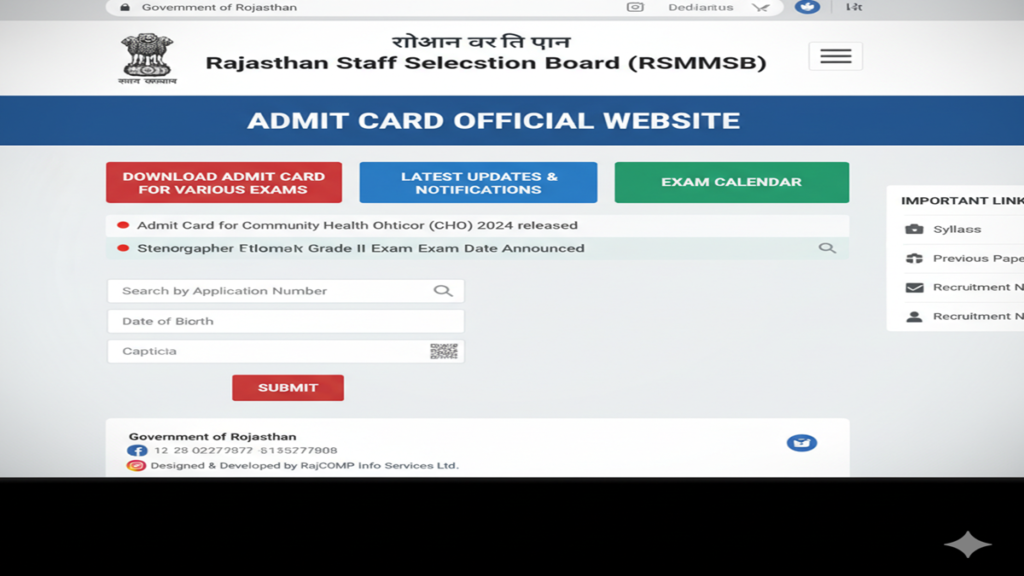
Your Complete Guide to the RSMSSB Admit Card Official Website: Download, Steps, and Essential FAQs
Navigating the Rajasthan Subordinate and Ministerial Services Selection Board (RSMSSB) examination process can be a daunting task for lakhs of aspirants. Amidst the preparation and anxiety, one crucial document stands between you and your exam hall: the RSMSSB Admit Card. This hall ticket is not just a piece of paper; it is your official entry ticket, your identity proof, and a vital document containing all essential exam details.
This comprehensive guide delves deep into the RSMSSB Admit Card official website, providing a step-by-step walkthrough, essential pre-exam checklist, and answers to the most frequently asked questions to ensure a smooth and hassle-free experience.
Part 1: Understanding the Importance of the RSMSSB Admit Card
The RSMSSB Admit Card, also known as the “प्रवेश पत्र” (Pravesh Patra), is a mandatory document for every candidate appearing for any examination conducted by the Board, be it for Junior Engineer, Patwari, Gram Sevak, Stenographer, or any other post.
Why is it Non-Negotiable?
- Identity Verification: It authenticates your identity with your photograph, signature, and other details against the Board’s records.
- Exam Venue & Timing: It provides the exact address of your examination center, reporting time, and exam date—details that are rarely communicated via any other channel.
- Official Instructions: It contains critical instructions regarding prohibited items, document requirements, and COVID-19 guidelines (if applicable).
- Exam Session & Subject: For posts with multiple shifts or papers, the admit card specifies your exact shift timing and subject codes.
- Legal Document: It is an official document issued by a state government board. Without it, entry to the examination premises is strictly prohibited.
Part 2: The Official Portal: A Deep Dive into the RSMSSB Website
The only official website for all RSMSSB activities, including admit card download, is:
https://rsmssb.rajasthan.gov.in/
Important: Beware of numerous fraudulent look-alike websites that promise “early downloads” or “help” for a fee. Always double-check the URL to ensure you are on the authentic government website (.gov.in).
Website Navigation for Admit Cards:
Once on the homepage, you need to locate the relevant link. Typically, when admit cards are live, the Board updates the homepage with a prominent notification or link. Look for sections titled:
- “Latest News”
- “Notices”
- “Candidate’s Activity”
- Direct links like “Download Admit Card for [Exam Name]” or “प्रवेश पत्र डाउनलोड करें”.
The website interface is primarily in Hindi (Devanagari script), reflecting the official language of the state administration.
Part 3: Step-by-Step Guide to Downloading Your RSMSSB Admit Card
Follow these steps meticulously to download your admit card without any errors.
Step 1: Visit the Official Website
Open your browser and go to https://rsmssb.rajasthan.gov.in/. Use a stable internet connection, preferably on a desktop or laptop for easier printing.
Step 2: Locate the Admit Card Link
Find the specific link for your examination’s admit card. This is usually displayed under the “Latest News” or “Notices” section on the homepage. Click on the correct link relevant to your post (e.g., “Admit Card for RSMSSB Junior Engineer Exam 2023”).
Step 3: Enter Required Credentials
You will be redirected to a login page. You will need to enter specific details to access your admit card. The most common combinations are:
- Application Number/Registration ID and Date of Birth/Password.
- Sometimes, just your Date of Birth and Roll Number (if generated earlier).
Have your application confirmation documents ready for reference.
Step 4: Download and Verify
After entering the correct credentials, your RSMSSB Admit Card will be displayed on the screen. Carefully verify every single detail:
- Candidate’s Name (as per SSC/Matric certificate)
- Father’s/Mother’s Name
- Photograph & Signature (clear and recognizable)
- Exam Date and Time
- Exam Venue Address
- Exam Post Name and Subject
- Category & PH status (if applicable)
- Important Instructions
Step 5: Save and Print
- Save a Digital Copy: Click on ‘Save’ or ‘Download‘ to save a PDF copy on your device. Also, email it to yourself for backup.
- Print Hard Copies: Print at least 2-3 clear, legible copies on A4-size paper. Use a laser printer for best quality. Do not resize or alter the document.
Part 4: Mandatory Documents & Items to Carry to the Exam Hall
Your admit card alone is not enough.
- Printed Copy of RSMSSB Admit Card: With your clear photograph and signature.
- Original Photo ID Proof: Any one of – Aadhaar Card, Voter ID, PAN Card, Driving License, Passport, or Government-issued ID.
- Photographs: Carry 1-2 recent passport-sized photographs (same as the one used in the application) for any unforeseen requirements.
- Other Items: A simple ballpoint pen, HB pencils, eraser, etc., as per exam instructions. Check for post-specific requirements like calculators (if allowed).
Prohibited Items: Mobile phones, smart watches, Bluetooth devices, electronic gadgets, bags, notes, and any communication devices are strictly banned inside the exam hall.
Part 5: What to Do In Case of Discrepancies or Issues?
Despite all precautions, sometimes candidates face issues. Here’s what to do:
- Error in Details (Name, DOB, etc.): Immediately contact the RSMSSB helpline or the concerned office via email or post, citing your Application Number and providing scanned copies of supporting documents (SSC certificate, etc.). Do not wait until the exam day.
- Forgotten Application Number/Password: Use the “Forgot Password” or “Retrieve Application Number” link available on the login portal. It usually involves validation via registered email or mobile number.
- Admit Card Not Found/Generated: First, ensure you are checking the correct link for your specific exam. If the problem persists, it could be due to application rejection, fee payment failure, or a technical glitch. Contact the Board immediately.
- Blurred Photo/Signature: If the print is blurred, try downloading the PDF again from a different browser (Chrome, Firefox). If the issue is in the source file, contact the Board.
Important Contact Information:
Keep the RSMSSB Office Address and Helpline Numbers handy, which are provided on the official website’s “Contact Us” section.
Frequently Asked Questions (FAQs)
FAQ 1: When will the RSMSSB Admit Card for my exam be released?
RSMSSB typically releases admit cards 7 to 10 days before the examination date. Candidates are advised to regularly check the official website and their registered email/SMS for announcements. The Board does not send physical admit cards by post.
FAQ 2: I have lost my Application Number/Registration ID. How can I download my admit card?
Do not panic. On the admit card download login page, there is usually an option like “Forgot Application Number” or “Retrieve Registration Details.” You can recover it by providing your Registered Email ID, Mobile Number, or Date of Birth. If the online method fails, you must contact the RSMSSB office directly with your personal details for verification.
FAQ 3: Are there any differences in the admit card for different posts like Patwari, Junior Engineer, or Stenographer?
The core structure and information on the admit card remain the same for all posts. The key differences will be in the Exam Name, Post Title, Subject/Paper Code, and sometimes the specific instructions related to that exam (e.g., a JE exam might have instructions for a drawing sheet, while a Stenographer exam might mention skill test details). Always read the post-specific instructions on the admit card carefully.
FAQ 4: Is it mandatory to carry a printed color copy of the admit card, or is a black & white printout acceptable?
A clear black & white printout is perfectly acceptable and officially allowed. However, if your photograph does not appear clearly in black & white, it is highly recommended to use a color printout to avoid any ambiguity during identity verification. The clarity of your photo and signature is paramount.
FAQ 5: What should I do if I discover a mistake in my personal details on the downloaded admit card?
You must get it corrected before appearing for the exam. Do not ignore it. Immediately:
- Take a printout of the erroneous admit card.
- Circle the error.
- Write a formal application to the Secretary/Controller of Examinations, RSMSSB, along with attested copies of the correct documents (like 10th certificate for DOB/Name).
- Send it via speed post or submit it in person at the Board’s office. Also, email the scanned copies to the official ID. Keep proof of your communication.
Conclusion: Your Key to the Examination Hall
The process of downloading and verifying your RSMSSB Admit Card is a critical step in your recruitment journey. Treat it with the seriousness it deserves. Bookmark the official website, act promptly upon release, double-check all details, and prepare your document kit well in advance. By following this guide, you can eliminate last-minute hurdles and walk into your examination center with confidence, fully prepared to focus on what truly matters—acing your exam.
Final Checklist Before You Leave for the Exam:
- 2-3 Printed Copies of RSMSSB Admit Card
- Original Photo ID Proof (Aadhaar/Voter ID)
- 2 Passport Photos
- Pen, Pencil, Eraser
- Face Mask/Sanitizer (if required)
- Confidence & Calm Mindset
Best of luck with your examination! Your preparation and this careful attention to procedural detail will pave the way for your success.