


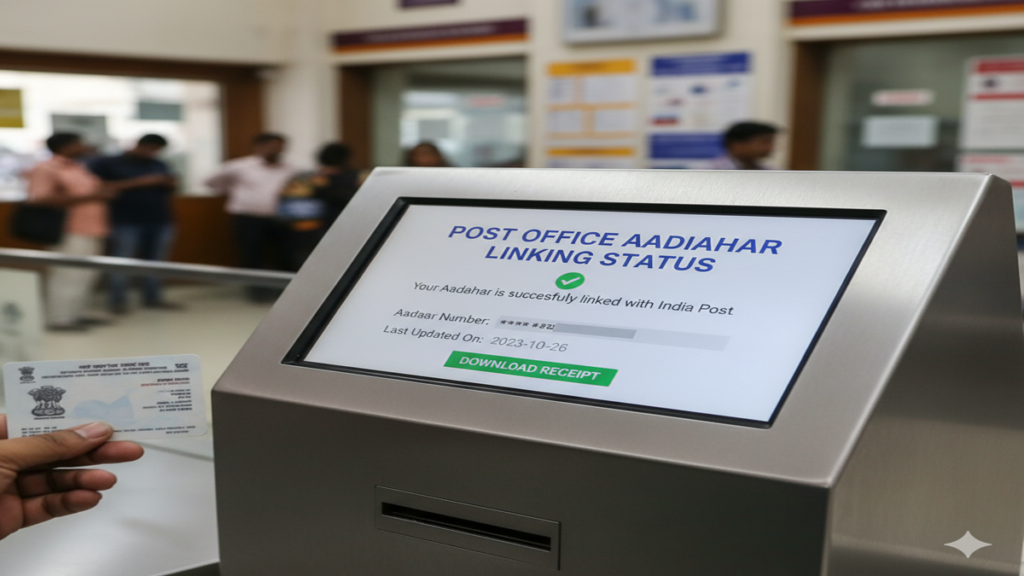
Post Office Aadhaar Linking Status: डाकघर खाते में आधार लिंक है या नहीं? घर बैठे ऑनलाइन स्टेटस चेक करने की पूरी प्रक्रिया!
Post Office Aadhaar Linking Status: Introduction: आज के समय में सरकारी योजनाओं का लाभ उठाने के लिए Direct Benefit Transfer (DBT) सबसे माध्यम बन गया है। चाहे वह गैस सब्सिडी हो, पीएम किसान की किस्त हो या पेंशन, सारा पैसा सीधे आपके उस बैंक खाते में आता है जो आधार से लिंक होता है। बहुत से लोग डाकघर (Post Office) या IPPB (India Post Payments Bank) में अपना खाता रखते हैं, लेकिन उन्हें यह नहीं पता होता कि उनका “Post Office Aadhaar Linking Status” क्या है।
यदि आपका आधार आपके डाकघर खाते से सही ढंग से लिंक नहीं है, तो आपकी सरकारी सब्सिडी रुक सकती है। आज के इस लेख में हम आपको विस्तार से बताएंगे कि आप घर बैठे अपने मोबाइल से यह कैसे चेक कर सकते हैं कि आपका आधार डाकघर खाते से जुड़ा है या नहीं।
1. आधार को डाकघर खाते से लिंक करना क्यों जरूरी है?
- DBT का लाभ: केंद्र और राज्य सरकार की सभी सब्सिडी पाने के लिए।
- पेंशन सुविधा: बुढ़ापा पेंशन या विधवा पेंशन सीधे खाते में प्राप्त करने के लिए।
- सुरक्षित लेनदेन: आधार सक्षम भुगतान प्रणाली (AePS) के जरिए पैसे निकालने के लिए।
- बिना रुकावट बैंकिंग: खाते को सक्रिय रखने और केवाईसी (KYC) अपडेट रखने के लिए।
2. Post Office Aadhaar Linking Status ऑनलाइन कैसे चेक करें?
Post Office Aadhaar Linking Status: आप अपना स्टेटस मुख्य रूप से दो तरीकों से चेक कर सकते हैं। पहला UIDAI के जरिए और दूसरा IPPB ऐप के जरिए।
विधि 1: UIDAI पोर्टल (NPCI Mapper) के माध्यम से
- सबसे पहले आधार की आधिकारिक वेबसाइट
myaadhaar.uidai.gov.inपर जाएं। - ‘Bank Seedding Status’ के विकल्प को खोजें और उस पर क्लिक करें।
- आपके आधार से लिंक मोबाइल नंबर पर एक OTP आएगा, उसे दर्ज करें।
- अब आपके सामने स्क्रीन पर उस बैंक का नाम आ जाएगा जो आधार से लिंक है। यदि वहाँ “India Post Payments Bank” या “Post Office” लिखा है, तो आपका खाता लिंक है।
विधि 2: IPPB मोबाइल ऐप के माध्यम से (For IPPB Users)
- अपने मोबाइल में IPPB Mobile Banking App खोलें।
- ‘Services’ सेक्शन में जाएं।
- यहाँ आपको ‘Aadhaar Seeding’ का विकल्प दिखेगा।
- यदि आपका खाता पहले से लिंक है, तो वहाँ ‘Success’ या ‘Already Seeded’ का मैसेज दिखाई देगा।
3. ऑफलाइन स्टेटस कैसे पता करें?
Post Office Aadhaar Linking Status: यदि आप इंटरनेट का उपयोग नहीं करते हैं, तो आप अपनी नजदीकी डाकघर शाखा (Post Office Branch) में जाकर ‘आधार लिंकिंग फॉर्म’ के बारे में पूछ सकते हैं। वहाँ का पोस्टमास्टर आपका खाता नंबर चेक करके बता देगा कि आधार मैपिंग पूरी हुई है या नहीं।
4. आधार लिंक नहीं होने पर क्या करें? (How to Link)
Post Office Aadhaar Linking Status: अगर आपका स्टेटस ‘Not Linked’ दिखा रहा है, तो आप इन तरीकों से इसे लिंक कर सकते हैं:
- ऑनलाइन: IPPB ऐप के माध्यम से ‘Aadhaar Seeding’ विकल्प पर जाकर अपनी सहमति (Consent) दें।
- ऑफलाइन: डाकघर में जाकर ‘Application for Aadhaar Seeding’ फॉर्म भरें और आधार कार्ड की फोटोकॉपी जमा करें।
4. अक्सर पूछे जाने वाले प्रश्न (FAQs)
Q1: आधार लिंक होने में कितना समय लगता है?
Ans: ऑनलाइन प्रक्रिया में 24 से 48 घंटे लगते हैं, जबकि डाकघर के माध्यम से इसमें 3 से 7 कार्य दिवस लग सकते हैं।
Q2: क्या एक साथ दो बैंकों में आधार लिंक हो सकता है?
Ans: नहीं, सरकारी सब्सिडी (DBT) के लिए आधार केवल एक ही बैंक खाते (NPCI Mapper) में लिंक हो सकता है। यदि आप डाकघर को चुनते हैं, तो पुराने बैंक से वह हट जाएगा।
Q3: क्या आधार लिंक करने के पैसे लगते हैं?
Ans: नहीं, यह प्रक्रिया पूरी तरह निशुल्क (Free) है।
Conclusion: सब्सिडी सुरक्षित करने के लिए आज ही चेक करें!
Post Office Aadhaar Linking Status चेक करना बहुत आसान है और यह आपके वित्तीय लाभों को सुरक्षित रखने के लिए अनिवार्य है। यदि आप चाहते हैं कि सरकारी योजनाओं का पैसा बिना किसी देरी के आपके डाकघर खाते में आए, तो ऊपर बताए गए स्टेप्स को फॉलो करें और अपना स्टेटस आज ही वेरिफाई करें।
Your Complete Guide to Checking Post Office Aadhaar Linking Status (2026)
Post Office Aadhaar Linking Status In today’s digitally integrated India, linking your Aadhaar with various financial and government services is not just a convenience but often a necessity. For millions of Indians, the India Post Payments Bank (IPPB) and the vast network of post office savings schemes—be it Savings Accounts, Recurring Deposits, PPF, or NSC—are a trusted bedrock of financial security.
Post Office Aadhaar Linking Status: Linking your 12-digit Aadhaar number with your post office account is crucial. It streamlines transactions, enables direct benefit transfers (DBT) from government schemes, enhances security, and ensures KYC compliance. However, after submitting the request, a common question arises: “How do I check my Post Office Aadhaar linking status?”
This comprehensive guide will walk you through every possible method, offline and online, to track your linking status, troubleshoot common issues, and answer all your pressing questions.
Why is Linking Aadhaar with Post Office Accounts Mandatory?
Post Office Aadhaar Linking Status: Before diving into the “how,” let’s understand the “why.” The government has mandated Aadhaar linking for post office accounts primarily to:
- Facilitate Direct Benefit Transfers (DBT): Ensures subsidies (LPG, pension, MNREGA wages, etc.) are credited directly to the correct beneficiary’s account without leakage.
- Simplify KYC Compliance: Aadhaar serves as a single document for proof of identity and address.
- Enable Seamless Service: Allows for easy authentication for transactions, especially in IPPB’s digital ecosystem.
Part 1: Methods to Check Your Aadhaar Linking Status with Post Office
Post Office Aadhaar Linking Status: There are primarily two avenues: checking the status for your India Post Payments Bank (IPPB) account and for your Traditional Post Office Savings Account/Schemes. The processes differ slightly.
A. For India Post Payments Bank (IPPB) Accounts
Post Office Aadhaar Linking Status: IPPB offers a fully digital, bank-like experience. Checking your Aadhaar linking status here is straightforward.
Method 1: Through the IPPB Mobile Banking App (Easiest Method)
- Download & Log In: Install the “IPPB Mobile Banking” app from Google Play Store or Apple App Store. Log in using your MPIN or password.
- Navigate to Account Details: Once logged in, go to your account dashboard or ‘My Account’ section.
- View KYC/Profile Section: Look for an option like ‘View/Update KYC’, ‘Profile Details’, or ‘Aadhaar Status’. Here, you should see if your Aadhaar is listed as “Verified” or “Linked.”
- Status Indication: A green tick or a “Verified” status next to your Aadhaar number confirms successful linking.
Method 2: Via IPPB Internet Banking
- Log in to the official IPPB internet banking portal.
- Navigate to the account services or profile management section.
- Check for KYC details, where your Aadhaar linking status should be displayed.
Method 3: Customer Care
- Call the IPPB customer care number 155299 or 1800 180 7980.
- Follow the IVR instructions to connect with a representative.
- Provide your account details for verification and inquire about your Aadhaar linking status.
Method 4: Visit an IPPB Branch/Access Point
Post Office Aadhaar Linking Status: Carry your IPPB passbook or account details and your Aadhaar card to your nearest IPPB branch or Dak Ghar Niryat Kendra. The staff can check and confirm the status instantly.
The process for traditional schemes is more offline-centric, but there are ways to infer the status.
Method 1: Check Your Passbook (The Primary Proof)
- After submitting the Aadhaar seeding form (Aadhaar Registration/Cancellation form) at your post office branch, your request is processed.
- Once successfully linked, your Aadhaar number is printed in your physical passbook during the next update/transaction. This is the most concrete proof of linking. Visit your post office, get your passbook updated, and check for the Aadhaar number entry.
Method 2: The NSP (National Savings Portal) Method (Indirect Check)
The Department of Posts does not yet have a dedicated public portal to check Aadhaar linking status like banks do. However, you can use the NSP for a related check:
- Visit the official National Savings Portal (NSP):
https://nsp.indiapost.gov.in - If you have registered here, log in to view your held post office schemes.
- While it may not explicitly say “Aadhaar Linked,” a fully KYC-compliant account (which requires Aadhaar) will show all details correctly. This is an indirect confirmation.
Method 3: UIDAI’s Official Website – Aadhaar Authentication History
This is a powerful, universal method to see where and when your Aadhaar was used for authentication, which includes post office links.
- Go to the UIDAI website:
https://uidai.gov.in - Under ‘My Aadhaar’, select ‘Aadhaar Authentication History’.
- Enter your Aadhaar number, security code, and generate an OTP.
- Set a date range (last 6-12 months) and select ‘Authentication Type’ (you can try “Demographic” or “All”).
- The history will show a log of all entities that authenticated your Aadhaar. Look for an entry with “India Post” or “IPPB” as the Authentication Agency/Requester. This confirms your Aadhaar was successfully verified by the post office system.
Method 4: Visit Your Home Post Office (Definitive Answer)
This remains the most reliable method for traditional accounts.
- Visit the post office branch where you hold your account.
- Present your passbook and Aadhaar card to the counter clerk or the postmaster.
- Request them to check the Aadhaar seeding status in their core banking system (CBS). They can give you an immediate and definitive answer.
Method 5: SMS/Email Alert
Some post office circles send SMS or email confirmations upon successful Aadhaar seeding. Ensure your mobile number is registered with the post office account.
Part 2: Step-by-Step Guide to Linking Aadhaar (If Not Done)
To check a status, you first need to have initiated the linking. Here’s how:
For IPPB Accounts:
- Via App: In the IPPB app, use the ‘Update Aadhaar’ or ‘Re-KYC’ feature. Submit a clear image of your Aadhaar card.
- Via Branch: Visit an IPPB access point with your original Aadhaar card for biometric verification.
For Post Office Savings Accounts:
- Obtain the “Aadhaar Registration/Cancellation Form for POSB Schemes” from any post office or download it from the India Post website.
- Fill in the account details (Account Number, Scheme, Name) and your Aadhaar number.
- Submit it along with a self-attested copy of your Aadhaar card to the home post office where your account is held.
- Carry the original Aadhaar card for verification. No biometric authentication is usually required for existing accounts.
Part 3: Troubleshooting Common Status Issues
- “Status Not Found” or No Update in Passbook: Processing can take 2-4 weeks. If it’s been longer, revisit the post office to inquire. There might be a mismatch in details (name, date of birth) between your Aadhaar and post office records.
- “Aadhaar Already Linked” to Another Account: This is a serious issue indicating potential misuse. Immediately inform your post office and file a grievance on the UIDAI website (
https://uidai.gov.in) to identify where it is linked. - Mismatch in Details: If your name or DOB is different, you must first correct it either in Aadhaar (via UIDAI) or at the post office by submitting supporting documents (like a gazette notification for name change).
- Technical Error in System: Sometimes, backend sync delays can occur. A follow-up with the postmaster is the best solution.
Part 4: Security and Precautions
- Never Share OTP or MPIN: IPPB or Post Office officials will never ask for your MPIN, OTP, or Aadhaar PIN over the phone.
- Use Official Channels Only: Use only the official IPPB app, website, or visit recognized post office branches.
- Lock Your Aadhaar: For added security, use the UIDAI’s “Aadhaar Lock” feature to temporarily disable biometric authentication.
Conclusion
Checking your Post Office Aadhaar linking status might seem daunting due to the blend of digital (IPPB) and traditional systems. For IPPB, the app is your best friend. For traditional post office accounts, your updated passbook and a visit to the home branch are the most definitive sources. The UIDAI authentication history serves as a valuable cross-verification tool for both.
Proactively linking and verifying your Aadhaar ensures you remain eligible for government benefits, enjoy seamless transactions, and fortify the security of your hard-earned savings in the world’s largest postal network. If in doubt, the friendly staff at your local post office is always there to guide you through the process.
Frequently Asked Questions (FAQ)
Q1. How long does it take for Aadhaar to get linked after submitting the form at the post office?
A: The processing time is typically 2 to 4 weeks. After this period, your Aadhaar number should appear in your updated passbook. Delays can occur due to high volume or detail mismatches.
Q2. Can I check my post office Aadhaar linking status online?
A: For IPPB accounts, yes, via the mobile app or internet banking. For traditional post office savings accounts, there is no direct online portal solely for status check. The most effective online method is to check your Aadhaar Authentication History on the UIDAI website, which will show a successful authentication by India Post.
Q3. What should I do if there is a name or DOB mismatch between Aadhaar and my post office record?
A: The linking will fail due to mismatch. You must first correct the details to ensure they match exactly.
- If the Aadhaar details are wrong, update them via the UIDAI portal or a Permanent Enrolment Centre.
- If the post office record is wrong, submit a correction request (with supporting documents like a passport, PAN card, or birth certificate) at your home post office branch. Once aligned, resubmit the Aadhaar linking form.
Q4. My Aadhaar is already linked, but I am not receiving DBT benefits. What went wrong?
A: Aadhaar linking is just one step. Ensure:
- The account is actively operated (not dormant).
- The same Aadhaar is linked to the specific government scheme (e.g., PM-KISAN, pension). This is often a separate registration.
- Your bank/post office account is correctly registered as the DBT account on the respective scheme’s portal. Contact the scheme’s helpline or your post office for assistance.
Q5. Is it mandatory to link Aadhaar with all post office schemes? What happens if I don’t link it?
A: Yes, as per government regulations, it is mandatory to link Aadhaar with all post office savings schemes for KYC compliance. If you do not link it, your account may eventually become restricted for certain transactions or be made inactive until KYC is re-complied with. It may also disqualify you from receiving Direct Benefit Transfers into that account.