


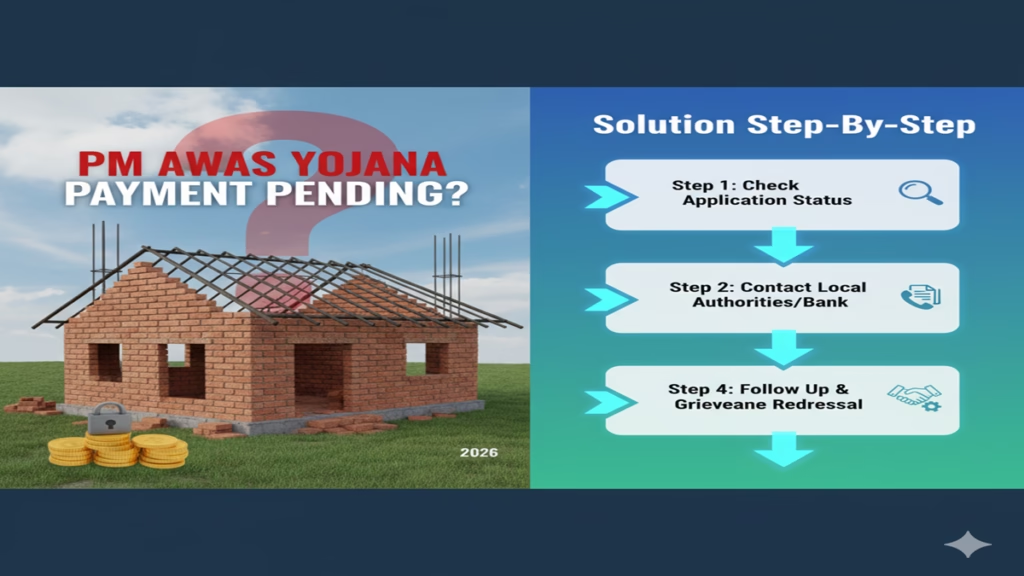
PM Awas Yojana Payment Pending Solution: रुका हुआ पैसा खाते में कैसे लाएं? जानें शिकायत दर्ज करने का सही और सरकारी तरीका!
Pm Awas Yojana Payment Pending Solution Step By Step Introduction: प्रधानमंत्री आवास योजना (PMAY) का सपना हर गरीब परिवार का होता है। सरकार की तरफ से घर बनाने के लिए दी जाने वाली आर्थिक मदद कई बार तकनीकी कारणों से बीच में ही अटक जाती है। लाखों लाभार्थी सर्च कर रहे हैं—“PM Awas Yojana Payment Pending Solution”—क्योंकि घर का निर्माण शुरू हो चुका है, लेकिन अगली किस्त (Installment) खाते में नहीं आई है।
अगर आपका भी पीएम आवास योजना का पैसा पेंडिंग है, तो घबराएं नहीं। यह लेख आपको स्टेप-बाय-स्टेप बताएगा कि आप अपना स्टेटस कैसे चेक कर सकते हैं और रुकी हुई किस्त को कैसे जारी करवा सकते हैं।
1. पेमेंट पेंडिंग होने के मुख्य कारण (Common Reasons)
Pm Awas Yojana Payment Pending Solution Step By Step पेमेंट अटकने के पीछे अक्सर छोटी-छोटी तकनीकी खामियां होती हैं:
- आधार-बैंक लिंकिंग (DBT): आपका बैंक खाता आधार से लिंक नहीं है या NPCI पर मैप नहीं है।
- अधूरा वेरिफिकेशन: पंचायत या ब्लॉक स्तर पर घर के निर्माण की फोटो अपलोड नहीं की गई है।
- गलत बैंक विवरण: आवेदन में दिया गया IFSC कोड या अकाउंट नंबर गलत हो सकता है।
- ब्लाक/पंचायत स्तर पर देरी: फंड का ट्रांसफर समय पर नहीं हो पा रहा है।
2. पेमेंट स्टेटस कैसे चेक करें? (Step-by-Step Status Check)
Pm Awas Yojana Payment Pending Solution Step By Step शिकायत करने से पहले यह पक्का कर लें कि आपका स्टेटस क्या है:
- आधिकारिक वेबसाइट
pmayg.nic.inपर जाएं। - ‘Stakeholders’ मेन्यू पर क्लिक करें और ‘IAY/PMAYG Beneficiary’ चुनें।
- अपना Registration Number दर्ज करें।
- स्टेटस में देखें कि ‘FTO’ (Fund Transfer Order) जेनरेट हुआ है या नहीं। यदि FTO जेनरेट हो चुका है, तो पैसा 7-10 दिनों में आ जाएगा।
3. पेंडिंग पेमेंट के लिए समाधान (Solution Step-by-Step)
Pm Awas Yojana Payment Pending Solution Step By Step स्टेप 1: ब्लॉक या ग्राम पंचायत ऑफिस जाएं सबसे पहले अपने गांव के ‘ग्राम विकास अधिकारी’ (VDO) या पंचायत सचिव से मिलें। उनसे पूछें कि क्या निर्माण कार्य की प्रगति रिपोर्ट (Progress Report) पोर्टल पर अपलोड कर दी गई है।
स्टेप 2: आधार सीडिंग (Aadhaar Seeding) चेक करें बैंक जाकर यह सुनिश्चित करें कि आपका खाता ‘DBT Enabled’ है। अगर नहीं, तो तुरंत ‘NPCI Mapping Form’ भरें। इसके बिना सरकारी पैसा कभी नहीं आएगा।
Pm Awas Yojana Payment Pending Solution Step By Step स्टेप 3: ऑनलाइन शिकायत दर्ज करें (Online Complaint) अगर ब्लॉक स्तर से कोई जवाब नहीं मिल रहा, तो आप सीधे PMAYG Grievance Portal पर शिकायत कर सकते हैं:
- वेबसाइट
pgportal.gov.inपर जाएं। - अपना पंजीकरण करें और ‘Ministry of Rural Development’ चुनें।
- अपनी समस्या लिखें और पीएम आवास योजना की रजिस्ट्रेशन आईडी डालें।
स्टेप 4: जिले के DDC से संपर्क करें अगर फिर भी समाधान न हो, तो आप अपने जिले के DDC (District Development Commissioner) या पीएम आवास योजना के नोडल ऑफिसर को लिखित आवेदन दें।
4. ध्यान रखने वाली जरूरी बातें
- Pm Awas Yojana Payment Pending Solution Step By Step हमेशा अपनी मोबाइल नंबर को आधार से लिंक रखें ताकि पैसा आने पर तुरंत मैसेज मिल सके।
- घर के निर्माण की फोटो समय-समय पर पंचायत के पास जमा करें।
- फर्जी वेबसाइटों से सावधान रहें; अपनी बैंक डिटेल्स किसी अनजान व्यक्ति को न दें।
4. अक्सर पूछे जाने वाले प्रश्न (FAQs)
Q1: किस्त आने में कितना समय लगता है?
Ans: वेरिफिकेशन के बाद फंड ट्रांसफर होने में सामान्यतः 15 से 30 दिन का समय लगता है।
Q2: क्या शिकायत करने पर पैसा जल्दी आता है?
Ans: हाँ, Grievance Portal पर शिकायत करने से मामला उच्च अधिकारियों के संज्ञान में आता है, जिससे कार्रवाई तेज हो जाती है।
Q3: क्या बैंक खाता बंद होने पर पैसा वापस हो सकता है?
Ans: यदि खाता बंद है, तो पैसा ‘Failed’ हो जाएगा। आपको अपना नया बैंक खाता आधार लिंक करवाकर ब्लॉक कार्यालय में अपडेट कराना होगा।
Conclusion: धैर्य रखें और सही कदम उठाएं
PM Awas Yojana Payment Pending Solution केवल सही जानकारी और सही अधिकारी तक पहुँचने का खेल है। अक्सर तकनीकी कारण ही पेमेंट रोकने के लिए जिम्मेदार होते हैं। यदि आप समय पर अपनी डिटेल्स अपडेट करवा लेते हैं, तो आपकी रुकी हुई किस्त बहुत जल्द आपके बैंक खाते में होगी।
PM Awas Yojana Payment Pending? Your Complete 2026 Guide to Resolution and Relief
Pm Awas Yojana Payment Pending? Solution Step-By-Step (2026) The Pradhan Mantri Awas Yojana (PMAY), a flagship initiative aimed at “Housing for All,” has been a beacon of hope for millions of Indians aspiring to own a pucca house. However, for many beneficiaries, the journey from approval to the final disbursement of funds can hit a frustrating roadblock: the dreaded “Payment Pending” or “Under Process” status. As we move into 2026, with enhanced digital governance and updated protocols, resolving these pendencies requires a systematic approach.
Pm Awas Yojana Payment Pending Solution Step By Step This in-depth guide will not only explain the common reasons behind payment delays in the PMAY scheme (both Urban and Gramin) but will also provide a clear, step-by-step action plan to get your funds moving. We will navigate the official portals, helplines, and grievance mechanisms that are most effective in the current year.
Understanding the PMAY Payment Flow: Where Can It Get Stuck?
Pm Awas Yojana Payment Pending Solution Step By Step Before diving into solutions, it’s crucial to understand the typical payment pathway, especially for the more common Beneficiary-Led Construction (BLC) and Credit Linked Subsidy Scheme (CLSS) components. The payment is rarely a single transaction; it’s a multi-stage process involving verification at each step.
- Final Submission of Application: After provisional approval, you submit necessary documents like construction stage photos, labor details, and bank account information.
- Field Verification: An official (like a Gram Panchayat Secretary in PMAY-G or a Municipal official in PMAY-U) visits the site to verify the claims.
- Technical Sanction: The construction plan and progress are verified by technical authorities.
- Payment Order Generation: Upon successful verification, a Payment Order (P.O.) is generated in the system.
- Pm Awas Yojana Payment Pending Solution Step By Step PFMS Integration: The details are sent to the Public Financial Management System (PFMS) for processing.
- Direct Benefit Transfer (DBT): PFMS routes the subsidy amount directly to your Aadhaar-linked bank account.
A pending status can occur between any of these stages.
Top Reasons for PMAY Payment Pending Status in 2026
Pm Awas Yojana Payment Pending Solution Step By Step Based on persistent grievances and updated government advisories, here are the primary culprits:
- Aadhaar Seeding or Authentication Failure (The #1 Cause): Your Aadhaar must be correctly seeded (linked) with your PMAY application and your bank account. Any mismatch in name, date of birth, or gender can halt the DBT. The Aadhaar-PFMS linkage is now more stringent than ever.
- Bank Account Details Mismatch: The name on your bank account must exactly match the name on your Aadhaar and PMAY application. “Sharma, R. K.” vs “R. K. Sharma” can cause rejection. Non-operative or non-DBT-enabled accounts are also a problem.
- Pm Awas Yojana Payment Pending Solution Step By Step Pending Field Verification: The site inspection may not have been completed, or the verification report might be awaiting upload/approval by the local official. In 2026, many states use geo-tagged, time-stamped apps for this, but delays in official schedules persist.
- Incorrect or Poor-Quality Documentation: Blurry construction photos, missing identity proofs, or incomplete labour chaupals (in PMAY-G) can put your file on hold. The system now often flags low-quality uploads automatically.
- Pm Awas Yojana Payment Pending Solution Step By Step Technical Glitches in AWAAS Soft or PFMS: While less frequent than before, synchronization issues between the state-level PMAY software (AWAAS Soft for rural) and the central PFMS portal can cause artificial pendency.
- Caste/Income Certificate Discrepancy: Any doubt regarding the validity of your submitted caste (SC/ST/OBC) or income certificate (for EWS/LIG categories) can trigger a review, stalling payment.
- First Installment Not Utilized: For subsequent installments, you must show proof that the first installment was used for the intended purpose of construction.
Your 2026 Step-by-Step Action Plan to Resolve PMAY Payment Pending
Pm Awas Yojana Payment Pending Solution Step By Step Follow these steps methodically. Start with Step 1 and escalate only if the issue is not resolved.
Step 1: Self-Diagnosis on the Official Portal
Pm Awas Yojana Payment Pending Solution Step By Step This is your first and most critical step. The government portals have become more informative.
- For PMAY-G (Rural): Visit the AWAAS Soft MIS portal.
- Go to “Search Beneficiary” -> “By Registration Number.”
- Enter your details and check the “Fund Transfer” section. It will often show the exact status (e.g., “Awaited for DBT,” “PFMS Failure,” “Payment Order Generated”). Note the error message, if any.
- For PMAY-U (Urban): Visit the PMAY-U MIS portal.
- Pm Awas Yojana Payment Pending Solution Step By Step Go to “Citizen Assessment” -> “Track Your Assessment Status.”
- Enter your Aadhaar number. The detailed status will show which stage (Verification, Approval, Payment) is pending.
Step 2: Rectify Foundational Issues
Pm Awas Yojana Payment Pending Solution Step By Step Based on your portal check:
- Pm Awas Yojana Payment Pending Solution Step By Step Aadhaar-Bank Link: Confirm Aadhaar is linked to your bank account at the branch. Use the NPCI mapper or your bank’s net banking to check.
- Bank Account Name Match: Get a bank statement and compare the name with Aadhaar and PMAY. If there’s a mismatch, first correct it at the bank branch (this is often the fastest fix).
- Document Quality: Ensure all uploaded documents on the portal are clear and valid. If you suspect an issue, be prepared to re-submit clear copies.
Step 3: Direct Engagement with Local Authorities
- PMAY-G: Contact your Gram Panchayat Secretary (GPS) or Village Development Officer (VDO). They can log into AWAAS Soft and see the exact hindrance from their end (e.g., a pending verification report). A physical visit is often necessary.
- Pm Awas Yojana Payment Pending Solution Step By Step PMAY-U: Visit the Municipal Corporation office in your city and meet the PMAY nodal officer or the concerned clerk handling your ward’s files. Carry a printout of your application and status.
Step 4: Escalate via Official Grievance Portals
Pm Awas Yojana Payment Pending Solution Step By Step If local authorities are unresponsive, use the dedicated central grievance systems.
- CPGRAMS (Centralized Public Grievance Redress and Monitoring System):
- Visit https://pgportal.gov.in.
- Register and file a grievance under the Ministry of Housing and Urban Affairs (for PMAY-U) or Ministry of Rural Development (for PMAY-G).
- Key Tip for 2026: Be extremely specific. Mention your application ID, Aadhaar number, the error from the portal, dates of visits to local offices, and names of officials met. This triggers a tracked ticket that departments are bound to respond to within a stipulated time.
- PMAY-U Helpline: Call 1800-11-6163.
- PMAY-G Helpline: Call 1800-11-6446 or 14444.
Step 5: Escalation to Higher Authorities
Pm Awas Yojana Payment Pending Solution Step By Step If CPGRAMS doesn’t yield a result in 15-20 days:
- Write a Formal Letter/Email: Address it to the District Collector/District Magistrate (for PMAY-G) or the Commissioner of your Municipal Corporation (for PMAY-U). Send a hard copy via registered post and a scanned copy via email (find the official email on the district/corporation website). This formal communication often prompts action.
- Social Media Outreach: A measured, factual tweet or post tagging the official handles of @PMAYUrban/@PMAY_Gramin, the respective Ministry, and your local MP/MLA can be effective. Avoid emotional rants; state the facts, application number, and duration of delay.
Step 6: The Final Resort – PFMS Portal Check
Pm Awas Yojana Payment Pending Solution Step By Step If your status shows “PFMS Failure” or “Payment Failed”:
- Visit the PFMS Public Portal.
- Use the “Track NEFT Payment” option. You will need your Payment Reference Number (PRN) which can be obtained from the AWAAS Soft or PMAY-U portal, or from the local office.
- This portal will show if the payment was rejected by your bank (due to account issues) and often provides a specific error code you can take to your bank.
Frequently Asked Questions (FAQs) for 2026
Q1: My status has been “Payment Pending” for over 6 months. Has my application been rejected?
Pm Awas Yojana Payment Pending Solution Step By Step A: Not necessarily. “Payment Pending” usually means your application is approved but stuck in the disbursement pipeline. Rejection typically shows as “Application Rejected” with a stated reason. A long pendency indicates a procedural bottleneck that requires active follow-up using the steps above.
Q2: The portal says “Awaited for DBT.” What does this mean, and what should I do?
Pm Awas Yojana Payment Pending Solution Step By Step A: This means your Payment Order (P.O.) has been generated and the file is with the PFMS system for Direct Benefit Transfer. The delay is now likely at the bank-Aadhaar-PFMS integration stage. Immediately verify your Aadhaar-bank linkage and name matching. Contact your bank manager to ensure your account is DBT-enabled and there are no holds.
Q3: The field verification is done, but the online status hasn’t updated. Whom to contact?
Pm Awas Yojana Payment Pending Solution Step By Step A: This is typically a data entry delay at the local office. The verifying official (GPS/VDO/Municipal officer) must upload the verification report into the system. You need to physically follow up with that specific official to complete the digital workflow from their end.
Q4: I have corrected my bank details. How long will it take for the payment to come now?
Pm Awas Yojana Payment Pending Solution Step By Step A: Once you correct the details with your bank and (if required) get them updated in the PMAY system by the local officer, the system usually re-attempts the payment in the next payment cycle. Do not assume it’s automatic; inform the local authority so they can trigger a re-process.
Q5: Are there any new 2026 rules or tech upgrades that could affect my pending payment?
Pm Awas Yojana Payment Pending Solution Step By Step A: Yes. Be aware of:
Mandatory Aadhaar-Based Payment: DBT via Aadhaar-enabled bank accounts is now absolute. Non-Aadhaar linked accounts will not receive payments.
Face Authentication for Verification: Some states are piloting face authentication alongside iris/fingerprint for field officials to log verification, reducing fraud but potentially causing tech hiccups.
Enhanced Geo-Tagging: For installments after the first, stricter geo-tagged, time-stamped photos showing specific construction progress (plinth, lintel, roof) are required. Ensure your uploads comply precisely with the latest guidelines provided by your local office.
Conclusion: Persistence Meets Process
A pending PMAY payment in 2026 is a solvable problem, but it demands a proactive and patient approach. The system, while digitized, still relies on human intervention at key points. Your strategy should be a blend of digital vigilance (tracking portals), personal engagement (visiting local offices), and strategic escalation (using CPGRAMS and formal letters).
Remember, you are entitled to this benefit. By understanding the process, identifying the exact bottleneck, and following the structured escalation path, you can transform the “Payment Pending” status into a successful “Payment Credited” notification, bringing you one crucial step closer to the dream of your own home.