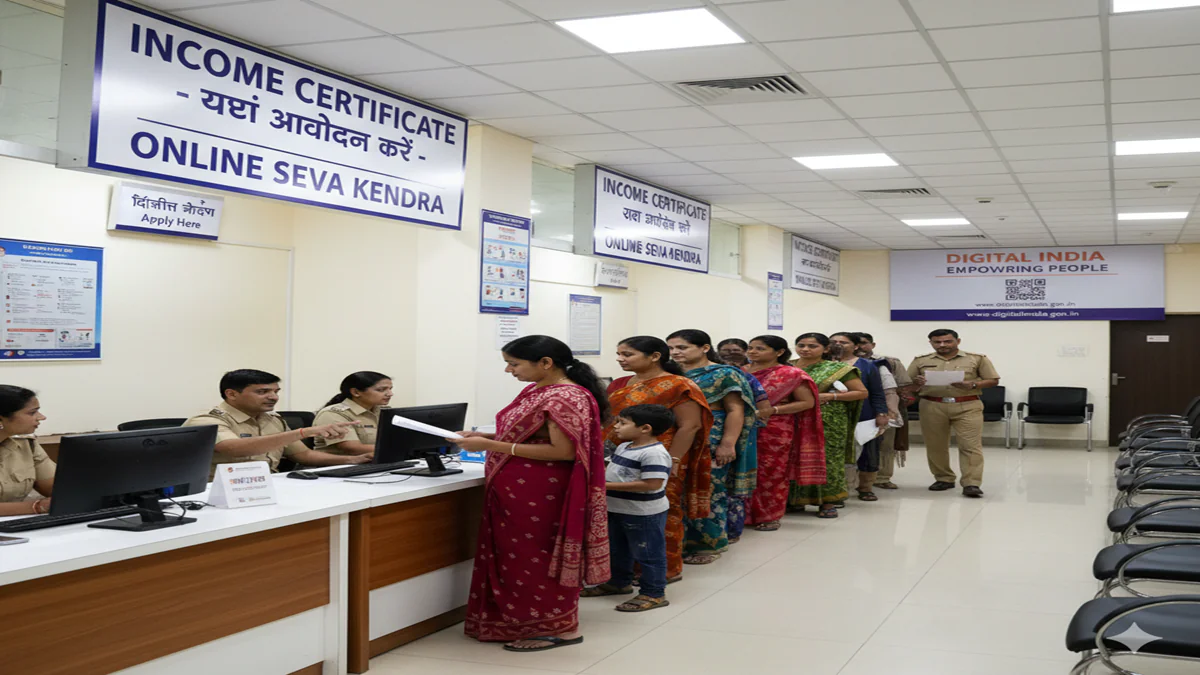
Introduction: The Gateway to Welfare and Opportunity
Income Certificate Apply At Seva Kendra In an era where access to government schemes and benefits is often tied to documented proof of economic status, the Income Certificate has emerged as a critical document for millions of Indian citizens. It is an official declaration issued by the state government, certifying the annual income of an individual or a family from all sources. This single piece of paper can be the key that unlocks doors to educational scholarships, subsidized housing, healthcare benefits, legal aid, and a plethora of state and central welfare schemes.
Recognizing the need to simplify citizen-government interactions, states across India have established Seva Kendras (also known as Citizen Facilitation Centres, e-District centres, or Lok Seva Kendras). These one-stop service centres are designed to bring various government services, including the Income Certificate, under one roof, minimizing bureaucratic hurdles and promoting transparency.
This comprehensive guide will walk you through every step of applying for an Income Certificate at a Seva Kendra, detailing the process, required documents, common challenges, and solutions.
Chapter 1: Understanding the Income Certificate
1.1 What is an Income Certificate?
An Income Certificate is a legal document provided by the Revenue Department of the respective state government (usually through the Tahsildar or Sub-Divisional Magistrate). It certifies the total income earned by an individual or a family unit (including income from salary, business, agriculture, rent, etc.) within a financial year.
1.2 Why is it Crucial?
The primary purpose is to establish economic backwardness or eligibility for schemes reserved for certain income groups. Its applications include:
- Educational Benefits:Fee waivers, state and national scholarships (like Pre-Matric, Post-Matric, National Merit Scholarship), and admissions under economically weaker section (EWS) quotas.
- Social Welfare Schemes:Subsidies on LPG, electricity, water, eligibility for pensions (old age, widow, disability), and Below Poverty Line (BPL) benefits.
- Healthcare:Access to subsidized treatment under government health insurance schemes like Ayushman Bharat.
- Legal Aid:Eligibility for free legal services.
- Housing:Application for housing schemes like PM Awas Yojana.
- Other Certificates:Often a prerequisite for obtaining Caste Certificates, Domicile Certificates, and EWS Certificates.
1.3 Who Should Apply?
Any citizen belonging to the state who requires proof of income for the purposes mentioned above. There is typically no income ceiling for application; the certificate will simply state your verified income.
Chapter 2: Seva Kendra – The One-Stop Solution
2.1 The Concept of Seva Kendra
Seva Kendras were born out of the e-Governance initiative to provide “Services at Your Doorstep.” They act as intermediary service delivery points where trained operators help citizens apply for various certificates and services online, track applications, and collect delivered documents. This model reduces corruption, increases efficiency, and saves time.
2.2 Advantages of Applying at Seva Kendra
- Simplified Process:Staff assist in form filling and document scrutiny.
- Centralized Services:Multiple certificates and services available at one location.
- Online Tracking:Application status can be tracked through a unique receipt number.
- Reduced Direct Bureaucracy:Minimizes the need to visit multiple government offices.
- Transparency:Fixed fees and documented receipts for every transaction.
Chapter 3: Step-by-Step Application Process at Seva Kendra
Step 1: Preparation – Before You Visit
- Determine Your Jurisdiction:Your application is processed based on your permanent residential address. Identify the Seva Kendra under your district/taluk.
- Gather Required Documents (Common Checklist):
- Application Form:Can often be downloaded from your state’s e-District/Seva Kendra portal or obtained at the centre.
- Proof of Identity:Aadhaar Card (mandatory in most cases), Voter ID, PAN Card, or Passport.
- Proof of Address:Aadhaar Card, Ration Card, Utility Bill (electricity/water), Passport, or Registered Rent Agreement.
- Proof of Income:This is the most critical component. Acceptable documents include:
- Salaried Individuals:Salary slips (last 3-6 months), Form 16, Income Tax Returns (ITR) acknowledgment.
- Agriculturists:Land revenue receipt, affidavit declaring agricultural income (format available at the centre).
- Pensioners:Pension payment order or bank statement showing pension credit.
- Others:Affidavit sworn before a notary/executive magistrate declaring all sources of income (used when formal documents are lacking).
- Bank Passbook:Recent copy.
- Ration Card:For family income certificate.
- Passport-sized Photographs:Usually 2-4 copies.
- Existing Certificate (if any):For renewal cases.
Note: All documents must be self-attested. Carry originals for verification.
Step 2: Visit the Seva Kendra
- Token System:Most Kendras operate on a token system. Collect a token for the “Income Certificate” service.
- Form Filling & Submission:Approach the counter when your number is called. Submit the filled application form and the document bundle. The operator will scrutinize them.
- Verification & Data Entry:The operator will verify the originals, enter all details into the online e-District portal, and generate an application on the spot.
- Payment of Fees:Pay the requisite application fee. Fees are nominal, often ranging from ₹20 to ₹100. You will receive a computer-generated receipt.
- Acknowledgement Receipt:This receipt isGOLD. It contains your:
- Application/ACK Number
- Date of Application
- Expected date of delivery
- Tracking details (Website/Portal URL)
- Seva Kendra location and official stamp.
Step 3: The Verification Process
After submission, your application is electronically forwarded to the concerned revenue officials (e.g., Patwari, Tehsildar).
- Field Verification:In many cases, a revenue official may conduct a spot verification at your residential address to cross-check the details provided.
- Document Scrutiny:The submitted documents are verified for authenticity.
Step 4: Tracking & Collection
- Tracking:Use the ACK number on your receipt to track the status online on your state’s e-District portal. Common statuses: “Submitted,” “Under Verification,” “Approved,” “Dispatched,” “Ready for Collection.”
- SMS Alerts:Many states send SMS notifications at key stages.
- Collection:Once the status shows “Ready for Collection,” revisit the Seva Kendra with your acknowledgement receipt and original ID proof (usually Aadhaar). Collect your signed and stamped Income Certificate.
- Delivery Option:Some states also offer postal delivery to your address for an extra fee.
Chapter 4: Common Challenges & Pro-Tips
Challenge 1: Incorrect or Incomplete Documentation
- Solution:Call the Seva Kendra helpline or visit the state portal for an exact checklist. Get affidavits prepared by a notary if formal income proofs are unavailable.
Challenge 2: Delays in Verification
- Solution:Be present at your address during the expected verification period. Keep your documents handy. You can politely follow up with the local revenue office if there is an inordinate delay.
Challenge 3: Errors in the Printed Certificate
- Solution:Check every detail (name, income, address) immediately upon collection. If there’s an error, do not get it attested. Inform the Seva Kendra operator immediately to initiate a correction process.
Challenge 4: Rejection of Application
- Solution:The acknowledgement receipt will often cite a reason. It could be due to false information, failed verification, or jurisdiction issues. You can usually re-apply after rectifying the issue.
Pro-Tips for a Smooth Experience:
- Visit Early:Seva Kendras are crowded. Arriving right at opening time reduces wait time.
- Use Off-Peak Days:Avoid Mondays and month-ends, which are typically busier.
- Know Your Details:Have all family member names, dates, and income figures memorized or noted.
- Digital Backups:Keep scanned copies of all documents on your phone.
- Helpline & Grievance:Note down the state’s e-District helpline number and grievance portal (like CPGRAMS) for escalation.
Chapter 5: The Online Alternative: Applying from Home
While Seva Kendra provides assistance, many states allow direct online application through their e-District portals.
- Visit your state’s official e-District website (e.g.,
edistrict.up.gov.in,edistrict.telangana.gov.in). - Register/Login with your mobile number or Aadhaar.
- Select “Income Certificate” service, fill the digital form, and upload scanned copies of all documents.
- Pay the fee online.
- Track the application online. After online approval by the authority, you can download a digitally signed certificate or choose to collect it physically from a designated centre.
The Seva Kendra Advantage: For those less tech-savvy or facing issues with document scanning/uploading, the Seva Kendra remains the ideal, assisted bridge to this digital process.
Conclusion
The journey to obtain an Income Certificate, once a daunting task fraught with uncertainty, has been significantly streamlined by the establishment of Seva Kendras. They embody the spirit of democratic governance—bringing the state closer to the citizen. By following this guide, preparing diligently, and utilizing the structured process at the Seva Kendra, you can secure this vital document efficiently, thereby accessing the rights and benefits designed to foster economic security and social mobility. Remember, the certificate is more than just paper; it is a testament to your eligibility for a better, supported life.
Frequently Asked Questions (FAQs)
Q1. What is the validity of an Income Certificate?
A: The validity period varies by state but is typically one year from the date of issue. For long-term schemes (like a scholarship spanning multiple years), a fresh certificate may be required annually. Always check the specific requirements of the scheme you are applying for.
Q2. I am a student with no personal income. How do I apply?
A: Students should apply for a Family Income Certificate. You will need to provide details and proofs of the income of your parents/guardians. The certificate will state the total family income from all sources, which is used to determine your eligibility for student-centric schemes.
Q3. What happens if my income source is informal (daily wages, informal work)?
A: This is common. In the absence of formal salary slips or ITR, you can submit a self-declaration affidavit stating your annual income. This affidavit, sworn before a notary public or executive magistrate, is a legally accepted document. The verifying officer may cross-check this during field verification.
Q4. Can I apply for an Income Certificate from a Seva Kendra outside my home district?
A: No, generally you cannot. The application must be filed within the jurisdiction of your permanent residential address. The verification process is conducted by the local revenue authorities of that area. Some states offer intra-district flexibility, but inter-district applications are not usually permitted.
Q5. My application status has been “Under Verification” for weeks. What should I do?
A: A reasonable verification period is 1-2 weeks. If it extends beyond that:
- Use your ACK number to check online for any remarks.
- Contact the helpdesk of the Seva Kendra where you applied.
- As a final step, you can visit the local Tehsildar/Revenue office (under whose jurisdiction your address falls) with your acknowledgement receipt for a polite inquiry. Avoid escalating prematurely.