


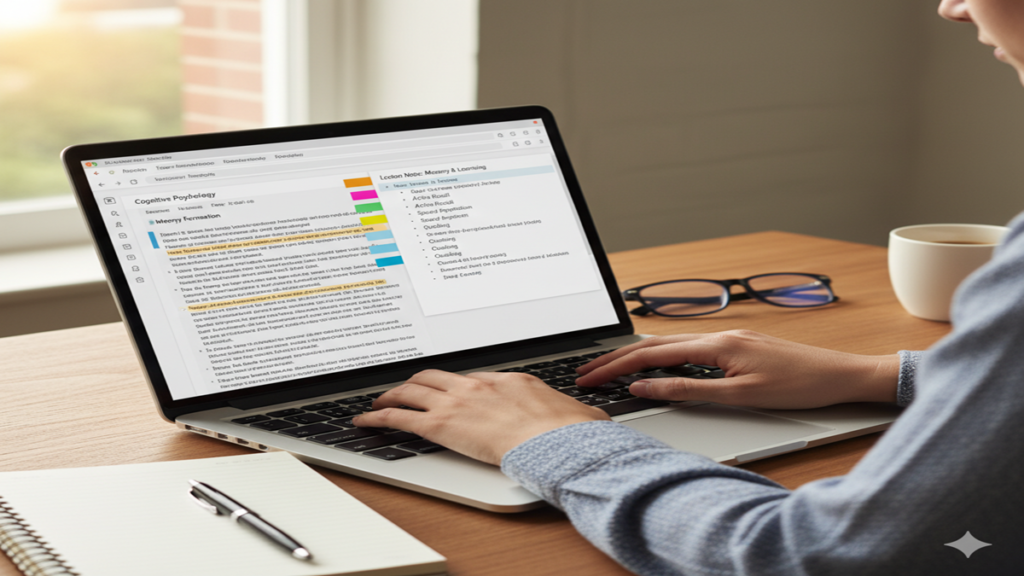
The Digital Scribe: Mastering the Art of Laptop Note-Taking in the Modern Age
How To Take Good Notes On A Laptop In the hushed concentration of a lecture hall, the rapid-fire click-clack of a startup meeting, or the quiet solitude of a research deep-dive, the laptop has become the ubiquitous companion for capturing information. Yet, for all its power, many of us find ourselves drowning in a sea of disorganized digital documents, futilely scrolling through pages of unformatted text, or succumbing to the siren call of digital distraction.
The promise of digital note-taking is immense—searchability, organization, infinite space—but the reality often falls short. This guide is your blueprint to bridge that gap, transforming you from a passive typist into an effective digital scribe who not only captures information but understands, organizes, and owns it.
Part 1: The Philosophy: From Stenographer to Synthesizer
Before opening a single application, a fundamental mindset shift is required. The primary failure of most laptop note-taking is the temptation to transcribe verbatim. You become a stenographer, not a student; a recorder, not a thinker. The goal is not to create a perfect audio transcript.
The Core Principle: Active Engagement Over Passive Recording.
Cognitive science underscores that learning is not a spectator sport. The act of engaging with material—paraphrasing, questioning, connecting—forces your brain to process information at a deeper level. This is known as elaborative rehearsal, as opposed to the shallow maintenance rehearsal of simple repetition. Your fingers flying across the keyboard capturing every word provides an illusion of productivity but often leads to weak memory encoding.
The Laptop’s Dual Nature: Tool and Trap.
Your device is a portal to all human knowledge and your group chat. This makes intentionality non-negotiable. Successful digital note-taking begins with managing your environment. Use focus apps like Freedom or Cold Turkey to block distracting sites during lectures or deep work sessions. Cultivate the discipline of a single, maximized note-taking window. Your first note in any document should be your focused intention for the session.
Part 2: The Toolkit: Choosing and Mastering Your Digital Arsenal
The right software is a force multiplier. Here’s a breakdown of the primary categories:
1. The Word Processor (The Minimalist Foundation):
- Examples: Microsoft Word, Google Docs.
- Best For: Linear, text-heavy notes where simple formatting and universal accessibility are key (e.g., novel drafts, meeting minutes with a standard template).
- Pro-Tip: Master Styles (Heading 1, 2, 3). This transforms a flat document into a structured outline with a navigable table of contents. Use Comments for questions and the “Find” function (Ctrl+F) as your basic search.
2. The Dedicated Note-Taking App (The Power User’s Choice):
- Examples: OneNote, Evernote, Notion, Obsidian.
- Best For: 95% of academic and professional note-takers. These apps are built for the non-linear, multimedia nature of modern information.
- Key Features to Leverage:
- Drag text, images, and drawings anywhere.
- Powerful Tagging & Search (Evernote): Tag notes with #lecture, #project_alpha, #toreview. Search not only text inside notes but text inside images (e.g., a photographed whiteboard).
- In Obsidian, you can link notes on “Newton’s First Law” to “Inertia” and “Classical Mechanics,” creating a personal web of knowledge. Notion allows you to create connected databases for research projects, linking notes to tasks, sources, and deadlines.
3. The Specialized Tool (For Specific Disciplines):
- Examples: LaTeX editors (for STEM papers), Scrivener (for long-form writers), specialized coding notebooks like Jupyter.
- Best For: Users with advanced, format-specific needs.
Recommendation: Start with OneNote (for its freeform flexibility and cost—it’s free) or Obsidian (for its pure focus on connected thought and future-proof local files). Invest 30 minutes in learning its core features—it will pay back a hundredfold.
Part 3: The Methodology: Systems for Superior Notes
Implement one of these proven frameworks on your laptop.
1. The Cornell Method (Digitally Adapted):
Create a consistent template in your app.
- Right Column (~70% of width): The “Notes” column. This is where you take notes during the event using your own shorthand and phrases, not full sentences.
- Left Column (~30% of width): The “Cue” column. In this column, write key questions, keywords, or main ideas that the notes answer. This forces immediate review and creates a self-testing tool.
- Bottom Section: The “Summary” area. In 2-3 sentences, summarize the entire page. If you can’t, you know your understanding is fuzzy.
2. The Outline Method (A Keyboard Native’s Friend):
Leverage your keyboard’s Tab key.
- Use bullet points and indentation to create a hierarchy of information.
- Main Topic (Heading 1)
- Key Concept (Tab once, Heading 2 or bullet)
- Supporting Detail (Tab twice)
- Another Detail (Tab twice)
- Another Key Concept (Tab once)
- Key Concept (Tab once, Heading 2 or bullet)
- Main Topic (Heading 1)
- This creates a clean, logical structure that is easy to scan and collapse/expand in most apps.
3. The Mind Map Method (For Visual Thinkers):
While apps like XMind exist, you can create effective digital mind maps in OneNote or using tools like Miro.
- Start with the central topic in the middle.
- Create branches for main themes (use different colors).
- Grow sub-branches for details, facts, and connections.
- Digital Advantage: Easily rearrange branches, attach full documents or links to nodes, and zoom in/out of complex ideas.
4. The Q/E/C Method (For Analytical Reading & Meetings):
Perfect for digesting complex reports or strategic discussions.
- Question: What key question is this section/speaker addressing?
- Evidence: What data, quotes, or arguments are presented?
- Conclusion: What is the resolved answer or outcome?
Universal Shorthand & Speed Tips:
- Abbreviate: “govt” for government, “w/” for with, “→” for leads to.
- Symbols: Use “??
- Text Expander Tools: Use tools like TextExpander or built-in app snippets to auto-expand “//sig” into your full signature or “addr” into your full address.
Part 4: The Workflow: Capture, Review, Create, Archive
Notes have a lifecycle. Managing this cycle is where the true power lies.
Phase 1: Capture (In the Moment):
- Listen, Then Type. Pause after a point is made. Process it. Then type your concise summary.
- Mark the Gaps. If you miss something, don’t panic. Insert a placeholder like
[?? Check Slide 12]and move on. - Capture Multimedia: Use your laptop’s camera or screenshot tool (Win+Shift+S / Cmd+Shift+4) to snap diagrams, graphs, or reference materials. Embed them directly in your notes and write a caption explaining them.
Phase 2: Review & Polish (Within 24 Hours):
- The Golden Hour: Revisit your notes the same day. This is when memory decay is fastest and your review is most potent.
- Fill the Gaps, clean up typos, and apply formatting. This is when you create your Cornell Cues or add bold/headings for emphasis.
- Annotate: Use highlighting or comment tools sparingly. Highlight only the 2-3 most critical sentences per page. Write a one-sentence summary at the top.
Phase 3: Synthesize & Create (Weekly/Bi-Weekly):
- This is the game-changer. Create a separate “Synthesis” or “Master” document for each subject/project.
- Each week, review all new notes. Extract the golden nuggets—the core principles, the brilliant insights, the recurring themes—and add them to your master document, in your own words.
- This process of distillation is where fragmented notes become true knowledge.
Phase 4: Archive & Retrieve (Ongoing):
- Use a consistent, logical naming convention:
YYYY-MM-DD_Subject_Topic(e.g.,2023-10-27_History_Reformation_Causes). - Leverage notebooks, folders, and tags. A note might live in the “Biology 101” notebook and be tagged
#mitochondria,#exam2,#confused. - Schedule a monthly “Note Audit” to clean up, re-tag, and ensure your system remains usable.
Part 5: Advanced Tactics for the Digital Scholar
- Leverage Voice-to-Text: When a speaker is moving too fast or you need to capture a complex quote, use voice typing (built into Google Docs, Word, and others). It creates a transcript you can then prune and edit.
- Automate with Backups: Ensure your notes are synced to the cloud (OneDrive, Google Drive, iCloud). For apps like Obsidian, use GitHub or a paid sync service for version history. Your notes are priceless—don’t lose them.
- The Hybrid Approach: Keep a physical notebook or tablet for rapid sketching, brainstorming, or highly distracting environments where a laptop is too intrusive. Then, photograph or summarize those sketches into your digital system later, creating a unified repository.
Conclusion: The Second Brain
Ultimately, mastering laptop note-taking is about building a Second Brain—a trusted, external system that captures, organizes, and retrieves information on demand. It liberates your biological brain from the task of remembering everything and empowers it to do what it does best: think, connect, and create.
The journey begins not with a search for the perfect app, but with a commitment to engage actively with information. Choose a simple system, apply it consistently, and progressively refine it. The click-clack of your keyboard will no longer be just sound; it will be the sound of building understanding, one deliberate, well-crafted note at a time.
FAQ: How To Take Good Notes On A Laptop
Q1: Isn’t handwriting better for memory? What does the research say?
A: Studies, such as those published in Psychological Science, show that handwriting can lead to better conceptual understanding and memory retention when note-takers are forced to paraphrase due to slower speed.
The key takeaway is the processing, not the medium. You can achieve the same benefits on a laptop by consciously avoiding verbatim transcription and instead summarizing, questioning, and connecting ideas in your notes. The laptop’s disadvantage (speed) can become an advantage if you use that speed to add more synthesis, links, and multimedia.
Q2: I get distracted by emails and the internet on my laptop. How do I stay focused?
A: Digital distraction is the chief obstacle. Combat it with:
- App Blockers: Use Freedom, Cold Turkey, or LeechBlock to block distracting websites and apps during note-taking sessions.
- Full-Screen Mode: Use your note-taking app in full-screen (F11 on most browsers/apps) to eliminate other visual cues.
- Airplane Mode: In critical lectures or meetings, turn on Airplane Mode to kill notifications and temptation.
- Dedicated User Profile: Create a separate, clean user profile on your laptop with only your note-taking and research tools installed.
Q3: How do I effectively capture complex diagrams or formulas that are hard to type?
A: Embrace multimedia embedding:
- Screenshot/Snap: Use your laptop’s screenshot tool (Win+Shift+S / Cmd+Shift+4) or your phone’s camera (sync the photo to your laptop).
- Embed: Insert the image directly into your digital notes (in OneNote, Word, Notion, etc.).
- Annotate & Caption: This is the critical step. Use drawing tools or a text caption to label key parts of the diagram or write the formula’s explanation in your own words next to it. The act of annotating forces engagement.
Q4: How should I organize thousands of digital notes so I can actually find things later?
A: Implement a multi-layered organization system:
- Notebooks/Folders (Broad): For major areas of life (e.g., “Work,” “Personal,” “Chemistry Degree”).
- Tags/Labels (Cross-Cutting): For topics that span notebooks (e.g.,
#project_beta,#todo,#reference). - Consistent Naming: Use a clear, chronological naming convention like
YYYY-MM-DD_Topic_Details. - Linking: In apps like Notion or Obsidian, create internal links between related notes to build a knowledge web. Your primary tool for retrieval should be the search function, which is empowered by all of the above.
Q5: Is it worth paying for a premium note-taking app like Evernote or Notion?
A: It depends on your needs. For most students and professionals, the free tiers of OneNote or Obsidian (which is free for personal use) are incredibly powerful and sufficient. Consider upgrading to a paid plan if you hit specific limits:
- Evernote/OneNote Premium: If you need to search text within PDFs and images, have massive storage needs, or require advanced offline access.
- Notion Personal Pro: If you collaborate extensively and need more than a few guests on your workspace.
- General Rule: Master the principles and systems with a free tool first. Invest in premium features only when they solve a clear, specific bottleneck in your workflow.