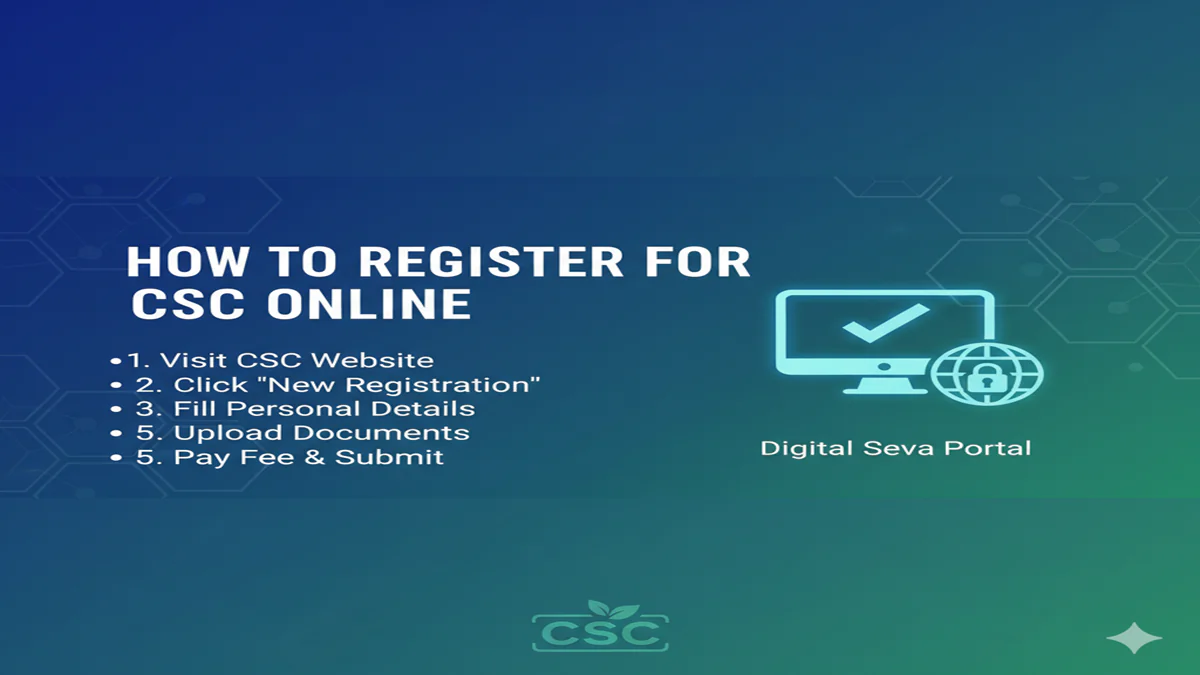
The Complete Step-by-Step Guide to CSC Online Registration (2024)
How To Register For Csc Online In today’s digital-first India, the Common Service Centre (CSC) network stands as a monumental bridge connecting millions of citizens in rural and urban areas to essential government and public utility services. From applying for an Aadhaar card and PAN card to booking travel tickets, enrolling in insurance schemes, and availing banking services, CSCs have become the one-stop digital kiosks for India’s heartland.
The first step to leveraging this vast network, whether as a citizen seeking services or an aspiring entrepreneur looking to operate a CSC, is successful online registration. This comprehensive guide will walk you through every step of the CSC online registration process, clarify its importance, and answer all your pressing questions.
Understanding the Common Service Centre (CSC) Ecosystem
Before diving into the registration process, it’s crucial to understand what CSCs are. Established under the Digital India initiative, CSCs are access points for delivering digital services to villages, thereby fostering digital and financial inclusion. They are operated by Village Level Entrepreneurs (VLEs), who are local citizens trained to manage these centers.
There are primarily two types of registrations in the CSC sphere:
- Citizen Registration:For individuals who wish to avail services from a CSC.
- VLE Registration:For entrepreneurs who want to apply to own and operate a CSC center.
This article will focus on both, with a primary emphasis on the detailed process forVLE Registration, as it is the more complex and sought-after procedure.
Part 1: How to Register as a Citizen for CSC Services
For citizens, “registration” typically means locating your nearest CSC and availing services. A formal citizen registration on the portal is often not mandatory for basic services but can be helpful.
Steps for Citizens:
- Visit the official CSC website:https://csc.gov.in
- Hover over the‘Citizens’tab in the main menu.
- Click on‘Find CSC’or‘Locate a CSC.’
- You can search by State, District, Block, or Village.
- The portal will display a list of nearby CSCs with the VLE’s name, address, and contact details.
- Visit the center with the necessary documents (like Aadhaar) for the service you need. The VLE will assist you with the specific service application process.
For most citizen services, your Aadhaar card is the primary document for identity verification and service delivery.
Part 2: The Complete Guide to CSC VLE Online Registration
Becoming a CSC VLE is an opportunity to run a sustainable business while serving your community. The registration is a multi-stage process designed to select genuine and capable entrepreneurs.
Prerequisites & Eligibility Criteria
Before you begin, ensure you meet these criteria:
- Age:Must be 18 years or above.
- Education:Minimum 10th pass (Matriculate). Higher qualifications are preferred.
- Infrastructure:A dedicated space of 100-150 sq. ft. to set up the center, preferably in a public-facing location.
- Computer & Connectivity:A desktop/laptop, printer, scanner, webcam, and a reliable high-speed internet connection.
- Bank Account:An active bank account in your name.
- Documents:Valid Aadhaar Card, PAN Card, Email ID, Mobile Number, Caste Certificate (if applicable), and educational proofs.
Step-by-Step Registration Process on the CSC Portal
Step 1: Initial Application on the CSC Portal
- Go to the official VLE registration page:https://register.csc.gov.in
- Click on‘New Registration’or‘Apply for CSC.’
- Carefully read the instructions and eligibility criteria. Select the option stating you are applying as an individual (not a company).
- Enter yourAadhaar Number. This is your primary ID for the process. Click ‘Verify.’ An OTP will be sent to your Aadhaar-linked mobile number.
- After verification, the form will auto-populate your name, date of birth, and gender from your Aadhaar details.
- Fill in the remaining mandatory fields: your email, mobile number (if not auto-captured), educational qualification, and category (General/SC/ST/OBC).
- Choose Your Applying For Role:This is critical. You will typically select“CSC VLE (Village Level Entrepreneur).”
- Review all details and submit. You will receive an Application ID/Transaction ID on screen and via SMS.Note this down carefully.
Step 2: Login and Detailed Application Form Submission
- Use yourAadhaar Numberand the password you created to log in tohttps://register.csc.gov.in.
- You will find your application in a draft state. Click on ‘Complete Application’ or a similar button.
- You will now see a multi-page form requiring exhaustive details:
- Personal Details:(Auto-filled from Aadhaar). Verify and correct if necessary.
- Address Details:Provide both permanent and communication addresses.
- CSC Center Details:Proposed name of your center, exact address with landmarks, type of premises (owned/rented), and size.
- Infrastructure Details:Details of your computer, printer, internet connection, and power backup.
- Bank Details:Your account number, IFSC code, and branch name.
- Service Details:You may need to indicate which services you plan to offer initially.
- Upload Scanned Documents:Prepare clear, legible scans (in PDF/JPG/PNG format within the specified size limit) of the following:
- Recent passport-sized photograph.
- Aadhaar Card (Front and Back).
- PAN Card.
- Educational Certificate (10th mark sheet or above).
- Caste Certificate (if applicable).
- Bank Passbook first page.
- Signature.
- Proof of premises (Rent Agreement or Electricity Bill/Property Tax receipt if owned).
- Declaration:Read the declaration carefully, check the boxes, and digitally submit the form.
Step 3: Application Fee Payment
- After submission, you will be redirected to a payment gateway to pay a non-refundableapplication fee.
- The fee varies based on your category (General, SC/ST/OBC) and is typically between ₹500 to ₹1000. Pay using net banking, credit/debit card, or UPI.
- Save thepayment receiptor transaction ID.
Step 4: Verification & Approval Process
This is the most crucial waiting period. Your application undergoes several checks:
- System Check:For document completeness and accuracy.
- Ground Verification:A representative from the State CSC Agency (SCA) or the District Manager may visit your proposed center location to verify the infrastructure and details provided.
- Background Checks.
You can track your application status by logging into the portal. The status will progress through stages like: Submitted → Under Verification → Approved/Rejected.
Step 5: Training and Onboarding
- If your application is approved, you will receive an notification/SMS to undergo mandatoryVLE training.
- This training is often conducted online via the CSC Academy platform (https://cscacademy.org). It covers the operation of CSC services, digital literacy, governance, and grievance redressal.
- Upon successful completion of the training and assessment, you will be certified as aCSC VLE.
Step 6: Center Activation and Starting Operations
- After training, your profile will be activated on the CSC SPV (Special Purpose Vehicle) network.
- You will receive your officialVLE IDand login credentials for the service delivery portal (https://services.csc.gov.in).
- You may also be provided with additional software and access to various government service modules.
- Your CSC center is now ready to serve the public.
Crucial Tips for a Successful Registration
- Document Clarity:Ensure all uploaded documents are clear, visible, and in the prescribed format. Blurry or cut-off documents are the primary reason for rejection.
- Accurate Information:Provide 100% accurate information. Any discrepancy between your Aadhaar details, application form, and uploaded documents will lead to rejection.
- Infrastructure Readiness:Have your proposed center space and basic infrastructure (desk, computer, internet) ready before or during the application. It speeds up ground verification.
- Active Communication:Regularly check the email and mobile number provided for updates from CSC. Respond promptly to any queries.
- Official Portal Only:Only use the officialCSC.gov.inandregister.csc.gov.inwebsites. Beware of third-party agents who charge exorbitant fees with false promises.
Frequently Asked Questions (FAQs)
1. Is there any registration fee for citizens to use CSC services?
No, there is no registration fee for citizens who wish to avail services at a CSC. You only pay the prescribed government or service fee for the specific service you are using (e.g., passport application fee, PAN card fee). The VLE may charge a small, government-approved convenience fee for their service.
2. What is the total cost to set up and run a CSC center?
The initial investment varies but typically ranges from ₹50,000 to ₹1,50,000. This covers the cost of a computer, printer, scanner, furniture, internet connection setup, and initial working capital. The official application fee is separate and minimal. There is no large “franchise fee” paid to the government.
3. How long does the entire VLE registration process take?
From application submission to final activation, the process can take anywhere from 30 to 90 days. The timeline depends on the speed of document verification, the schedule for ground verification in your district, and your completion of the mandatory training.
4. My application was rejected. Can I reapply?
Yes, you can reapply. The portal usually mentions a reason for rejection (e.g., “document unclear,” “infrastructure not verified”). Address the specific issue highlighted, update your application, and submit a fresh application. Note that the application fee is non-refundable, so you will need to pay it again upon re-submission.
5. What are the key reasons for application rejection, and how can I avoid them?
Common rejection reasons include:
- Incomplete/Blurry Documents:Double-check the clarity and completeness of every scan.
- Address Mismatch:Ensure the address in your Aadhaar, application form, and proof of premises are consistent. If different, provide valid explanations and supporting docs.
- Failed Ground Verification:The verifier could not locate the center or found no infrastructure. Ensure your center address is correct and you have at least the basic setup ready at the time of application.
- Duplicate Application:You cannot apply for multiple CSCs in the same vicinity. Ensure no one else from your household has applied for the same catchment area.
- Incorrect Category Certificate:If applying under a reserved category, ensure your certificate is valid and issued by the competent authority.
Conclusion
Registering for the CSC online is your gateway to becoming an integral part of India’s digital revolution. For citizens, it simplifies access to critical services. For entrepreneurs, it presents a viable and socially impactful business model. By meticulously following the steps outlined in this guide—preparing your documents accurately, ensuring infrastructure readiness, and patiently navigating the verification process—you can successfully complete your CSC online registration.
Remember, this is more than just a bureaucratic process; it’s the first step towards empowering your community with technology and building a sustainable enterprise for yourself. Embrace the process, be thorough, and prepare to become a key digital change-maker in your locality.