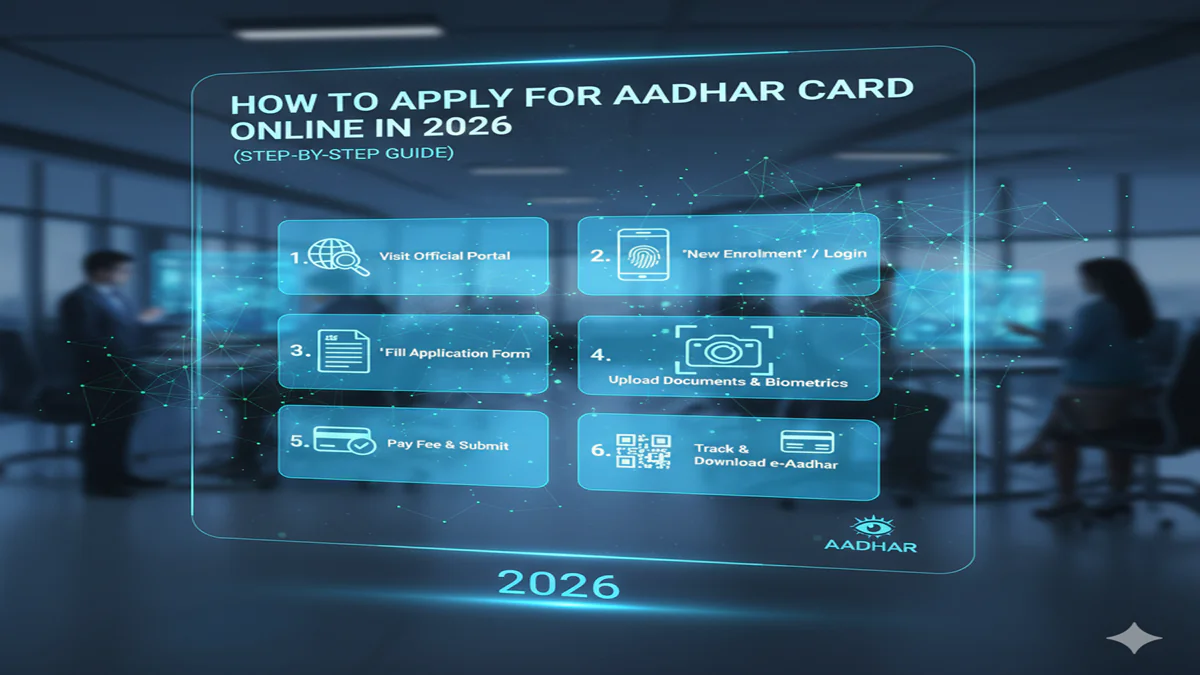
How To Apply For Aadhar Card Online 2026: नया आधार कार्ड बनवाने के लिए ऑनलाइन आवेदन कैसे करें? जानें पूरी प्रक्रिया और जरूरी दस्तावेज!
How To Apply For Aadhar Card Online 2026: Introduction: आज के समय में आधार कार्ड (Aadhaar Card) न केवल एक पहचान पत्र है, बल्कि यह हर भारतीय नागरिक के लिए एक अनिवार्य डिजिटल दस्तावेज बन चुका है। सरकारी सब्सिडी (Subsidy) लेनी हो, बैंक में खाता खुलवाना हो या बच्चों का स्कूल में एडमिशन कराना हो, आधार कार्ड सबसे पहला और जरूरी दस्तावेज होता है।
अक्सर लोग सोचते हैं कि नया आधार कार्ड बनवाने के लिए उन्हें आधार केंद्र पर घंटों इंतजार करना होगा। लेकिन, UIDAI (Unique Identification Authority of India) ने अपनी सुविधाओं को अब काफी हाई-टेक बना दिया है। आप How To Apply For Aadhar Card Online की प्रक्रिया का पालन करके घर बैठे अपना समय बचा सकते हैं। इस लेख में हम आपको 2026 की लेटेस्ट ऑनलाइन अपॉइंटमेंट और रजिस्ट्रेशन प्रोसेस के बारे में विस्तार से बताएंगे।
1. क्या नया आधार कार्ड पूरी तरह ऑनलाइन बन सकता है?
How To Apply For Aadhar Card Online 2026: यहाँ एक महत्वपूर्ण बात समझना जरूरी है। आधार कार्ड के लिए आपके बायोमेट्रिक्स (Biometrics) जैसे उंगलियों के निशान (Fingerprints) और आंखों का स्कैन (Iris Scan) अनिवार्य होता है। यह प्रक्रिया केवल एक अधिकृत ‘आधार सेवा केंद्र’ पर ही की जा सकती है।
लेकिन, आप ऑनलाइन माध्यम से अपना फॉर्म भर सकते हैं और Appointment बुक कर सकते हैं। इससे आपको केंद्र पर जाकर लाइन में नहीं लगना पड़ता और आपका काम 10-15 मिनट में पूरा हो जाता है।
2. जरूरी दस्तावेज (Documents Required for New Aadhaar)
How To Apply For Aadhar Card Online 2026: आवेदन शुरू करने से पहले सुनिश्चित करें कि आपके पास निम्नलिखित में से कम से कम एक दस्तावेज ओरिजिनल कॉपी में हो:
- पहचान का प्रमाण (Proof of Identity): पैन कार्ड, वोटर आईडी, पासपोर्ट, या ड्राइविंग लाइसेंस।
- पते का प्रमाण (Proof of Address): राशन कार्ड, बिजली का बिल, पानी का बिल, या बैंक पासबुक।
- जन्म तिथि का प्रमाण (Proof of Date of Birth): जन्म प्रमाण पत्र (Birth Certificate) या 10वीं की मार्कशीट।
3. ऑनलाइन आवेदन करने की स्टेप-बाय-स्टेप प्रोसेस (Step-by-Step Guide)
How To Apply For Aadhar Card Online 2026: नए आधार कार्ड के लिए ऑनलाइन अपॉइंटमेंट बुक करने के लिए इन स्टेप्स को फॉलो करें:
स्टेप 1: UIDAI की आधिकारिक वेबसाइट पर जाएं सबसे पहले myaadhaar.uidai.gov.in पर जाएं। यहाँ आपको ‘Get Aadhaar’ सेक्शन में ‘Book an Appointment’ का विकल्प दिखेगा, उस पर क्लिक करें।
स्टेप 2: अपना शहर या स्थान चुनें अपना नजदीकी शहर या आधार सेवा केंद्र चुनें और ‘Proceed to Book Appointment’ पर क्लिक करें।
स्टेप 3: ‘New Aadhaar’ विकल्प का चयन करें अगले पेज पर अपना मोबाइल नंबर दर्ज करें और ‘New Aadhaar’ विकल्प को चुनें। कैप्चा कोड भरकर ‘Generate OTP’ पर क्लिक करें। आपके मोबाइल पर आए ओटीपी को दर्ज करके वेरिफाई करें।
स्टेप 4: नामांकन फॉर्म (Enrollment Form) भरें अब आपके सामने एक फॉर्म खुलेगा। इसमें अपनी व्यक्तिगत जानकारी जैसे पूरा नाम, जेंडर, जन्मतिथि और पूरा पता सही-सही भरें।
स्टेप 5: दस्तावेज और समय का चयन करें अपनी सुविधा के अनुसार वह तारीख और समय (Time Slot) चुनें जब आप आधार केंद्र जा सकते हैं।
स्टेप 6: अपॉइंटमेंट स्लिप डाउनलोड करें फॉर्म सबमिट करने के बाद आपको एक Appointment Slip मिलेगी। इसे डाउनलोड कर लें या इसका प्रिंट आउट निकाल लें।
4. आधार केंद्र पर जाने के बाद की प्रक्रिया
- तय समय पर आधार केंद्र पहुंचें और अपनी अपॉइंटमेंट स्लिप दिखाएं।
- वहां ऑपरेटर आपके ओरिजिनल दस्तावेजों की जांच करेगा।
- आपके बायोमेट्रिक्स (फोटो, फिंगरप्रिंट और आंखों का स्कैन) लिए जाएंगे।
- अंत में आपको एक Acknowledgement Slip (नामांकन रसीद) दी जाएगी। इस पर 14 अंकों का एनरोलमेंट नंबर (EID) होता है।
5. आधार कार्ड का स्टेटस कैसे चेक करें?
How To Apply For Aadhar Card Online 2026: आधार केंद्र से रसीद मिलने के बाद, आप 15-20 दिनों के भीतर अपना आधार कार्ड ऑनलाइन डाउनलोड कर सकते हैं। स्टेटस चेक करने के लिए आप UIDAI की वेबसाइट पर ‘Check Aadhaar Status’ पर जाकर अपना EID नंबर डाल सकते हैं।
Conclusion: डिजिटल इंडिया का फायदा उठाएं!
How To Apply For Aadhar Card Online की यह सुविधा नागरिकों के लिए समय और मेहनत बचाने का एक बेहतरीन जरिया है। अगर आप सही दस्तावेजों के साथ ऑनलाइन अपॉइंटमेंट लेकर जाते हैं, तो आधार बनवाना बहुत ही सुखद अनुभव बन जाता है। याद रखें, पहली बार आधार कार्ड बनवाना पूरी तरह से मुफ्त (Free) है।
How to Apply for Aadhaar Card Online in 2026: A Step-by-Step Guide
Introduction: The Evolution of Aadhaar in Digital India
How To Apply For Aadhar Card Online In 2026 (Step-By-Step Guide) As we move deeper into the digital age, India’s Aadhaar system continues to be a cornerstone of identity verification and service delivery. By 2026, the Unique Identification Authority of India (UIDAI) has streamlined the Aadhaar application process, making it more accessible and user-friendly than ever before. With over 1.3 billion enrollments already completed, Aadhaar has become an essential document for accessing government services, opening bank accounts, filing taxes, and much more.
How To Apply For Aadhar Card Online 2026: This comprehensive guide will walk you through the complete online application process for obtaining your Aadhaar card in 2026, including recent updates, technological advancements, and important considerations for the modern applicant. Whether you’re applying for your first Aadhaar card or updating existing information, this step-by-step tutorial will ensure a smooth and successful application experience.
Section 1: Understanding Aadhaar in 2026
What is Aadhaar?
How To Apply For Aadhar Card Online 2026: Aadhaar is a 12-digit unique identification number issued by the UIDAI to Indian residents based on their biometric and demographic data. It serves as proof of identity and address throughout India and has become integrated into countless aspects of daily life, from SIM card verification to pension disbursements.
Recent Updates for 2026
How To Apply For Aadhar Card Online 2026: In recent years, UIDAI has implemented several enhancements to the Aadhaar system:
- Advanced Biometric Security: Enhanced fingerprint and iris scanning technology with improved accuracy
- Virtual Aadhaar: Digital Aadhaar now carries equal legal weight as the physical card in most scenarios
- Enhanced Privacy Features: Additional opt-out options for biometric authentication in private sector transactions
- International Use: Aadhaar is now accepted as identity proof for certain overseas transactions with partner countries
- Integrated Services: Deeper integration with DigiLocker and other government platforms
Who Can Apply?
- Indian residents (including minors)
- Non-Resident Indians (NRIs) who spend more than 182 days in India in the preceding year
- Foreign nationals with valid long-term visas (specific categories)
Section 2: Pre-Application Preparation
Required Documents
How To Apply For Aadhar Card Online 2026: Before starting your online application, ensure you have the following documents ready:
Proof of Identity (PoI):
- Passport
- PAN Card
- Voter ID
- Driving License
- Any other government-issued photo ID
Proof of Address (PoA):
- Utility bills (not older than 3 months)
- Bank statement
- Property tax receipt
- Rent agreement with landlord’s Aadhaar
Proof of Date of Birth (DoB):
- Birth certificate
- SSLC certificate
- Passport
Note for 2026: UIDAI now accepts digitally signed documents from DigiLocker as valid proofs, streamlining the process significantly.
Technical Requirements
- Stable internet connection
- Smartphone or computer with camera
- Valid mobile number (not already linked to another Aadhaar)
- Email address
- Scanner or smartphone with document scanning capability
Section 3: Step-by-Step Online Application Process
Step 1: Visit the Official UIDAI Website
How To Apply For Aadhar Card Online 2026: Important: Beware of phishing sites. Always check for the security certificate and official government domain.
Step 2: Begin New Aadhaar Application
Locate and click on the “Book an Appointment” or “Apply for Aadhaar” option. For first-time applicants, select “Register for Aadhaar.”
Step 3: Complete the Online Application Form
How To Apply For Aadhar Card Online 2026: You’ll be directed to a secure form requiring the following information:
- Personal Details:
- Full name (as in supporting documents)
- Gender
- Date of birth
- Residential status
- Contact Information:
- Current residential address
- Mobile number (will receive OTP for verification)
- Email address
- Demographic Information:
- Parent/Guardian details for minors
- Address for correspondence
How To Apply For Aadhar Card Online 2026: 2026 Enhancement: The form now includes intelligent auto-fill options that pull information from verified documents using optical character recognition (OCR) technology, reducing manual entry errors.
Step 4: Upload Supporting Documents
Scan and upload clear copies of your supporting documents:
- Ensure documents are legible and complete
- File size should not exceed 2MB per document
- Accepted formats: PDF, JPEG, PNG
- Use the UIDAI’s document validation tool to check acceptability before uploading
Step 5: Select Appointment Details
How To Apply For Aadhar Card Online 2026: Choose your preferred Aadhaar Seva Kendra (ASK) or authorized enrollment center based on:
- Location proximity
- Available time slots (displayed in real-time)
- Specialized services (if required, such as for senior citizens or persons with disabilities)
2026 Feature: The system now offers “Mobile Enrollment Unit” appointments in select areas where UIDAI vans visit neighborhoods on scheduled dates.
Step 6: Review and Submit Application
How To Apply For Aadhar Card Online 2026: Carefully review all entered information for accuracy. Once submitted, you’ll receive:
- An acknowledgment slip with enrollment ID
- Appointment confirmation via SMS and email
- QR code for appointment verification
Section 4: The Biometric Appointment
What to Expect at the Enrollment Center
- Document Verification: Original documents will be checked against your uploaded copies
- Photograph: A recent photograph will be taken (white background preferred)
- Biometric Data Collection:
- Fingerprints (all ten fingers)
- Iris scan (both eyes)
- Facial photograph with specific guidelines
- Data Review: You’ll review your details on screen before final submission
- Acknowledgment Receipt: You’ll receive a receipt with your 14-digit enrollment number and date-time stamp
Post-Appointment Steps
- Track your application status using the enrollment ID on the UIDAI website
- Typically, Aadhaar is generated within 30-90 days
- You’ll receive SMS notifications at each stage of processing
Section 5: Receiving Your Aadhaar
Digital Aadhaar
How To Apply For Aadhar Card Online 2026: Upon generation, you can download your:
- Aadhaar Letter (PDF format)
- Virtual Aadhaar ID (16-digit temporary revocable identifier)
- QR code enabled Aadhaar for offline verification
Physical Aadhaar Card
How To Apply For Aadhar Card Online 2026: If you requested a physical copy during enrollment, it will be dispatched via India Post to your registered address. You can track delivery through the postal tracking system.
e-Aadhaar Validity
As of 2026, digitally signed e-Aadhaar is legally valid everywhere the physical card is accepted, except in specifically exempted circumstances defined by UIDAI.
Section 6: Common Issues and Troubleshooting
Application Rejection Reasons
- Document mismatch or poor quality
- Biometric data quality issues
- Duplicate enrollment suspicions
- Incomplete information
Solutions
- Reapply with correct documents
- Visit an Aadhaar Seva Kendra for biometric issues
- Contact the UIDAI helpline for duplicate enrollment resolution
- Use the online grievance redressal system
Section 7: Security and Privacy Considerations
Protecting Your Aadhaar
- Never share your Aadhaar number publicly
- Use masked Aadhaar for non-essential verifications
- Regularly check authentication history on the UIDAI portal
- Lock/unlock biometric authentication as needed
2026 Security Features
- Biometric Locking: Temporarily disable biometric authentication
- Limited KYC: Share only necessary information with service providers
- Authentication History: View complete log of where your Aadhaar was used
- Virtual ID: Generate temporary IDs for commercial transactions
Section 8: Special Cases
For Minors
- Children under 5 require only demographic information and facial photograph
- Biometric update is mandatory when the child turns 5 and 15
- Both parents’ Aadhaar details are required
For NRIs and OCIs
- Different document requirements apply
- Proof of Indian origin and current overseas address needed
- Specific appointment slots may be available at major centers
For Persons with Disabilities
- Home enrollment services available upon request
- Alternative biometric collection methods for certain disabilities
- Specialized staff at many Aadhaar Seva Kendras
Conclusion: Aadhaar in the Digital Future
How To Apply For Aadhar Card Online 2026: As India continues its digital transformation, Aadhaar remains at the heart of the identity ecosystem. The 2026 online application process reflects years of refinement, balancing accessibility with robust security. By following this guide, you can navigate the Aadhaar application process confidently and join over a billion Indians in this foundational identification system.
Remember that while the online process handles much of the application, the biometric appointment remains essential for ensuring the integrity of the system. As technology evolves, we can expect further streamlining, but the core principle of Aadhaar—providing every resident with a verifiable digital identity—will continue to shape India’s administrative landscape for years to come.
Frequently Asked Questions (FAQs)
Q1: Can I complete the entire Aadhaar application process without visiting an enrollment center?
A:How To Apply For Aadhar Card Online 2026: No, as of 2026, a physical visit to an enrollment center is still mandatory for first-time applicants to provide biometric data (fingerprints, iris scan, and photograph). However, most of the documentation and appointment scheduling can be completed online. For updates to existing Aadhaar (except biometric updates), many changes can be completed entirely online through the UIDAI Self-Service Update Portal.
Q2: What should I do if my mobile number is already linked to another family member’s Aadhaar?
A:How To Apply For Aadhar Card Online 2026: Each Aadhaar should ideally have a unique mobile number for security and OTP purposes. If your number is linked to another person’s Aadhaar, you have two options: (1) Use a different mobile number for your application, or (2) Update the existing Aadhaar to remove your number before using it for your application. Family members can share a number in exceptional circumstances, but this limits certain digital services.
Q3: How long is the Aadhaar card valid? Does it need renewal?
A:How To Apply For Aadhar Card Online 2026: Aadhaar is valid for a lifetime once issued. However, UIDAI recommends updating your photograph every 10 years after age 15 to maintain current appearance records. For children, biometric updates are mandatory at ages 5 and 15. Demographic information (address, etc.) should be updated whenever changes occur.
Q4: Can I apply for Aadhaar if I don’t have any of the standard proof of address documents?
A:How To Apply For Aadhar Card Online 2026: Yes, UIDAI offers alternative procedures. You can submit a certificate of address issued by a Gazetted Officer, Tehsildar, MP, MLA, or Village Panchayat head. Alternatively, you can use the “Introducer” system available at enrollment centers, where a pre-verified Aadhaar holder can vouch for your identity and address.