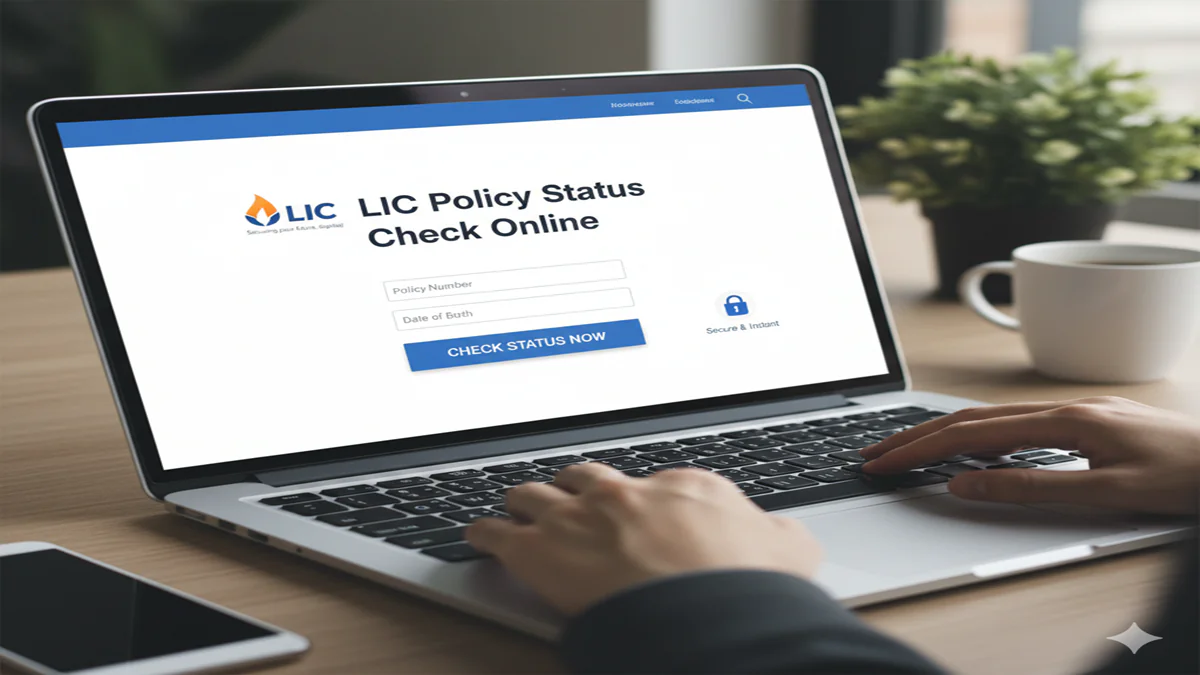
LIC Policy Status Online 2026: पॉलिसी नंबर से स्टेटस चेक करने का सबसे आसान तरीका; यहाँ देखें पूरी गाइड!
LIC Policy Status Online 2026: Introduction: भारतीय जीवन बीमा निगम (LIC) भारत की सबसे भरोसेमंद बीमा कंपनी है। लाखों लोग सुरक्षा और निवेश के लिए LIC की पॉलिसियों पर भरोसा करते हैं। लेकिन अक्सर पॉलिसी लेने के बाद लोग भूल जाते हैं कि अगला प्रीमियम कब भरना है या उनकी पॉलिसी में कितना बोनस जुड़ चुका है। पुराने समय में इसके लिए एजेंट या ऑफिस के चक्कर लगाने पड़ते थे, लेकिन 2026 में “LIC Policy Status Online” चेक करना बहुत ही सरल हो गया है।
चाहे आप एक रजिस्टर्ड यूजर हों या पहली बार चेक कर रहे हों, आप अपने स्मार्टफोन से ही अपनी पॉलिसी की पूरी जन्मकुंडली निकाल सकते हैं। इस लेख में हम ऑनलाइन पोर्टल, SMS और WhatsApp के जरिए स्टेटस देखने के सभी तरीकों को विस्तार से समझेंगे।
1. LIC कस्टमर पोर्टल के जरिए स्टेटस कैसे देखें? (Online Portal Method)
LIC Policy Status Online 2026: यह सबसे विस्तृत तरीका है जहाँ आप अपनी सभी पॉलिसियों को एक साथ देख सकते हैं।
- स्टेप 1: LIC की आधिकारिक वेबसाइट licindia.in पर जाएं।
- स्टेप 2: ‘Login to Customer Portal’ पर क्लिक करें।
- स्टेप 3: यदि आप नए यूजर हैं, तो ‘New User’ पर क्लिक करके अपना पॉलिसी नंबर, जन्मतिथि और प्रीमियम राशि डालकर रजिस्टर करें।
- स्टेप 4: लॉगिन करने के बाद ‘Self Policies’ टैब पर जाएं।
- स्टेप 5: यहाँ आपको आपकी पॉलिसी का स्टेटस, अगली ड्यू डेट, सम एश्योर्ड और लोन एलिजिबिलिटी जैसी सभी जानकारी मिल जाएगी।
2. बिना रजिस्ट्रेशन के स्टेटस कैसे चेक करें? (Without Registration)
LIC Policy Status Online 2026: यदि आप पासवर्ड भूल गए हैं या पोर्टल पर रजिस्टर नहीं करना चाहते, तो आप इन दो तरीकों का उपयोग कर सकते हैं:
A. WhatsApp के जरिए (LIC WhatsApp Services): LIC ने अब अपनी सेवाएं WhatsApp पर भी शुरू कर दी हैं।
- LIC के आधिकारिक नंबर 8976862090 को अपने फोन में सेव करें।
- WhatsApp पर ‘Hi’ लिखकर भेजें।
- आपको 11 विकल्पों की एक सूची मिलेगी। पॉलिसी स्टेटस के लिए संबंधित नंबर (आमतौर पर ‘3’) टाइप करके भेजें।
- अपना पॉलिसी नंबर दर्ज करें और तुरंत अपना स्टेटस पाएं।
B. SMS के जरिए (SMS Service): अपने रजिस्टर्ड मोबाइल नंबर से एक मैसेज टाइप करें:
- ASKLIC <Policy Number> STAT और इसे 56767877 या 9222492224 पर भेज दें।
- जवाब में आपको पॉलिसी के चालू होने या लैप्स होने की जानकारी मिल जाएगी।
3. अन्य महत्वपूर्ण SMS कोड्स (Important SMS Codes)
LIC Policy Status Online 2026: पॉलिसी स्टेटस के अलावा आप अन्य जानकारी भी पा सकते हैं:
- प्रीमियम राशि के लिए: ASKLIC <Policy Number> PREMIUM
- बोनस की जानकारी के लिए: ASKLIC <Policy Number> BONUS
- लोन राशि जानने के लिए: ASKLIC <Policy Number> LOAN
- नॉमिनेशन डिटेल्स के लिए: ASKLIC <Policy Number> NOM
4. LIC पॉलिसी स्टेटस चेक करने के फायदे
- समय पर प्रीमियम भुगतान: स्टेटस चेक करने से आप लेट फीस (Penalty) से बच सकते हैं।
- पॉलिसी लैप्स होने से बचाव: यदि आपकी पॉलिसी किसी कारणवश बंद हो गई है, तो आप समय रहते उसे ‘Revive’ करा सकते हैं।
- वित्तीय नियोजन: आपको पता रहता है कि आपकी पॉलिसी कब मैच्योर होने वाली है, जिससे आप अपने भविष्य के खर्चों की प्लानिंग कर सकते हैं।
4. अक्सर पूछे जाने वाले प्रश्न (FAQs)
Q1: क्या मैं किसी दूसरे की पॉलिसी का स्टेटस चेक कर सकता हूँ?
Ans: सुरक्षा कारणों से आप केवल अपनी या अपने परिवार की उन पॉलिसियों का स्टेटस देख सकते हैं जिनका डेटा आपके आधार या मोबाइल नंबर से लिंक है।
Q2: LIC कस्टमर केयर का टोल-फ्री नंबर क्या है?
Ans: आप किसी भी सहायता के लिए +91-02268276827 पर कॉल कर सकते हैं, जो 24*7 उपलब्ध है।
Q3: मेरा मोबाइल नंबर रजिस्टर्ड नहीं है, मैं क्या करूँ?
Ans: आप नजदीकी LIC शाखा में जाकर एक साधारण फॉर्म भरकर अपना मोबाइल नंबर और ईमेल अपडेट करवा सकते हैं, जिसके बाद आप ऑनलाइन सेवाओं का लाभ ले पाएंगे।
Conclusion: डिजिटल बनें, अपडेट रहें!
LIC Policy Status चेक करना अब आपकी उंगलियों पर है। भागदौड़ भरी जिंदगी में अपनी मेहनत की कमाई की सुरक्षा सुनिश्चित करने के लिए महीने में कम से कम एक बार स्टेटस जरूर चेक करें। डिजिटल सेवाओं का उपयोग करके आप न केवल समय बचाते हैं, बल्कि अपनी पॉलिसी से जुड़ी हर महत्वपूर्ण अपडेट से भी जुड़े रहते हैं।
The Ultimate Guide to Checking Your LIC Policy Status Online: Convenience at Your Fingertips
Lic Policy Status Check Online For millions of Indians, a Life Insurance Corporation of India (LIC) policy is more than just a financial product; it’s a promise of security, a pillar of long-term planning, and often, a cherished legacy. However, in the hustle of daily life, policy documents can be filed away, premium due dates forgotten, and details about maturity amounts or bonuses can grow hazy. Traditionally, checking on your policy meant visiting an LIC branch, waiting in queues, and navigating through paperwork. But the digital revolution has transformed this experience entirely.
Today, checking your LIC policy status online is a process that takes less than five minutes, offering transparency and instant control over your investment. This comprehensive guide will walk you through everything you need to know about monitoring your LIC policy in the digital age, ensuring you are always informed and in charge.
Why Regularly Checking Your LIC Policy Status is Crucial
LIC Policy Status Online 2026: Before diving into the “how,” let’s understand the “why.” A periodic status check is a fundamental aspect of responsible policy management.
- Track Premium Payments: Avoid the risk of your policy lapsing due to a missed premium. You can verify if your auto-debit (ECS) was processed successfully or if a manual payment was recorded.
- Monitor Bonus Accumulation: For participating policies (like traditional endowment plans), bonuses are a significant component of the final payout. The online portal shows the bonus accrued under your policy.
- Know Your Fund Value: For unit-linked plans (LIC’s ULIPs), your investment is market-linked. Regular checks allow you to track the Net Asset Value (NAV) and the current fund value.
- surrender value, and paid-up value.
- Prepare for Maturity/Claims: As your policy nears maturity, you can confirm the exact maturity amount and date. For nominees, it simplifies initiating a claim by providing all necessary policy details in one place.
- Update Contact Details: Ensure LIC has your current email ID and mobile number to receive timely alerts and updates.
Prerequisites for Online LIC Policy Status Check
LIC Policy Status Online 2026: To access your policy details online, you need to have the following ready:
- Policy Number: This is the unique identification number for your LIC policy, found on your policy bond/document.
- Date of Birth: Your date of birth as registered with LIC at the time of policy purchase.
- Registered Mobile Number/Email: Your mobile number and email ID should be updated in LIC’s records to facilitate registration on the portal.
Step-by-Step Guide to Checking LIC Policy Status Online
LIC Policy Status Online 2026: LIC provides two primary digital platforms for policy servicing: theLIC Portal (for registered users)and theLIC Customer Portal (for quick, one-time checks).
Method 1: For Registered Users – The LIC Portal (https://licindia.in)
This is the most powerful and comprehensive method, giving you full access to your policy dashboard.
Step 1: Registration on the LIC Portal
- Visit the official LIC website: https://licindia.in.
- Hover over the ‘Customer Services‘ tab and click on ‘Login to Customer Portal‘.
- On the login page, click on ‘New User?‘ or ‘Register‘.
- You will need to enter your Policy Number, Date of Birth, and the PAN or Email ID registered with the policy.
- An OTP will be sent to your registered mobile number for verification.
- Your User ID is often your policy number itself.
Step 2: Accessing Your Policy Dashboard
- Once registered, log in using your credentials.
- After login, you will be directed to your personalized dashboard.
- Click on ‘View Enrolled Policies‘ or a similar option. All policies linked to your credentials will be displayed.
Step 3: Understanding Your Policy Status Details
LIC Policy Status Online 2026: Clicking on a specific policy will reveal a wealth of information:
- Policy Summary: Basic details like plan name, term, sum assured, and next premium due date.
- Premium Payment History: A complete log of all premiums paid and their modes of payment.
- Bonus Status: Details of simple and final additional bonuses declared (for eligible plans).
- Loan Details: Outstanding loan amount, next interest due date, and loan surrender value.
- Fund Value: For ULIPs, a breakdown of units allotted and current fund value.
- Nomination Details: Information about the registered nominee.
Method 2: For Quick Checks – The LIC Customer Portal (https://licindia.in)
LIC Policy Status Online 2026: This method doesn’t require registration and is perfect for a quick status lookup.
- Go to the LIC homepage and under ‘Customer Services‘, select ‘Customer Portal‘.
- Alternatively, go directly to: https://licindia.in/Home-(1)/Customer-Portal
- You will see an option like “Know Your Policy Status” or “View Policy Details.”
- Enter your Policy Number and Date of Birth.
- Complete the CAPTCHA verification and click ‘Submit’.
- A snapshot of your policy status will be displayed, showing premium due date, premium paying term, sum assured, and basic status (e.g., “Policy In Force”).
Alternative Digital Avenues
- LIC India App: Download the official “LIC India” app from the Google Play Store or Apple App Store. The interface is user-friendly, and the features mirror the website, allowing for status checks, premium payments, and downloading receipts on the go.
- SMS Service: LIC offers an SMS-based service. You can send an SMS in the format
ASKLIC <Policy Number>to9243103103or56677to receive basic policy details. - Missed Call Service: Give a missed call to
022-68276827from your registered mobile number. You will receive an SMS with key policy information.
Decoding the Terminology: Understanding Your Status Report
LIC Policy Status Online 2026: When you check your status, you might encounter certain terms. Here’s what they mean:
- Policy In Force: Your policy is active, and all premiums are paid up to date.
- Policy Lapsed: Premiums have not been paid for a period beyond the grace period. The risk cover and benefits cease.
- Paid-up Policy: After paying premiums for a specified number of years, if you stop paying, the policy becomes paid-up. The sum assured is reduced proportionally, but it remains in force without further premiums.
- Surrendered Policy: The policyholder has voluntarily terminated the policy before maturity. The surrender value, if any, is paid out.
- Matured Policy: The policy term has ended, and the maturity benefit is payable to the policyholder.
- Death Claim Settled: In the unfortunate event of the policyholder’s death, the claim has been processed and paid to the nominee.
What to Do If You Face Issues?
- “Policy Not Found” Error: Double-check the policy number and date of birth. If the error persists, your mobile number/email might not be updated, or you might be trying the wrong portal. Visit your home branch for data correction.
- You will need your registered email or mobile to reset it.
- Outdated Contact Details: This is a common hurdle. You must visit your nearest LIC branch with your policy document and a valid ID proof to update your mobile number or email address. This cannot be done online initially.
- Discrepancy in Details: If you notice any incorrect information (e.g., name spelling, address), contact your branch immediately with supporting documents for correction.
Beyond Status Checks: Other Online Services
LIC Policy Status Online 2026: The LIC portal is a one-stop-shop. Once registered, you can:
- Pay Premiums Online: Use net banking, debit/credit cards, or UPI.
- Download Premium Receipts & Statement: Useful for tax planning (Section 80C) and record-keeping.
- Request a Loan/Withdrawal: Apply for a policy loan or a partial withdrawal (for eligible plans) online.
- Update Nomination: Change or add a nominee digitally.
- Download e-Policy Bond: Access a soft copy of your policy document.
Security Best Practices for Online Policy Management
- Beware of Phishing: Always use the official LIC website (
licindia.in). Do not click on links from suspicious emails or SMS claiming to be from LIC. - Strong Password: Create a strong, unique password for your LIC portal account. Avoid using your date of birth or policy number.
- Log Out: Always log out from the portal after your session, especially on shared or public computers.
- No OTP Sharing: LIC or its legitimate representatives will never ask for your OTP or password over the phone.
Conclusion: Empowerment Through Digital Access
LIC Policy Status Online 2026: The ability to check your LIC policy status online is a small but significant step towards financial empowerment and literacy. It demystifies insurance, breaks down bureaucratic barriers, and puts the policyholder firmly in the driver’s seat. By integrating this simple habit into your annual financial review, you ensure that your safety net is intact, your investments are on track, and your family’s future remains secure—just a few clicks away. Embrace the digital convenience, stay informed, and let your LIC policy continue to be the trustworthy companion it was meant to be, now with added transparency and ease.
Frequently Asked Questions (FAQ)
Q1: I have an old LIC policy from the 1990s. Can I still check its status online?
A:LIC Policy Status Online 2026: Yes, absolutely. The online portal includes policies that are very old, as long as they are active, lapsed, or even paid-up. You will need the policy number and your registered date of birth. If you face issues, it might be because your mobile number is not updated. A visit to the branch to update your records will resolve this and enable online access.
Q2: Is there any fee or charge for checking my policy status online?
A:LIC Policy Status Online 2026: No. Checking your LIC policy status through the official website, customer portal, mobile app, SMS, or missed call service is completely free of charge. Be wary of any third-party websites or agents claiming to charge a fee for this service.
Q3: How frequently is the information updated on the online portal?
A:LIC Policy Status Online 2026: The portal displays near real-time information. For transactions like premium payments, especially through online modes, the update is usually instantaneous. For cheques, it may take a day or two to reflect after clearance. Bonus postings and NAV updates for ULIPs happen at periodic intervals defined by LIC.
Q4: Can I check the status of a policy where I am the nominee?
A: Direct online access for nominees is not automatically available. As a nominee, you would need to contact the servicing LIC branch with the policy details, your ID proof, and the death certificate of the policyholder to get the status and initiate the claim process. However, if you have the policyholder’s login credentials (with their consent), you can view the details.
Q5: What should I do if my policy is shown as “lapsed” online?
A: A lapsed policy means the risk cover is no longer active. However, you likely have two options:
- Revival: You can apply to revive the policy within a certain period (usually 5 years from the first unpaid premium). This involves paying all the outstanding premiums with interest and possibly providing a declaration of good health. You can initiate the revival process online for eligible policies.
- Surrender Value: If revival is not feasible, you can apply to surrender the policy to receive the accrued surrender value, if any. The portal will show the available surrender value.