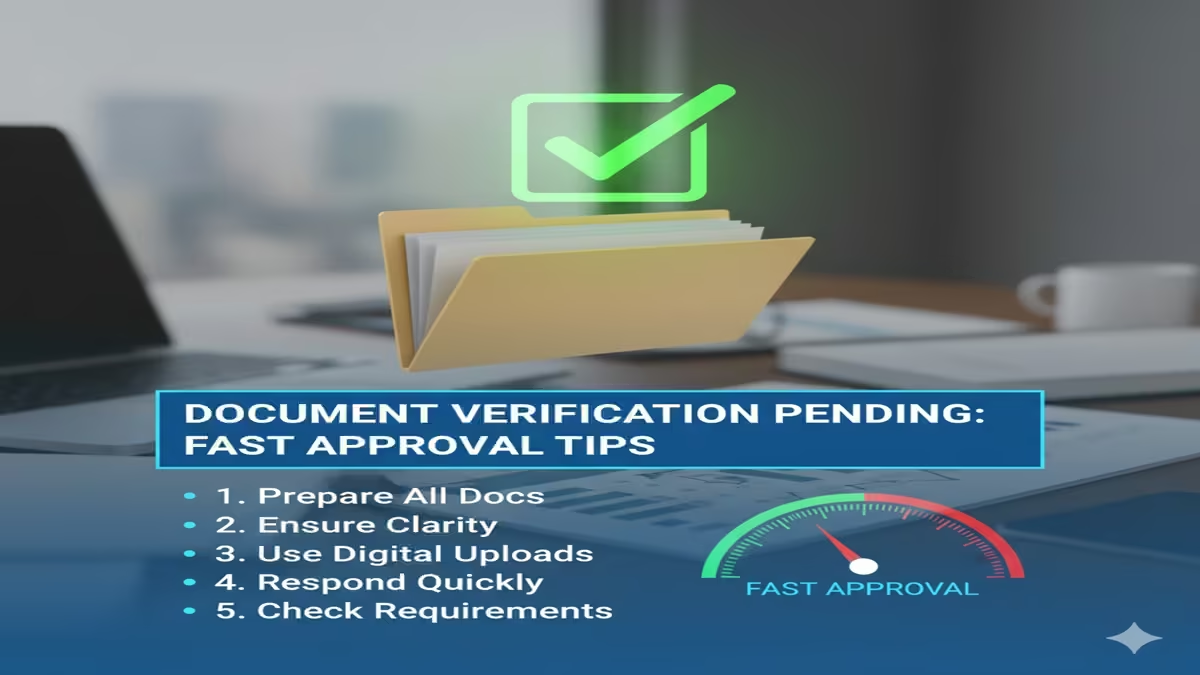
Document Verification Pending Fast Approval Tips: तुमचे डॉक्युमेंट व्हेरिफिकेशन रखडले आहे का? ‘या’ ५ सोप्या टिप्स वापरून मिळवा त्वरित मंजुरी!
Document Verification Pending Fast Approval Tips: Introduction: आजच्या डिजिटल युगात आपण सर्वच गोष्टींसाठी ऑनलाईन अर्ज करतो—मग ते पॅन कार्ड असो, पासपोर्ट असो किंवा तलाठी भरतीचे डॉक्युमेंट्स. पण अर्ज केल्यानंतर सर्वात मोठी अडचण येते ती म्हणजे ‘Document Verification Pending’. अनेक दिवस उलटूनही स्टेटस बदलत नाही आणि आपल्याला टेन्शन येते की आपला अर्ज बाद तर होणार नाही ना?
डॉक्युमेंट व्हेरिफिकेशन पेंडिंग राहण्यामागे तांत्रिक आणि प्रशासकीय अशा दोन्ही गोष्टी असू शकतात. पण घाबरून जाण्याचे कारण नाही! आजच्या या लेखात आपण अशा काही Fast Approval Tips पाहणार आहोत, ज्याचा वापर करून तुम्ही तुमच्या कागदपत्रांची पडताळणी जलदगतीने पूर्ण करू शकता.
१. डॉक्युमेंट व्हेरिफिकेशन पेंडिंग का राहते? (Common Reasons)
Document Verification Pending Fast Approval Tips: पेंडिंग स्टेटसची मुख्य कारणे खालीलप्रमाणे असू शकतात:
- अस्पष्ट स्कॅनिंग (Blurry Scan): जर तुम्ही अपलोड केलेले फोटो किंवा कागदपत्रे वाचता येत नसतील, तर अधिकारी ते पेंडिंग ठेवतात.
- नावातील तफावत (Mismatch in Details): आधार कार्ड आणि मार्कशीटवरील नावामध्ये फरक असल्यास व्हेरिफिकेशन थांबवले जाते.
- कामाचा ताण (Heavy Workload): जेव्हा एखाद्या मोठ्या भरतीची प्रक्रिया सुरू असते, तेव्हा सर्व्हरवर आणि अधिकाऱ्यांवर कामाचा प्रचंड ताण असतो.
- क्षेत्रिय चौकशी (Physical Verification): काही कामांसाठी (उदा. पासपोर्ट) प्रत्यक्ष पोलीस किंवा तलाठी चौकशी लागते, ज्याला वेळ लागू शकतो.
२. Fast Approval मिळवण्यासाठी ५ प्रभावी टिप्स (Fast Approval Tips)
Document Verification Pending Fast Approval Tips: टीप १: हाय-क्वालिटी स्कॅनिंग वापरा (Quality Matters) जेव्हा तुम्ही डॉक्युमेंट अपलोड करता, तेव्हा ते नेहमी Color Scan असावेत. मोबाईलने फोटो काढण्याऐवजी स्कॅनरचा वापर करा. कागदपत्रांच्या कडा (Edges) कापल्या जाणार नाहीत याची काळजी घ्या. स्पष्ट कागदपत्रे पाहताच अधिकारी त्वरित ‘Approve’ बटण दाबतात.
टीप २: ‘Self-Attestation’ आणि ‘Affidavit’ जोडा ज्या ठिकाणी आवश्यक आहे, तिथे कागदपत्रांच्या झेरॉक्सवर तुमची सही (Self-Attested) करूनच ते अपलोड करा. जर नावामध्ये बदल असेल, तर एक Gazette किंवा Affidavit (शपथपत्र) सोबत जोडा. यामुळे अधिकाऱ्याला शंका राहत नाही आणि व्हेरिफिकेशन फास्ट होते.
टीप ३: अधिकृत वेळेत पाठपुरावा करा (Follow-up) जर तुमचा अर्ज १५ दिवसांपेक्षा जास्त काळ पेंडिंग असेल, तर संबंधित कार्यालयात (उदा. तहसील किंवा सेतु केंद्र) प्रत्यक्ष जाऊन भेट द्या. अनेकदा तांत्रिक कारणास्तव फाईल अडकलेली असते, जी प्रत्यक्ष भेट दिल्यावर लगेच मार्गी लावली जाते.
Document Verification Pending Fast Approval Tips: टीप ४: ऑनलाईन ग्रीव्हन्स (Online Grievance) पोर्टलचा वापर करा महाराष्ट्र सरकारचे ‘आपले सरकार’ किंवा केंद्र सरकारचे ‘CPGRAMS’ यांसारखी पोर्टल्स तक्रार निवारणासाठी आहेत. तिथे तुमच्या अर्जाचा नंबर टाकून तक्रार नोंदवा. ऑनलाईन तक्रार आल्यावर अधिकाऱ्यांना ठराविक वेळेत उत्तर द्यावे लागते, ज्यामुळे तुमचे काम वेगाने होते.
टीप ५: सोशल मीडियाचा वापर (Twitter/X Power) आजकाल प्रत्येक सरकारी विभाग ट्विटरवर सक्रिय आहे. तुमच्या अर्जाचा स्क्रीनशॉट काढून संबंधित विभागाला (उदा. @MahaSarkar) टॅग करा आणि नम्रपणे विचारणा करा. सोशल मीडियावरील तक्रारींची दखल खूप लवकर घेतली जाते.
३. स्टेटस ट्रॅक करण्याची योग्य पद्धत
Document Verification Pending Fast Approval Tips: केवळ ‘Pending’ पाहण्यापेक्षा ते कोणाच्या लॉगिनला पेंडिंग आहे हे तपासा. अनेक पोर्टल्सवर ‘History’ किंवा ‘Workflow’ नावाचा टॅब असतो, जिथे क्लर्क, तहसीलदार किंवा व्हेरिफिकेशन ऑफिसर यांपैकी कोणाकडे फाईल आहे हे स्पष्ट दिसते.
४. सतत विचारले जाणारे ५ प्रश्न (FAQs)
प्रश्न १: डॉक्युमेंट व्हेरिफिकेशनला सामान्यतः किती दिवस लागतात?
उत्तर: कामाच्या स्वरूपानुसार ७ ते २१ कार्यालयीन दिवस लागतात.
प्रश्न ३: पेंडिंग स्टेटस असताना पुन्हा अर्ज करावा का?
उत्तर: नाही, एकाच कामासाठी दोनदा अर्ज केल्यास ‘Duplicate Application’ म्हणून दोन्ही अर्ज बाद होऊ शकतात.
प्रश्न ४: ‘Fast Approval’ साठी काही एक्स्ट्रा फी असते का?
उत्तर: अधिकृतरीत्या अशी कोणतीही ‘Fast Track’ फी नसते. कोणालाही लाच देऊ नका.
प्रश्न २: ‘Rejected’ स्टेटस आले तर काय करावे?
उत्तर: रिजेक्शनचे कारण तपासा, त्रुटी दूर करा आणि पुन्हा नवीन कागदपत्रे अपलोड करून ‘Resubmit’ करा.
प्रश्न ५: मोबाईलवरून व्हेरिफिकेशन स्टेटस पाहता येते का?
उत्तर: हो, तुम्ही संबंधित विभागाच्या वेबसाईटवर किंवा ॲपवर (उदा. DigiLocker) स्टेटस पाहू शकता.
Conclusion: घाई नको, जागरूकता हवी!
Document Verification Pending Fast Approval Tips फॉलो केल्यास तुमचे काम रखडणार नाही. सर्वात महत्त्वाची गोष्ट म्हणजे अचूक माहिती भरणे. जर तुम्ही सुरुवातीलाच सर्व कागदपत्रे नियमानुसार दिली, तर व्हेरिफिकेशनसाठी जास्त वेळ लागत नाही.
The Ultimate Guide to Document Verification: Fast-Track Your Approval in the Digital Age
Document Verification Pending Fast Approval Tips In our increasingly digital world, the phrase “document verification pending” has become a ubiquitous yet frustrating part of life. Whether you’re opening a new bank account, applying for a mortgage, onboarding for a dream job, signing up for a cryptocurrency exchange, or even verifying your identity on social media, you’re likely to encounter this digital gatekeeper. This process, while essential for security, compliance, and fraud prevention, can often feel like a black box of delays and uncertainty.
This comprehensive guide demystifies the document verification process. We’ll explore why it exists, what happens behind the scenes, and most importantly, provide you with actionable, proven strategies to fast-track your approval and move from “pending” to “verified” as swiftly as possible.
Part 1: Why Document Verification Exists – The Bedrock of Trust
Document Verification Pending Fast Approval Tips: Before diving into acceleration tips, it’s crucial to understand the “why.” Document verification is not an arbitrary hurdle; it’s a critical component of modern security and legal frameworks.
- Combatting Fraud and Identity Theft: In 2023, the Federal Trade Commission received over 1 million reports of identity theft. Verification acts as the first line of defense, ensuring that the person applying for a service is who they claim to be.
- Meeting Regulatory Requirements (KYC/AML): Financial institutions and many tech companies are bound by strict Know Your Customer (KYC) and Anti-Money Laundering (AML) regulations. These laws, like the Bank Secrecy Act and the EU’s AMLD, mandate thorough identity checks to prevent financial crimes.
- Ensuring Platform Integrity: From freelance marketplaces to rental platforms, verification builds trust among users. It creates a safer environment by deterring malicious actors.
- Risk Management for Businesses: By verifying identities, companies mitigate the risk of non-payment, fraudulent transactions, and legal liabilities.
Document Verification Pending Fast Approval Tips: The process typically involves submitting government-issued IDs (passport, driver’s license, national ID), proof of address (utility bill, bank statement), and sometimes additional documents like a selfie or a live video for biometric matching.
Part 2: The Anatomy of a Delay – Common Reasons for “Pending” Status
Document Verification Pending Fast Approval Tips: Understanding what causes delays is half the battle. Here are the most frequent culprits:
- Poor Document Quality: Blurry, pixelated, or glare-ridden photos. Cropped edges, fingers in the frame, or poor lighting that obscures details.
- Expired or Unacceptable Documents: Submitting an expired driver’s license or a type of proof of address not on the company’s accepted list (e.g., a handwritten note).
- Information Mismatch: The name on your ID doesn’t exactly match the name you used to register (e.g., “Robert” vs. “Bob,” missing middle names). Your address on the application differs from the one on your proof of address.
- Suspected Fraud Indicators: Security features on the ID are not visible or appear tampered with. Inconsistencies in data (e.g., issue date vs. birth date logic).
- High Volume and Manual Reviews: Automated systems flag anomalies for human review. During peak times or if the company is understaffed, this queue can grow.
- Technical Glitches: The upload might have failed partially, or the system’s OCR (Optical Character Recognition) software failed to read the text correctly.
Part 3: Fast Approval Tips – Your Action Plan for Speed
Document Verification Pending Fast Approval Tips: Armed with this knowledge, you can proactively ensure a smooth and rapid verification. Follow this step-by-step checklist.
Phase 1: The Preparation Stage (Before You Even Click Upload)
- Read the Instructions Meticulously: This is the most overlooked step. Every platform has specific requirements. Find their help page on “supported documents” or “verification guidelines.” Note the accepted file formats (JPG, PNG, PDF), size limits, and which documents are mandatory.
- Gather the Right Documents: Prepare:
- Primary ID: A valid, non-expired passport, driver’s license, or national ID card.
- Proof of Address (PoA): A recent (usually within last 3 months) utility bill, bank statement, or official government letter. It must show your full name and current address clearly. Mobile phone bills are often not accepted.
- Additional Requests: Be ready for a “selfie with ID” or a live video check if required.
- Ensure Information Consistency: Align your registered name exactly with your primary ID. Use your full legal name. If your address has changed, update it with the institution before starting verification, if possible.
Phase 2: The Capture & Upload Stage (Perfection is Key)
- Optimize Image Quality:
- Use a High-Resolution Camera: Your modern smartphone camera is perfect.
- Lighting is Everything: Use bright, even, natural light. Avoid shadows and glare on the ID. For glossy IDs, tilt it slightly to eliminate flash glare.
- Background: Place the document on a dark, solid, contrasting background.
- Steady and Square: Hold the camera steady. Ensure the entire document is in the frame, all four corners are visible, and it is squared-up (not skewed).
- Focus: Tap the screen to focus on the text. Ensure all details, holograms, and micro-print are sharp and legible.
- Submit in the Correct Format and Order: If multiple files are required, label them clearly if possible (e.g., “ID_Front.jpg,” “Proof_of_Address.pdf”). Adhere to the file size limits—use compression tools if needed, but not at the cost of readability.
Phase 3: The Post-Submission Stage (Proactive Follow-Up)
- Document Verification Pending Fast Approval Tips: Don’t Submit and Forget: Take a screenshot of the submission confirmation. Note the estimated timeframe (e.g., “24-48 hours”).
- Monitor Communication Channels: Check the email associated with the account (and your spam/junk folder) diligently. Some services use in-app notifications.
- Be Patient, But Know When to Act: If the status remains “pending” well beyond the stated timeframe (e.g., 5 business days for a 48-hour estimate), it’s time to reach out.
- Document Verification Pending Fast Approval Tips: Contact Support Effectively: When you do:
- Use the official support channel (ticket system, email, chat).
- Reference your application/username and the date of submission.
- Be polite and concise. State that your verification has been pending for [X time] and you’d like to confirm if any further information is needed.
- Attach your documents again in the support ticket. This can bypass a failed upload and get a human to look at it immediately.
Part 4: Advanced Troubleshooting for Stuck Verifications
Document Verification Pending Fast Approval Tips: If you’ve followed the steps above and are still stuck, consider these scenarios:
- Document Verification Pending Fast Approval Tips: The System Rejected You Multiple Times: Pause. Re-examine the requirements. Try a completely different document set (e.g., switch from a driver’s license to a passport, or from an electricity bill to a bank statement).
- You Suspect a Technical Bug: Clear your browser cache and cookies, try a different browser (Chrome, Firefox, Safari), or switch from the mobile app to a desktop computer (or vice-versa). Sometimes, the platform itself is experiencing issues; check their status page or social media for reports.
- Document Verification Pending Fast Approval Tips: Your Documents Are Genuinely Complex: You have a long name with special characters, you recently changed your name, or you live in a region with non-standard address formats. In this case, proactive communication is key. Contact support before submitting to explain your situation and ask for precise formatting guidance.
Part 5: The Future of Verification: Biometrics and Beyond
Document Verification Pending Fast Approval Tips: The verification landscape is evolving to balance speed and security. Look for wider adoption of:
- Document Verification Pending Fast Approval Tips: Live Video Verification: A short, guided video call or selfie-recorded video to match your face to your ID.
- Digital Identity Wallets: Concepts like mobile driver’s licenses (mDLs) and verifiable credentials that allow you to share pre-verified data instantly and securely, putting you in control of your digital identity.
Conclusion: Empowerment Through Preparation
Document Verification Pending Fast Approval Tips: “Document verification pending” doesn’t have to be a week-long anxiety. By reframing it as a structured process rather than a mystery, you take control. The cornerstone of fast approval is preparation, precision, and proactive communication. By submitting crystal-clear, perfectly compliant documents on the first attempt, you sail through automated checks. And by following up intelligently when needed, you unstick yourself from manual review queues.
Document Verification Pending Fast Approval Tips: In the digital economy, your verified identity is your passport. Treat its submission with the care it deserves, and you’ll spend less time waiting and more time accessing the services and opportunities you need.
5 Frequently Asked Questions (FAQs)
FAQ 1: My verification has been “pending” for over a week, but the website said 48 hours. What should I do?
Answer: Document Verification Pending Fast Approval Tips: First, check your spam/junk folder for any requests for additional information. If there’s nothing, proactively contact customer support through the official channel. Be polite, provide your username and submission date, and ask if they require any further documentation from you to complete the review. Often, a simple support ticket can prompt a manual review and immediate resolution.
FAQ 2: I’ve uploaded my documents three times and they keep getting rejected. What am I doing wrong?
Answer: Document Verification Pending Fast Approval Tips: This is almost always due to not meeting specific technical or format requirements. Stop re-submitting blindly. Carefully re-read the platform’s document guidelines. The most common issues are: 1) Image Quality (blurry, glare, cropped), 2) Document Type (e.g., sending a credit card statement instead of a bank statement), 3) Expiry (document is out of date), or 4) Mismatch (the name/address doesn’t match your profile). Try using a completely different, valid document (e.g., passport instead of driver’s license) and ensure your photo capture is flawless.
FAQ 3: I don’t have a utility bill in my name.
Answer: Document Verification Pending Fast Approval Tips: Accepted documents vary by institution, but common alternatives include: an official bank or credit card statement (PDF downloaded from your bank is ideal), a tax statement or government benefits letter, a rental agreement/lease (signed by all parties), or an official government-issued correspondence (e.g., from a tax authority or electoral roll). If in doubt, contact support before submitting to ask if your specific document is acceptable.
FAQ 4: Is it safe to upload my sensitive personal documents to these websites?
Answer: Document Verification Pending Fast Approval Tips: Reputable companies invest heavily in security. Look for indicators like HTTPS in the URL, a legitimate privacy policy, and clear data handling statements. They should use secure, encrypted channels for upload and store data in a protected manner compliant with regulations like GDPR. Never send verification documents over unencrypted email or to unsolicited requests. If you have concerns, research the company’s reputation for security.
FAQ 5: The system is asking for a “selfie with my ID.” What’s the best way to do this to avoid rejection?
Answer: Document Verification Pending Fast Approval Tips: This is for “liveness” and biometric checks. Follow these steps:
Hold your ID (e.g., driver’s license) next to your face, in the same orientation as you.
Ensure both your face and the entire ID are fully visible, clear, and well-lit. No blurring.
The text and photo on the ID must be legible.
Make sure your face is not covered by sunglasses, hats, or masks (unless for religious purposes, which you may need to clarify with support).
Follow any specific on-screen instructions (e.g., “turn your head left,” “blink”). Use a neutral background.