The Complete Guide to Linking, Updating, and Managing Your Mobile Number for Aadhaar Online (2026)
Introduction: The Digital Lifeline
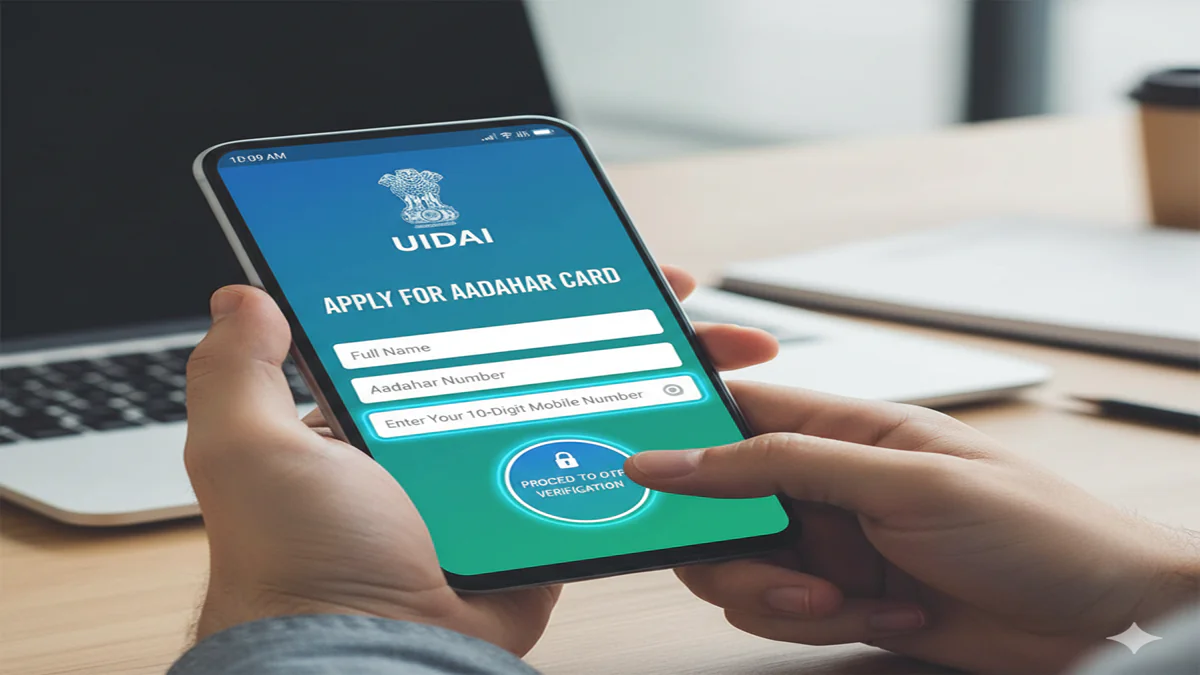
Apply Aadhar Card Online Mobile Number In India’s rapidly evolving digital ecosystem, your Aadhaar number has become more than just an identity proof; it’s a key that unlocks access to a multitude of government subsidies, financial services, and digital authentication platforms. At the heart of this utility lies a simple yet crucial element: your registered mobile number.
This 10-digit number is the secure channel for One-Time Passwords (OTPs), update notifications, and essential alerts from the Unique Identification Authority of India (UIDAI). Whether you’re applying for a new Aadhaar, need to link a number, or must update an old one, ensuring your mobile number is correctly registered is paramount. This comprehensive guide will navigate you through every process, online and offline, demystifying procedures and troubleshooting common issues.
Part 1: The Central Role of Your Mobile Number in Aadhaar
Your mobile number in the Aadhaar database is not publicly displayed on your card or in authentication responses to protect your privacy. However, its functions are extensive:
- Secure Authentication:Every time you use your Aadhaar for banking, taxation (ITR filing), or other KYC processes, an OTP sent to your registered mobile is the primary layer of security.
- Self-Service Portal Access:To use the UIDAI’s online services—downloading an e-Aadhaar, checking update status, or locking your Aadhaar—you must log in with an OTP sent to this number.
- Update and Notification Hub:You receive SMS confirmations and alerts for any update request you initiate, be it for address, photo, or demographic changes.
- Linking with Other Services:It facilitates the seamless linking of Aadhaar with PAN, bank accounts, ration cards, and LPG connections, often via OTP verification.
A Crucial Disclaimer: According to UIDAI guidelines, you can register only one mobile number to a single Aadhaar. This number can, however, be used to register multiple Aadhaar numbers (e.g., for all family members). It is strongly advised to use a personal, long-term mobile number that you have control over.
Part 2: Applying for Aadhaar with a Mobile Number (New Enrolment)
If you or a family member (including a newborn) do not have an Aadhaar, here is the process to enrol and register a mobile number simultaneously.
Step-by-Step Process:
- Locate a Permanent Enrolment Centre:Use the UIDAI website’s ‘Locate an Enrolment Centre’ tool. These are set up in post offices, banks, and civic service centres (CSC).
- Book an Appointment (Optional but Recommended):Many centres now offer online appointment booking via the UIDAI website or state-specific portals to avoid long queues.
- Prepare Required Documents:Carry original and photocopies of:
- Proof of Identity (PoI):PAN card, Passport, Voter ID, etc.
- Proof of Address (PoA):Bank statement, Utility bill, Passport, etc.
- Proof of Date of Birth (DoB):Birth certificate, SSLC certificate, Passport.
- Mobile Number:The SIM card you wish to register, or the number already active in your name. No documentary proof for the mobile number is typically required, but carrying the SIM card’s packaging or a bill can help.
- Visit the Enrolment Centre:Fill the enrolment form provided. Provide all demographic details accurately and clearly write the mobile number you wish to register in the designated field.
- Biometric Capture:Your photograph, fingerprints (all ten), and iris scan will be taken.
- Review and Submit:Carefully review the details on the operator’s screen. Ensure the mobile number is correctly entered.
- Receive Acknowledgment Slip:You will get an enrolment slip containing a 14-digit Enrolment ID (EID) and the date of enrolment. This slip is critical for tracking your Aadhaar status. The registered mobile number will receive an SMS confirmation of the enrolment.
Tracking and Receiving Aadhaar:
- Use the EID on the UIDAI website to track your enrolment status.
- Once generated, your Aadhaar letter is dispatched by India Post to your registered address.
- You can also download an electronic version (e-Aadhaar) as a password-protected PDF from the UIDAI website using your EID or Aadhaar number and the OTP sent to your registered mobile.
Part 3: Linking or Updating Your Mobile Number in Existing Aadhaar
This is the most common scenario. You have an Aadhaar, but the number linked is either old, lost, or was never provided.
Method 1: Online Update (When Your OLD Number is Still Active)
If you still have access to the old registered number (to receive OTP), this is the fastest method. However, note that demographic details (Name, Date of Birth, Address) and mobile number cannot be updated together online in a single request. The mobile number update is a separate process.
Procedure:
- Visit the UIDAI ‘My Aadhaar’ portal:
https://myaadhaar.uidai.gov.in/. - Log in using your Aadhaar number and the OTP sent to yourcurrently registered old number.
- Navigate to the ‘Update Your Aadhaar’ section and select ‘Update Demographics Data’.
- Choose the field to update. To update mobile number, you would typically select the relevant option. Follow the on-screen instructions, which will involve verifying yourself via OTP on the old number and then entering the new mobile number you wish to register.
- Submit the request. An OTP will be sent to yournewnumber for verification. Once confirmed, your request is logged. This update is usually processed quickly.
Method 2: Offline Update at an Aadhaar Seva Kendra (Permanent or Update Centre)
This is the only method if you have lost access to your old registered mobile number or for any other reason cannot use the online portal.
Step-by-Step Process:
- Pre-fill the Form (Recommended):Download the ‘Aadhaar Update/Correction Form’ from the UIDAI website or obtain it from the centre.
- Fill the Form:In the form, clearly write your current Aadhaar number and in the field for mobile number, enter thenew numberyou wish to register.Do not fill any other field if you are only updating the mobile number.If you fill other fields, supporting documents will be required.
- Visit an Aadhaar Seva Kendra:Locate one using the UIDAI website. Booking an online appointment is highly advised.
- Submit Form and Biometric Authentication:Submit the form. The executive will authenticate your identity using your biometrics (fingerprint/iris scan). This step verifies that you are the legitimate Aadhaar holder.
- Pay the Fee:A nominal fee of ₹50 (may be revised) is charged for demographic updates, including mobile number update. You will receive a receipt.
- Receive Acknowledgment:You will get an acknowledgment slip containing a URN. Your new mobile number will typically receive an SMS confirmation. The update is reflected within a few days to a few weeks.
Part 4: How to Check Your Registered Mobile Number with Aadhaar
Since the mobile number is not publicly displayed for security reasons, you cannot directly “see” which number is linked. However, you can verify it indirectly:
- OTP Method:Try to log in to the ‘My Aadhaar’ portal using your Aadhaar number. Click “Send OTP.” If you receive the OTP on a particular number, that is the currently registered number.
- Check via IVR:Call the UIDAI toll-free number1947. Follow the interactive voice response (IVR) system. It may offer an option to verify your registered number.
- mAadhaar App:Install the official mAadhaar app. To register your profile, it will require an OTP sent to your registered mobile number. Successful registration confirms the number.
Part 5: Troubleshooting and Best Practices
- “Mobile Number Not Registered” Error:This means the number you are using is not in UIDAI’s database for your Aadhaar. You must visit an enrolment centre to register it using the offline method.
- Lost Mobile/Changed Number:Act promptly. Visit an Aadhaar Seva Kendra to update to your new number. Until you do, you will be locked out of online Aadhaar services.
- No Mobile Number Linked:If you never provided a number during enrolment, you must visit a centre with your Aadhaar and a mobile number you wish to register. Biometric authentication will be used to verify your identity.
- Best Practices:
- Update Promptly:Change your registered number as soon as you change your primary mobile connection.
- Family Linking:Consider using the mobile number of a responsible, permanent family member (like a parent or spouse) for linking multiple family Aadhaars for ease of management.
- Secure Your Aadhaar:Use the ‘Lock/Unlock Biometric’ feature in the UIDAI portal or mAadhaar app to prevent unauthorized biometric authentication when not needed.
- Beware of Frauds:UIDAI never calls you asking for your Aadhaar number, OTP, or biometrics. Do not share these details. All official communication comes fromUIDAI.
Conclusion: Your Number, Your Control
In the digital age, your registered mobile number is the guardian of your Aadhaar identity. Keeping it updated and secure is not just a bureaucratic task but a critical step in safeguarding your access to essential services and protecting your identity from misuse. The UIDAI has established multiple, accessible channels—both online and through a vast network of physical centres—to ensure every resident can manage this link with ease. By following the clear processes outlined in this guide, you can ensure that this vital digital lifeline remains active, secure, and under your control, empowering you to use your Aadhaar confidently and safely in every aspect of life.
Frequently Asked Questions (FAQs)
Q1: I don’t have a mobile number. Can I apply for Aadhaar?
A: Yes, you can enrol for Aadhaar without providing a mobile number. However, you will not be able to use any online services, receive update notifications, or authenticate via OTP for KYC. It is highly recommended to link a trusted family member’s number during enrolment if you don’t have your own.
Q2: Can I register two mobile numbers with my Aadhaar?
A: No. As per UIDAI policy, only one mobile number can be registered with one Aadhaar number at a time. However, one mobile number can be linked to multiple Aadhaar numbers (e.g., for an entire family).
Q3: How long does it take for a mobile number update to be reflected?
A:For online updates where the old number is active, the change is often reflected within 24-48 hours. For offline updates done at a Seva Kendra, it can take up to 30 days, but it is usually completed within 2 weeks.
Q4: Is there any charge for updating my mobile number in Aadhaar?
A: Yes. Updating demographic data (which includes mobile number) at an Aadhaar Seva Kendra incurs a fee of ₹50 (subject to revision). Online updates via the portal are currently free of charge.
Q5: What should I do if I’ve lost my registered phone and cannot receive OTP to update online?
A: You must use the offline method. Visit a permanent Aadhaar Seva Kendra, fill the update form with your new mobile number, and undergo biometric authentication. This is the only way to update your number when you have lost access to the old one. Carry your Aadhaar card or know your Aadhaar number for the process.