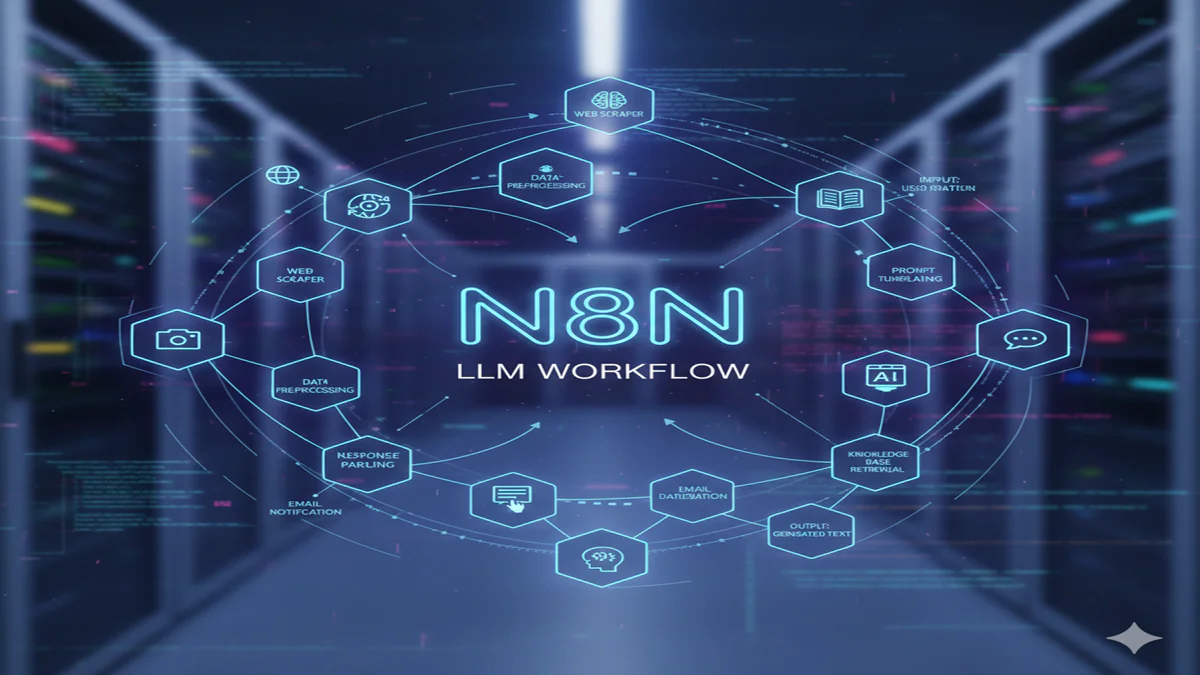
N8n LLM Workflow: AI Automation की दुनिया का असली ‘Game Changer’! जानें कैसे बनाएँ अपना खुद का AI Agent?
N8n LLM Workflow Guide: Dosto, आज के समय में हर कोई AI (Artificial Intelligence) का इस्तेमाल करना चाहता है, लेकिन कोडिंग (Coding) हर किसी के बस की बात नहीं है। अगर मैं आपसे कहूँ कि आप बिना एक भी लाइन लिखे अपना खुद का AI Agent बना सकते हैं जो ईमेल का जवाब दे सके, डेटा एनालिसिस कर सके और यहाँ तक कि आपके लिए रिसर्च भी कर सके?
जी हाँ, यह मुमकिन है n8n LLM Workflow के जरिए। n8n एक ऐसा ‘Low-code’ प्लेटफॉर्म है जिसने AI Automation को इतना आसान बना दिया है कि अब कोई भी ‘Advanced AI Agent’ डेवलप कर सकता है।
इस ब्लॉग में हम N8n LLM Workflow के हर पहलू को गहराई से समझेंगे।
1. N8n क्या है और यह AI के लिए बेस्ट क्यों है? (What is n8n?)
N8n LLM Workflow Guide: n8n एक शक्तिशाली वर्कफ़्लो ऑटोमेशन टूल है। वैसे तो मार्केट में Zapier और Make.com जैसे टूल्स भी हैं, लेकिन n8n डेव्हलपर्स का फेवरेट है क्योंकि:
- Self-Hosted: आप इसे अपने सर्वर पर चला सकते हैं (डेटा प्राइवेसी के लिए बेस्ट)।
- Advanced AI Nodes: इसमें LangChain का इन-बिल्ट सपोर्ट है, जो इसे सबसे एडवांस AI ऑटोमेशन टूल बनाता है।
- Cost Effective: बड़े वर्कफ़्लो के लिए यह दूसरे टूल्स के मुकाबले बहुत सस्ता पड़ता है।
2. N8n LLM Workflow के मुख्य भाग (Core Components)
N8n LLM Workflow Guide: एक बेसिक n8n AI वर्कफ़्लो में ये चीजें सबसे जरूरी होती हैं:
- AI Agent Node: यह वर्कफ़्लो का दिमाग है जो तय करता है कि कौन सा टूल कब इस्तेमाल करना है।
- Chat Model (LLM): यहाँ आप OpenAI (GPT-4o), Anthropic (Claude), या Google Gemini को कनेक्ट करते हैं।
- Memory: ‘Window Buffer Memory’ का इस्तेमाल करके आप AI को पिछली बातें याद दिला सकते हैं।
- Tools: जैसे Google Search, Calculator, या Custom API जिससे AI बाहरी दुनिया से डेटा ले सके।
3. अपना पहला N8n AI Workflow कैसे बनाएँ? (Step-by-Step)
Step 1: AI Agent Node सेटअप करें
n8n में नया वर्कफ़्लो खोलें और ‘AI Agent’ नोड जोड़ें।
Step 2: Model कनेक्ट करें (The Brain)
AI Agent के साथ ‘Chat Model OpenAI’ नोड जोड़ें। अपनी OpenAI API Key डालें और ‘GPT-4o’ जैसा लेटेस्ट मॉडल चुनें।
Step 3: Knowledge Base जोड़ें (Vector Store)
अगर आप चाहते हैं कि AI आपके बिजनेस की फाइल्स (PDF/Doc) से जवाब दे, तो ‘Vector Store’ नोड (जैसे Pinecone या In-memory) का इस्तेमाल करें। यह आपके डेटा को AI के समझने लायक फॉर्मेट में सेव करता है।
Step 4: Workflow को टेस्ट करें
चैट इंटरफ़ेस खोलें और AI से सवाल पूछें। आप देखेंगे कि आपका AI एजेंट अब आपके द्वारा दिए गए डेटा और टूल्स का इस्तेमाल करके जवाब दे रहा है।
4. N8n LLM Workflow के Real-World Use-Cases
- AI Customer Support: आपकी वेबसाइट के हेल्प डॉक्यूमेंट्स को पढ़कर ग्राहकों के सवालों का सटीक जवाब देना।
- Automated Lead Research: किसी नई लीड का नाम मिलते ही LinkedIn और Google से उसकी जानकारी निकालकर CRM में सेव करना।
- Content Repurposing: एक लंबे YouTube वीडियो के ट्रांसक्रिप्ट को ब्लॉग पोस्ट, ट्वीट और लिंक्डइन पोस्ट में बदल देना।
5. N8n vs Zapier: AI के लिए कौन सा बेहतर है?
| Feature | n8n (Advanced AI) | Zapier (Basic AI) |
| Logic Building | बहुत फ्लेक्सिबल (LangChain) | काफी बेसिक |
| Data Privacy | बेहतरीन (Self-host option) | कम (Cloud only) |
| Pricing | फिक्स्ड मंथली / फ्री | टास्क के हिसाब से बहुत महंगा |
| Technical Skill | थोड़ी समझ जरूरी है | बहुत आसान |
Conclusion: हमारा फैसला
N8n LLM Workflow Guide: अगर आप सिर्फ छोटे-मोटे ऑटोमेशन करना चाहते हैं, तो शायद Zapier ठीक है। लेकिन अगर आप 2026 में AI Automation के साथ कुछ बड़ा करना चाहते हैं, तो N8n LLM Workflow सीखना आपके लिए अनिवार्य है। यह न सिर्फ आपके पैसे बचाएगा बल्कि आपको एक ‘AI Automation Expert’ बना देगा।
The Complete Guide to n8n LLM Workflows: Automating AI-Powered Business Processes
Introduction: The Convergence of Automation and Large Language Models
N8n LLM Workflow Guide: In today’s rapidly evolving digital landscape, businesses face mounting pressure to streamline operations, enhance productivity, and leverage cutting-edge technologies. Two transformative forces—workflow automation and artificial intelligence—have emerged as critical solutions. n8n, the open-source workflow automation platform, has positioned itself at the intersection of these technologies, offering powerful capabilities for integrating Large Language Models (LLMs) into automated business processes.
This comprehensive guide explores how n8n LLM workflows are revolutionizing how organizations implement AI automation, from simple content generation to complex decision-making systems. We’ll examine practical implementations, architectural considerations, and future possibilities as these technologies continue to converge.
Understanding the n8n Platform
What Makes n8n Unique?
n8n (pronounced “n-eight-n”) distinguishes itself in the crowded automation space through several key features:
- Visual Workflow Design: Unlike code-heavy alternatives, n8n provides an intuitive node-based interface where users can drag, drop, and connect pre-built components to create complex automations.
- Self-Hosted Option: While offering a cloud solution, n8n maintains its open-source roots with a self-hostable version that provides complete data control—a critical consideration for AI workflows handling sensitive information.
- Extensive Integration Library: With over 350 pre-built nodes, n8n connects to virtually any service, database, or API, making it an ideal orchestration layer for LLM applications.
- Flexible Execution Model: Workflows can be triggered by schedules, webhooks, events, or manual execution, adapting to diverse business requirements.
The n8n Architecture
n8n operates on a modular architecture where each “node” represents a specific action or integration. These nodes process data sequentially, passing information along as “items” through the workflow. This architecture proves particularly effective for LLM integrations, where data often requires preprocessing, AI processing, and post-processing before reaching its destination.
The LLM Revolution in Business Automation
From Novelty to Necessity
Large Language Models have evolved from experimental technologies to essential business tools. Their applications span:
- Content generation and optimization
- Customer service automation
- Data analysis and summarization
- Code generation and debugging
- Process documentation and standardization
- Decision support systems
The Integration Challenge
Despite their potential, LLMs present integration challenges:
- API Complexity: Different providers offer varying interfaces and authentication methods
- Cost Management: Token-based pricing requires careful workflow design
- Quality Control: Output consistency and accuracy need monitoring systems
- Security Considerations: Sensitive data handling requires thoughtful architecture
n8n addresses these challenges by providing a unified interface to multiple LLM providers while enabling the preprocessing, validation, and routing necessary for production implementations.
Building Effective n8n LLM Workflows
Core Design Principles
Successful LLM workflows adhere to several key principles:
- Modularity: Break complex processes into reusable components
- Fallback Mechanisms: Implement alternative paths for LLM failures
- Human-in-the-Loop: Design workflows that require human validation for critical outputs
- Cost Optimization: Structure prompts and processing to minimize token usage
- Observability: Incorporate logging and monitoring at each stage
Common Architectural Patterns
Pattern 1: Content Generation Pipeline
text
Trigger (CMS update/webhook) → Content Brief Generation → LLM Content Creation → SEO Optimization → Human Review → Publishing
Pattern 2: Customer Support Triage
text
Incoming Query → Intent Classification → Knowledge Base Search → LLM Response Generation → Confidence Scoring → [High Confidence: Auto-reply | Low Confidence: Human Agent]
Pattern 3: Data Analysis Workflow
text
Data Source → Data Extraction → LLM Analysis → Template-Based Reporting → Distribution
Step-by-Step Implementation Guide
Setting Up Your n8n Environment
- Deployment Options:
- Cloud: Quick setup via n8n.cloud
- Self-hosted: Docker, npm, or binary installations
- Hybrid: Sensitive LLM processing locally, other integrations cloud-based
- LLM Provider Configuration:
- OpenAI: API key management and model selection
- Anthropic: Claude integration for complex reasoning tasks
- Open-source models: Local inference with Ollama or Hugging Face
- Multi-provider setups: Failover and cost-optimization configurations
Building Your First LLM Workflow: Automated Blog Post Generator
Let’s walk through creating a practical workflow that:
- Monitors trending topics via RSS
- Generates content briefs using LLM analysis
- Creates draft articles
- Optimizes for SEO
- Saves to CMS with editorial calendar integration
Implementation Steps:
- Trigger Node: RSS feed reader checking every 4 hours
- Filter Node: Exclude previously processed topics
- LLM Node 1: Analyze topic and generate content brieftextPrompt: “Analyze the topic ‘{topic}’ and create a comprehensive content brief including target audience, key points, and SEO keywords.”
- Human Approval Node: Brief review by editorial team
- LLM Node 2: Generate article draft based on approved brief
- LLM Node 3: SEO optimization and meta description generation
- CMS Node: Create draft post in WordPress/Contentful
- Notification Node: Alert team for final review
Advanced Workflow: Multi-LLM Quality Assurance System
For critical applications, implement a consensus-based approach:
text
Input → Primary LLM Processing → Secondary LLM Verification → Comparison Node → [Consensus: Proceed | Disagreement: Human Review]
Best Practices for Prompt Engineering in n8n
Structuring Effective Prompts
- Dynamic Prompt Templates: Create reusable templates with variables
- Chain-of-Thought: Design workflows that encourage step-by-step reasoning
- Output Formatting: Specify exact formats (JSON, markdown, etc.) for downstream processing
Managing Conversation State
For multi-turn interactions, implement state management:
- Use n8n’s memory functionality for short-term context
- Store conversations in databases for long-term context
- Implement context window optimization techniques
Integration Strategies with External Systems
Data Source Integrations
- Databases: PostgreSQL, MongoDB, MySQL nodes for retrieving training data or storing LLM outputs
- APIs: REST, GraphQL, and SOAP nodes for real-time data fetching
- Files: Local and cloud storage nodes for document processing
- Streaming Platforms: Kafka, RabbitMQ for high-volume processing
Output Destination Strategies
- Communication Channels:
- Email nodes for reports and alerts
- Slack/Discord/Teams nodes for team notifications
- SMS/WhatsApp for critical alerts
- Storage Solutions:
- Vector databases (Pinecone, Weaviate) for embeddings
- Traditional databases for structured outputs
- Data warehouses for analytics
- Business Applications:
- CRM systems (Salesforce, HubSpot)
- Project management tools (Jira, Asana)
- Marketing platforms (Mailchimp, Marketo)
Monitoring, Optimization, and Maintenance
Performance Metrics
Track these key indicators for LLM workflows:
- Latency: End-to-end processing time
- Cost: Token usage and API expenses
- Quality: Output accuracy and usefulness scores
- Reliability: Success/failure rates
Optimization Techniques
- Caching: Store common LLM responses to reduce API calls
- Batching: Process multiple items in single LLM calls when possible
- Model Selection: Choose appropriate models for each task (smaller models for simple tasks)
- Prompt Compression: Remove unnecessary context while maintaining quality
Error Handling Strategies
Implement robust error handling:
- Retry Logic: Exponential backoff for transient failures
- Circuit Breakers: Temporarily disable failing components
- Fallback Content: Pre-defined responses when LLMs fail
- Alerting Systems: Immediate notification of critical failures
Security and Compliance Considerations
Data Privacy
- Data Minimization: Only send necessary data to LLM APIs
- Anonymization: Remove PII before LLM processing
- On-Premise Processing: Use local LLMs for sensitive data
- API Key Management: Secure storage and rotation of credentials
Compliance Frameworks
Design workflows compliant with:
- GDPR: Data subject rights and processing transparency
- HIPAA: Healthcare data protection (with appropriate LLM providers)
- SOC2: Security controls for business data
- Industry-specific regulations
Real-World Case Studies
Case Study 1: E-commerce Product Description Automation
Challenge: A mid-sized retailer needed to generate unique, SEO-optimized descriptions for 10,000+ products.
n8n Solution:
- Product data extraction from ERP system
- LLM generation of multiple description variants
- A/B testing setup using previous sales data
- Automatic selection of best-performing variants
- CMS synchronization
Results: 80% reduction in content creation time, 15% increase in conversion rates for AI-optimized products.
Case Study 2: Technical Support Knowledge Base Maintenance
Challenge: A software company struggled to keep documentation updated with frequent product releases.
n8n Solution:
- Monitor GitHub repositories for code changes
- LLM analysis of commit messages and code differences
- Automatic documentation updates
- Human review workflow for major changes
- Multi-channel publication (website, help center, internal wiki)
Results: Documentation currency improved from 30% to 95%, support ticket resolution time decreased by 40%.
Case Study 3: Financial Report Analysis and Alerting
Challenge: An investment firm needed to process hundreds of earnings reports and identify key insights.
n8n Solution:
- SEC EDGAR API monitoring for new filings
- LLM extraction of key financial metrics and management commentary
- Sentiment analysis and trend identification
- Alert generation for significant deviations
- Portfolio manager dashboard updates
Results: Analysis time reduced from days to hours, earlier identification of investment opportunities.
The Future of n8n LLM Workflows
Emerging Trends
- Specialized Models: Integration of domain-specific LLMs for industries like legal, medical, or technical fields
- Multimodal Capabilities: Processing images, audio, and video alongside text
- Autonomous Agents: Self-improving workflows that optimize their own performance
- Edge Deployment: LLM processing on local devices for privacy and latency benefits
Platform Evolution
n8n continues to enhance LLM capabilities through:
- Native LLM nodes with advanced features
- Vector database integrations for semantic search
- Improved monitoring and debugging tools
- Template marketplace for common LLM workflows
Getting Started: Your 30-Day Implementation Plan
Week 1-2: Foundation
- Set up n8n (cloud or self-hosted)
- Experiment with basic LLM nodes
- Identify one high-impact, low-risk use case
Week 3-4: First Workflow
- Design and implement initial workflow
- Establish monitoring and error handling
- Conduct limited pilot with real data
Week 5-6: Evaluation and Scaling
- Measure results against objectives
- Refine based on feedback
- Plan expansion to additional use cases
Conclusion
n8n LLM workflows represent a powerful convergence of automation and artificial intelligence, enabling organizations to implement sophisticated AI capabilities without extensive technical resources. By following the principles, patterns, and best practices outlined in this guide, businesses can create robust, scalable, and maintainable AI automation systems.
The key to success lies in starting with well-defined problems, implementing incrementally, and maintaining human oversight where needed. As LLM technology continues to evolve, n8n provides the flexible foundation needed to adapt and capitalize on new capabilities.
Whether you’re automating content creation, enhancing customer experiences, or deriving insights from data, n8n LLM workflows offer a practical path to AI-enabled business transformation.
Frequently Asked Questions (FAQ)
Q1: What are the cost considerations when running LLM workflows in n8n?
LLM costs primarily depend on token usage, which varies by provider and model. n8n itself offers a generous free tier, with paid plans starting at $20/month. LLM API costs are separate and typically follow pay-per-token pricing. To optimize costs: implement caching for repeated queries, use smaller models for simple tasks, structure prompts efficiently, and consider local models for high-volume processing. Most production workflows cost between $50-500/month depending on volume and model selection.
Q2: How do n8n LLM workflows handle data privacy and security?
n8n provides multiple security approaches: self-hosted deployments keep data entirely within your infrastructure; the platform supports data anonymization before external API calls; you can implement PII detection and redaction nodes; and n8n offers secure credential storage. For highly sensitive data, consider using local LLMs via Ollama or private cloud deployments of open-source models, eliminating external API calls entirely.
Q3: Can n8n integrate with locally-run open-source LLMs?
Yes, n8n integrates seamlessly with locally-hosted LLMs through several methods: using the HTTP Request node to call local inference servers (like Ollama or text-generation-webui), custom nodes for specific local LLM APIs, or Docker containers running LLMs as microservices. This approach provides complete data control and eliminates API costs, though it requires adequate local GPU resources for performance.
Q4: What happens when an LLM API fails or returns poor quality results?
Robust n8n workflows implement multiple failure strategies: automatic retries with exponential backoff, fallback to alternative LLM providers, predefined template responses as backups, and human-in-the-loop escalation. For quality issues, implement validation nodes that check output structure, content appropriateness, and confidence scoring before proceeding to downstream nodes.
Q5: How complex can n8n LLM workflows become, and what are the scaling considerations?
n8n workflows can handle significant complexity through sub-workflows, modular design, and error handling. For scaling: implement queue management for high-volume processing, use n8n’s multi-main setup for horizontal scaling, optimize database interactions, and consider splitting monolithic workflows into specialized micro-workflows. The platform successfully manages workflows processing thousands of items hourly, with appropriate infrastructure sizing and optimization.